Answer

Can we have separate images for desktop and mobile background?

  • April 28, 2021
  • 12 replies
  • 1496 views

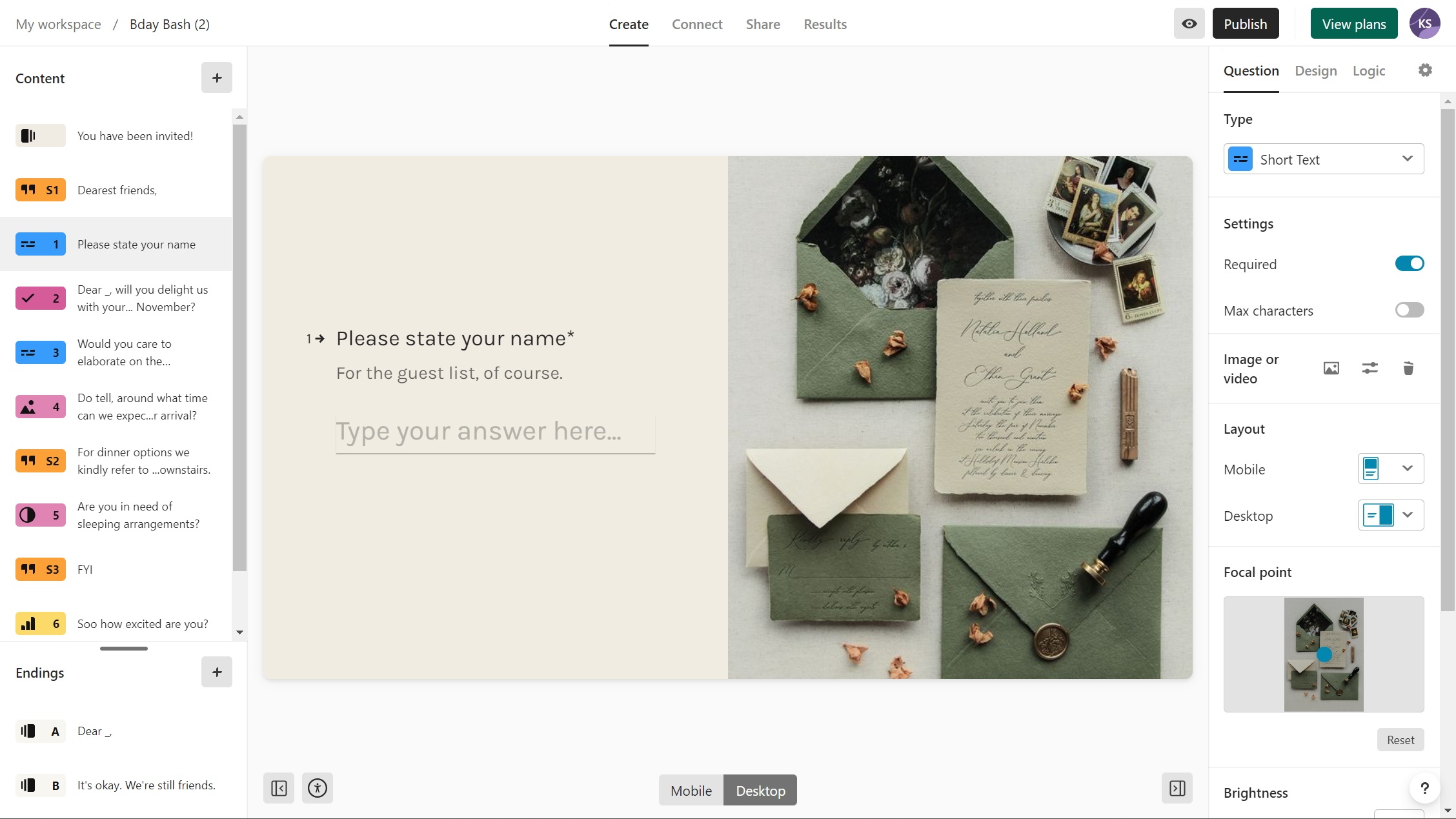
The imagery we have used for our typeform background is mainly focued around the top right hand corner. It looks great on desktop, however on mobile once typeform has cropped the image, nothing can be seen as the imagery in the corner has been cropped out.


Is there any way to have a different mobile sized image for mobile viewers?
Best answer by Grace

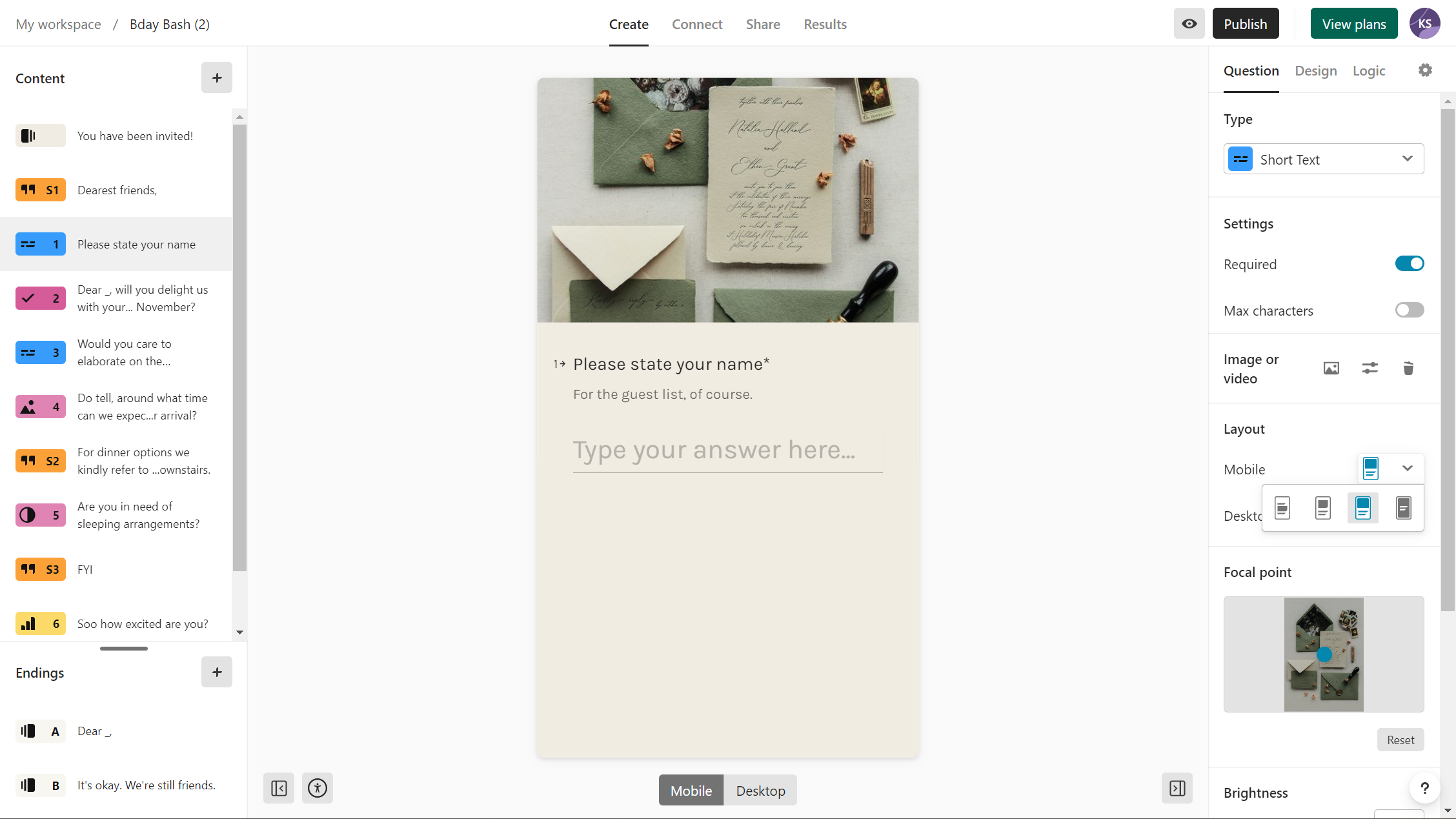
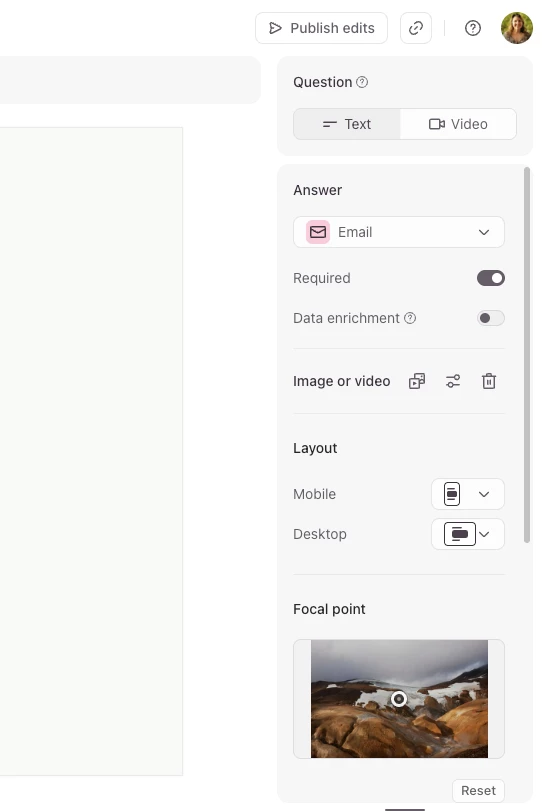
Hi ​@seekingupdates it’s possible to change the image layout so that it’s different on desktop and on mobile - when you add an image to a question you should see the options under layout:


It’s still not possible to choose different images for mobile and desktop, but I will add your feedback to the feature request. At the moment it’s not on the roadmap, but we’ll let everyone here know if anything changes. 

12 replies

Mariana
Ex–Typefomer
Forum|alt.badge.img+5
  • Ex–Typefomer
  • April 28, 2021

Hey @McCorkell_M. Welcome to the Typeform Community :hugging:


This isn't an option at the moment but I agree that would be an amazing feature! For some extra visibility, you might want to post your suggestion here as well:


Please keep the feedback coming. =)


Please add this functionality. It’s so needed. Have your development team think about website development. On virtually any modern platform, SquareSpace for example, you are able to create a separate layout for mobile vs desktop, as image cropping and text ALWAYS need to be adapted and optimized on desktop and mobile independently to optimize the experience. Your platform is great for surveys and our company is moving to use it exclusively, but this basic functionality is an absolute MUST. Especially considering people that are strong designers and want to leverage imagery and layout to create really well-designed, custom survey experiences for their audience. It’s impossible to do this with a horizontal (desktop) layout that is exactly the same and inextricably linked to a narrow, vertical layout (mobile). Not being able to create separate layouts for mobile and desktop with the same survey strongly compromises the power of your platform as both experiences end up being much, much more generic.


  • Navigating the Land
  • August 3, 2022

I join the choir of “Pleeez!” here!

We’re building quiz games where the whole of the visual is important to the user experience, but vertical presentation cuts the sides of the image in the background, removing important visual aspects of it


We created specific background images both to horizontal and vertical version of the quiz, adapting the images to each interaction mode, but so far the only option is to duplicate the  typeform and have links to each other.

This is a pain to keep up to date, because every change has to be done separately in each typeform.

So please, pretty pleeease, I’m sure that would be a huge gain to the user experience - both to the builder and to the respondent! 


  • Navigating the Land
  • October 11, 2022

Adding another vote for this! The end cards look great on desktop but pretty terrible on mobile as the images are cut off very oddly.


  • Navigating the Land
  • December 7, 2022

I was just about to ask the same thing. Keep upvoting on this. This is a much needed feature!


  • Navigating the Land
  • September 30, 2023

I actually have this exact feature in my account (see below for the way its displayed), but I noticed that a friend of mine doesn’t. Is it perhaps in a testing phase or something? Would your product division have an estimate on when to expect this feature to go live, if everything works out well?

* A broad estimate is also fine, since I understand it might be difficult to pinpoint yet.


Desktop view
Mobile view


Forum|alt.badge.img+1
  • Explorer
  • October 11, 2023

@KMess I would love to find out where that feature is! I don’t see it on my end either. 


Adding another vote to this feature request!


Forum|alt.badge.img
  • Navigating the Land
  • June 23, 2025

Upvote!

Any updates on this feature? It’s a must-have and seems pretty standard practice to be able to specify different images for breakpoints, i.e. not just being able to specify for each layout, but being able to specify different images between desktop and mobile.


Thanks!


Grace
Community Team
Forum|alt.badge.img+5
  • Community Advocate
  • June 24, 2025

Thanks for the upvote ​@DCoote! No updates yet, but I’ve added your comments to the feature request 🙏 thank you for sharing


  • Navigating the Land
  • November 26, 2025

Seriously, how is this still not a feature? Seems pretty basic to me - if you design in one format (even mobile first), things just display awfully in the other format. Quite embarrassing really!


Grace
Community Team
Forum|alt.badge.img+5
  • Community Advocate
  • Answer
  • November 26, 2025

Hi ​@seekingupdates it’s possible to change the image layout so that it’s different on desktop and on mobile - when you add an image to a question you should see the options under layout:


It’s still not possible to choose different images for mobile and desktop, but I will add your feedback to the feature request. At the moment it’s not on the roadmap, but we’ll let everyone here know if anything changes.