Answer

How to hide questions later in form

  • August 19, 2025
  • 4 replies
  • 68 views

Is there a way to hide a question from certain people later in the form? For example, if someone says they are female instead of male, I would like a question hidden that occurs later in the form. Or, would that question have to be the immediate next question in order to do a logic jump? I would prefer not to put that question right next to the question about gender, but it looks like that is what I would have to do?

Best answer by Phoebe VA

Hi ​@LaurenH,


Yes, you can do it without skipping over other questions. I created the logic with the example questions you’ve provided. You would just need to create logic rules on the question before the question for males only, in your example, logic would need to be created on question 4.


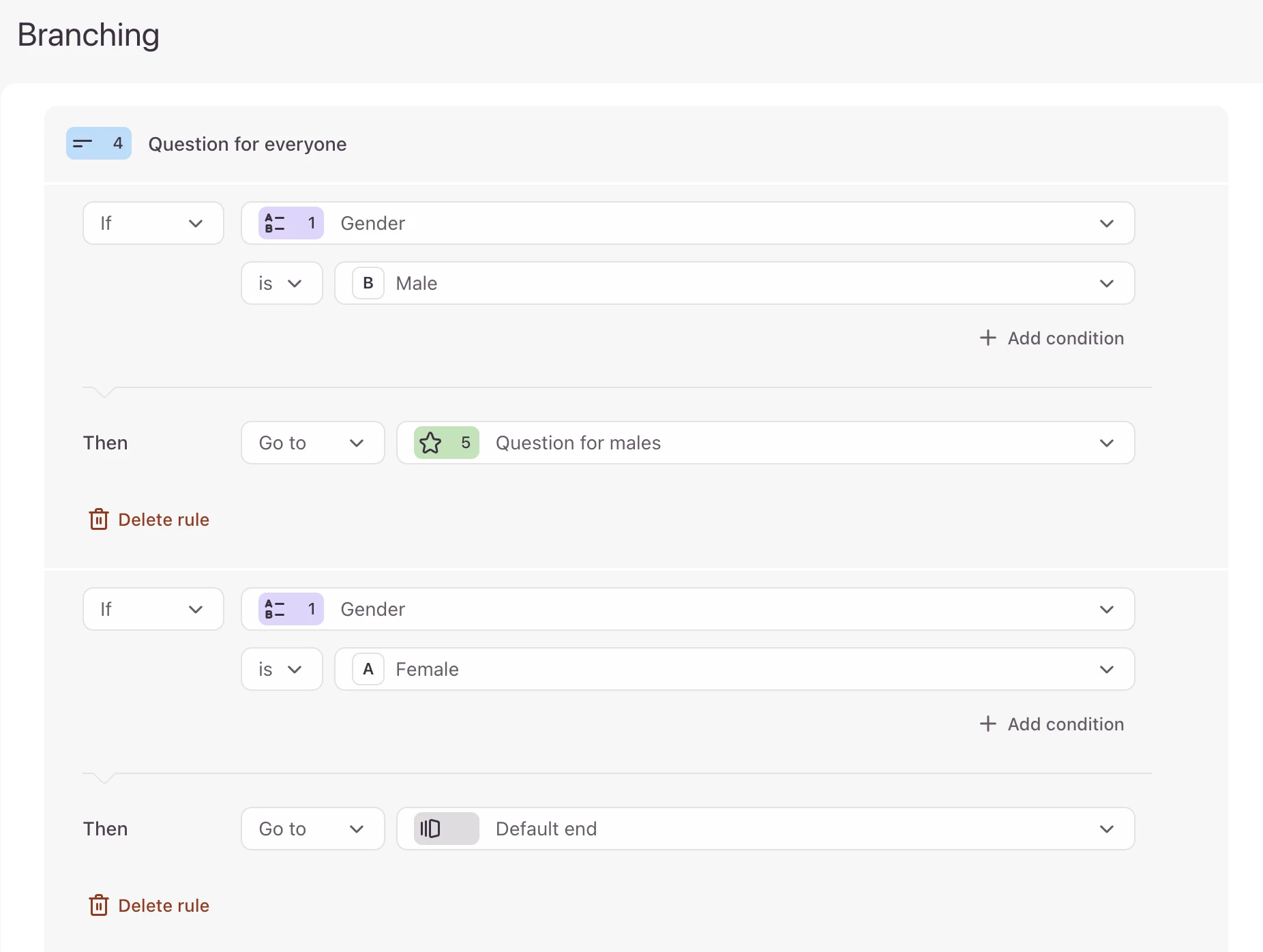
In the branching logic, on question 4, you can change the logic to say If question 1 is Male then go to question 5. Then create another rule on question 4 to say, If question 1 is Female, then go to default end or go to which ever question you want the people who selected female to see next. This will then only show question 5 to people who selected Male in question 1 and for anyone that selected female in question 1 will not be shown question 5. Below is a screenshot of the logic created:



4 replies

Phoebe VA
Community Team
Forum|alt.badge.img+5
  • Community Team
  • August 19, 2025

Hi ​@LaurenH!


Yes, you can hide a question from certain respondents later in your form. You can use Branching logic to skip respondents to certain questions based on their answer.


Let’s say this is the order of your questions:


  1. Question asking about gender
  2. Question for females
  3. Question for both females and males
  4. Question for males
  5. Question for both females and males

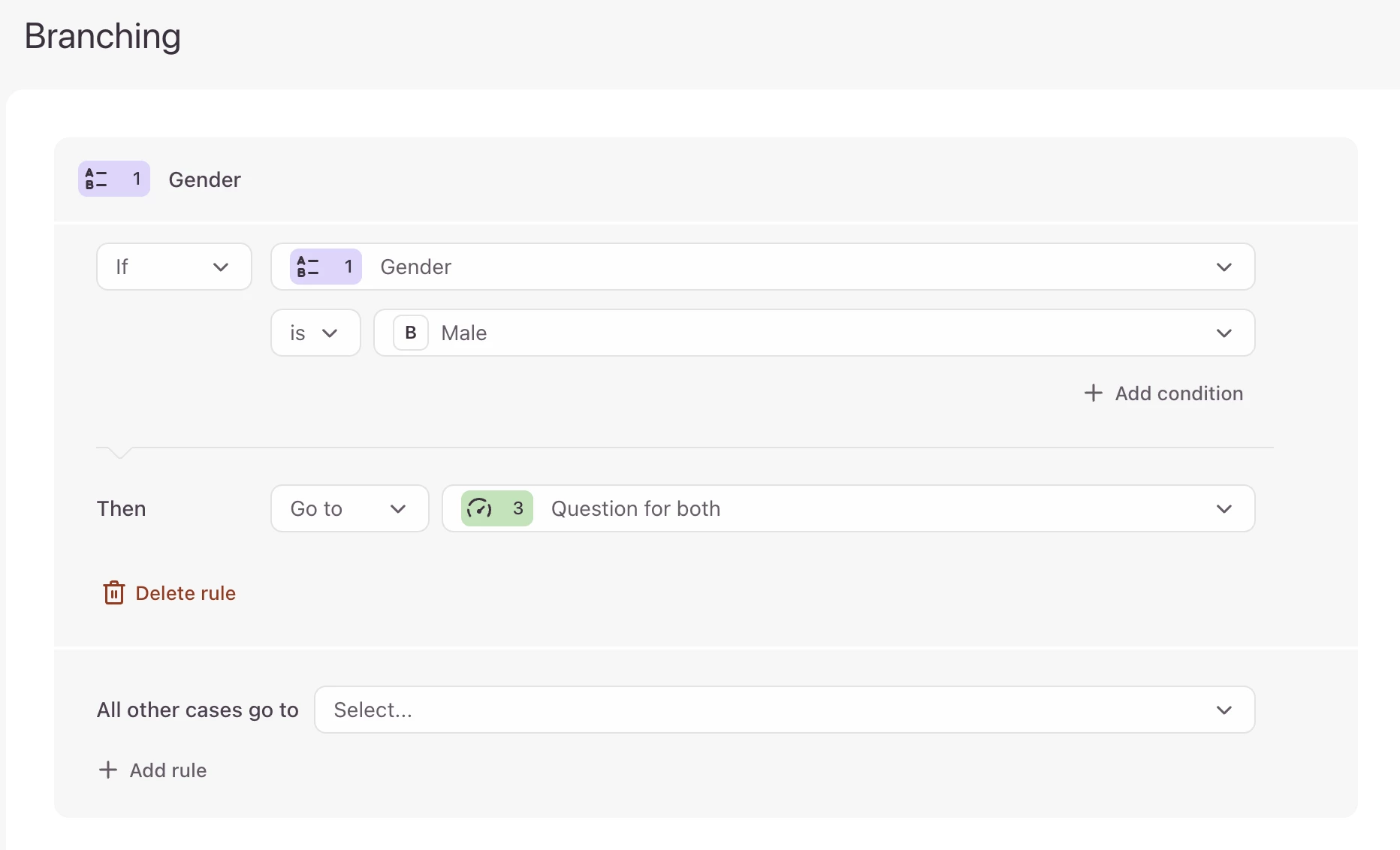
In your Branching logic for question 1, you can set it to skip anyone who answers male to question 3.

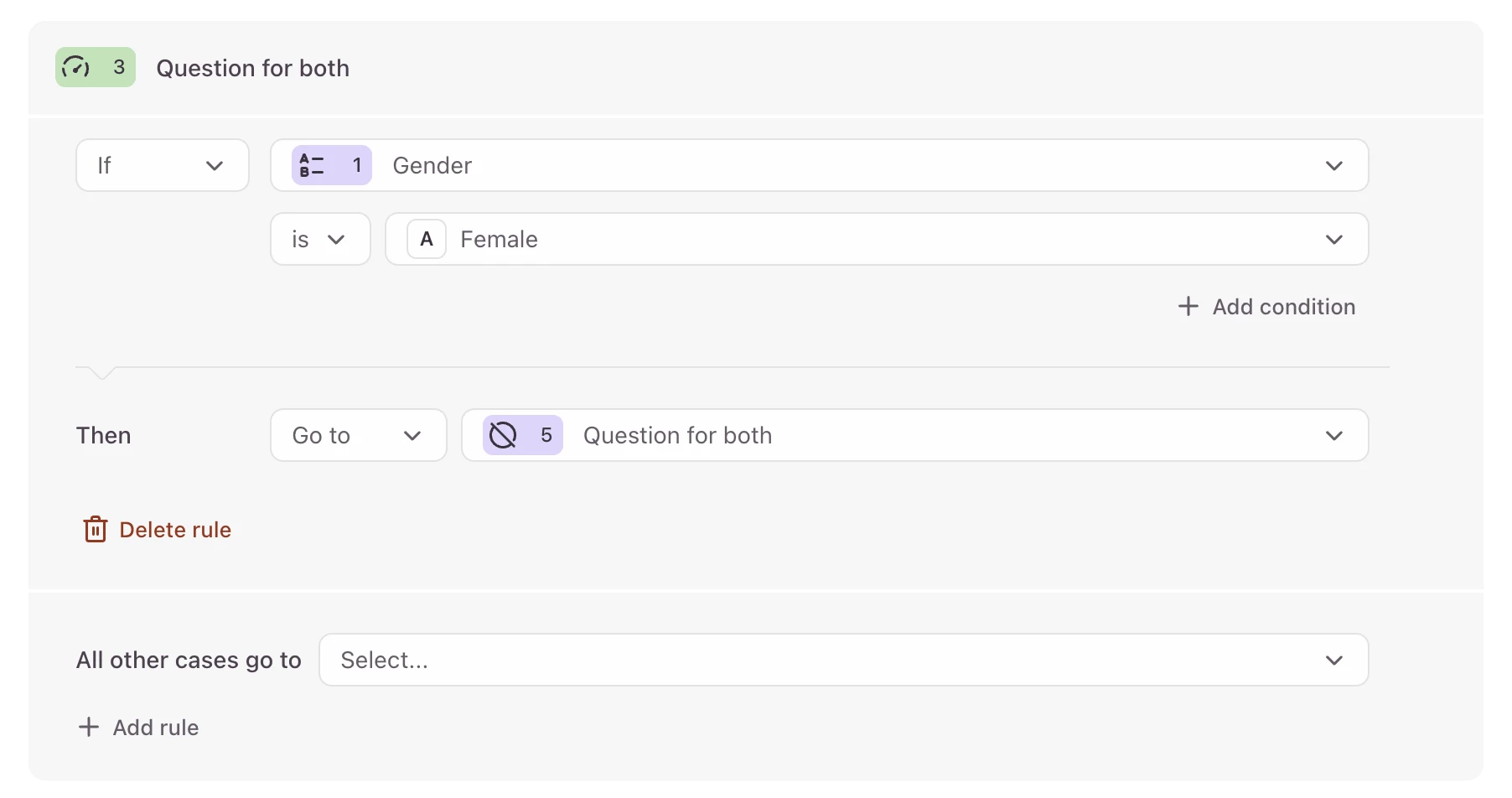
Then in question 3, you can set the logic that if they answered female in question 1, you can skip them to question 5. This will skip them over question 4 that is for males.


We also have this Help Center article on how to use Branching to show relevant questions. I hope this helps and makes sense!


  • Author
  • Explorer
  • August 19, 2025

Hi Phoebe,

Thanks! However I was wondering if I could do it without skipping over other questions. For example: 
1. Question asking about gender
2. Question for everyone
3. Question for everyone
4. Question for everyone
5. Question for males only

I do not want to skip to question 5, but I would like for question 5 only to be visible to people who selected male in question 1. Is there a way to do that with Typeform? 

Thanks!


Phoebe VA
Community Team
Forum|alt.badge.img+5
  • Community Team
  • Answer
  • August 20, 2025

Hi ​@LaurenH,


Yes, you can do it without skipping over other questions. I created the logic with the example questions you’ve provided. You would just need to create logic rules on the question before the question for males only, in your example, logic would need to be created on question 4.


In the branching logic, on question 4, you can change the logic to say If question 1 is Male then go to question 5. Then create another rule on question 4 to say, If question 1 is Female, then go to default end or go to which ever question you want the people who selected female to see next. This will then only show question 5 to people who selected Male in question 1 and for anyone that selected female in question 1 will not be shown question 5. Below is a screenshot of the logic created:



  • Author
  • Explorer
  • August 21, 2025

I understand now, thank you so much!!