Keep up to date with the latest Typeform developments
Recently active
We’ve updated the colors in a selection of our form themes to improve contrast and make questions, answers, and buttons easier to read. These small design changes are part of making forms more accessible to people with visual impairments. If your form uses one of the themes below, the updates have already been applied—there’s nothing you need to do. Here’s why contrast matters and what’s changed. Why is color contrast important? Color contrast is important because text and background colors can determine how people interact with the content that is written in those colors. Low contrast colors are difficult to read when text contrasts poorly with background colors, while high-contrast colors are easier to read when paired together. According to the UK’s National Health Service (NHS), 1 in 12 men and 1 in 200 women have a color vision deficiency. Color deficiency reduces a person’s ability to distinguish between the different shades of yellow, red, and green. This means that they may onl
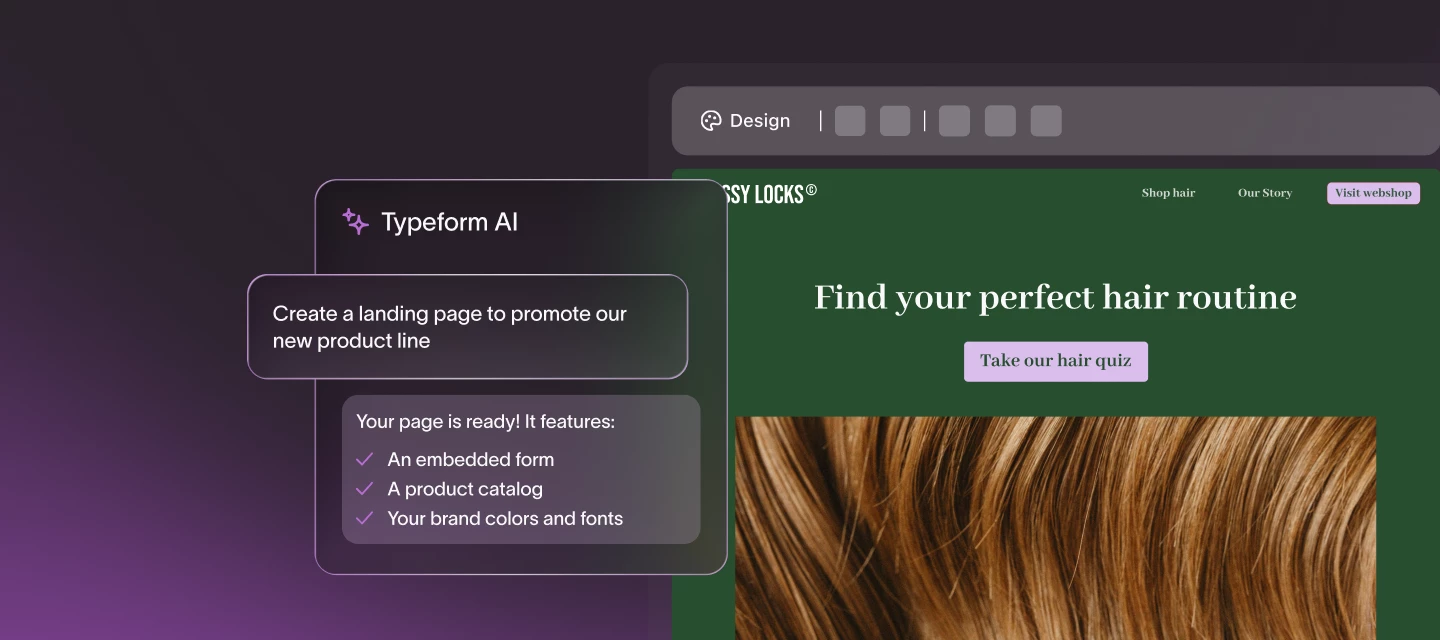
Hey folks, happy spooky season to all who celebrate! 👻 We’ve got some more spellbinding updates to share, so get your pumpkin spice lattes at the ready and let’s get into it. What’s new in Typeform Create a landing page with Typeform Pages Brand new this October! Build an on-brand landing page to house your form at the drop of a prompt! Simply describe the page you want, ask it to match your brand, refine to perfection, and publish! Watch the video tutorial and get the full set up guide here 👀 Get email notifications for new responses Switch on Send email for new responses to get notified every time someone fills out your form. Stay up to date on your response activity without even opening your Typeform account! Just head to the Form Settings to switch on this feature: Learn more here. Autofill answers to open text questions This is a big one, a much-requested feature for the Typeform community, so I’m very excited to report that it’s now possible to pre-populate answers by rec
Building a landing page shouldn't mean juggling a website builder, a form tool, a database, and an email platform just to launch one campaign. That's why we're excited to announce AI Landing Pages—prompt Typeform AI and get a publish-ready, on-brand landing page in seconds, ready to capture and convert automatically. Just describe what you want, and Typeform AI builds the page for you, with your forms embedded out-of-the-box. No stitching tools together, no wrestling with responsiveness or sizing to get your form and page to match. Check out the video guide 📺 How does it work?Go from prompt to page in seconds: Describe your landing page in plain language and Typeform AI generates a branded, publish-ready page—no design or dev work required. Capture and convert on the page: Embed forms, product catalogs, and linked checkouts directly on your landing page, so you can generate sales without sending visitors anywhere else. One platform, end to end: Pair landing pages with forms and flo
Howdy! September has been another busy month at Typeform, with new features being released to help make form-building even faster 🏃♂️➡️ As we get closer to that busy holiday season, we’re thinking work smarter not harder, am I right?! What’s new in Typeform Hide Questions with Logic Create a more relevant experience for your respondent and show only the questions that matter based on their previous answers or URL parameters. This is a really exciting update to Logic, allowing respondents to skip questions that aren’t relevant to them. If you want to send respondents down a specific path, you can still use Branching Logic. Learn more in the Help Center guide here. Collect recurring payments with Stripe Automatically charge customers on a regular schedule and set up a recurring payment directly in your form with the latest updates to our Stripe integration. Perfect for collecting subscriptions, memberships, or other repeat charges. Using the Payment Question allows respondents t
Hey folks! Where is this year going? It’s nearly time for a back to school special, but before that, let’s take a look at what the Typeform minions have been building from their beach hammocks. What’s new in Typeform Typeform in Claude Exciting news for Claude users! You can now bring Typeform into Claude and manage it from your account without switching tools. Simply add the Typeform connector to your Claude account and then you’ll be ready to ask Claude to help you build forms, update existing forms, summarize responses and manage contacts. Get started with our Help Center guide If you prefer to use ChatGPT, don’t worry we’ve got you covered too! Check out how to set up the connector here. Typeform Contacts You no longer need to have an email address to create a contact in your Contacts database. Keep track of and segment your respondent data, whether you need to reply to them or not! Learn more about how to create and manage contacts here. Typeform Insights You can now combine a
Hey Community friends! We’re back with another round up of all the latest from the world of Typeform. New features, new connections, new tips and tricks from our community of creators 💪 What’s new in Typeform Multi Question Pages gets an upgrade We know traditionally Typeform has been a one question at a time kinda vibe, but last year we launched Multi Question Pages to help you group questions and create quick and easy forms. You can now add content directly in the question panel on the left side of the builder, for quick and easy access to creating Multi Question Pages within your form. For more information on this feature, check out the Help Center article here. Hide the asterisks on Required questions This has been a hot topic here in the Community so we are delighted to report that you can now remove the asterisks that appear when you set a question as “Required” in your form. You still need to toggle on the Required option in the right hand panel when building your form: Th
Hi folks, A lot of you have been asking for more control over answer placeholders, and we’re excited to share that it’s now available in Typeform. You can now set a custom answer placeholder for each individual question, in much the same way that you would edit the question title and description. This is one of our most-requested improvements, and it makes it much easier to guide respondents with clearer, more contextual prompts right where they’re needed. What this unlocksAdd more specific guidance for each question, instead of relying on the default placeholder text. Show examples of the format or type of answer you want people to enter, which can help reduce confusion and prevent submission errors. Give respondents a little extra context on open-ended questions to make answering feel easier and faster. Make Address fields more contextually relevant based on your location Here's a short video explainer: Where it works Custom placeholder text is supported on these question types:Shor
Hey folks 👋 Summer might be here, but the Typeform team definitely hasn’t slowed down 🥵 We’ve had a busy month shipping new features, sharing fresh resources, and wrapping up one of our biggest community events ever (shout out to everyone who joined us for the Telethon!). As always, here’s a quick roundup of some of the latest and greatest in case you missed anything: What’s new in TypeformBuild smarter workflows with Typeform AI Typeform AI just got a whole lot more powerful.You can now prompt Typeform AI to not only help build forms, but also create automated workflows that manage contacts, send follow-ups, nurture leads, and help move your audience toward conversion automatically. Check out the Help Center guide Connect Automations to more of your favorite tools We’ve expanded our Automations integrations so you can now sync your Typeform data with tools like:• Microsoft Teams• Excel• Google Sheets• and moreThis is perfect if you’re looking to keep your workflows connected witho
Hey folks! Better late than never I always say! May was a busy month for the Typeform team, here’s some of the latest and greatest, in case you missed it. What’s new in Typeform Book meetings with Google Calendar The Scheduling Question just got an upgrade. Not only can you integrate with Calendly to book meetings directly in your typeform, you can now connect your Google Calendar! No more redirecting from the form to a booking system, get those appointments booked in one easy Typeform flow. Check out the Help Center guide for more information on the setup. Meet Research FlowBrand new to Typeform, we’re combining tried and tested surveys with AI-moderated interviews to help you run end-to-end research studies in one place. Research Flow allows you to gather themes, sentiment, and key quotes to help you move from data to decisions, fast. Read more about this tool here, or check out the demo area in your Typeform account now. Don’t forget you can find out the latest updates in the Type
Hey folks, I’m back with another round up of the latest and greatest from the Typeform universe! What’s new in Typeform Signature Question has landed in Typeform 🚀 Collect legally valid electronic signatures right inside your typeform, no need to redirect them to an external tool. Learn more about how this works in our Help Center guide here. For tech-savvy Claude fans, you can now use the Typeform MCP server to access and interact with your Typeform data directly from Claude, or other compatible AI tools. Check out our comprehensive guide to learn about the setup and start experimenting.And in case you missed our community announcement, we’ve introduced a highly requested feature, Answer validation with regular expressions. We hope this helps when you need information collected to follow a specific format. Read the full article here. Finally, if you’re a Typeform Automations user, you can now connect Slack to Automations and get instant notifications every time a new contact i
Your contacts are coming in. Is your team ready to act on them? You can now connect Typeform to Slack and get an instant notification every time a new contact is created—sent to the channel or DM of your choice. No chasing, no checking, no missed moments. What this unlocksNotify your team the moment a new contact is created Send updates to any Slack channel or DM Share exactly the fields that matter (lead info, responses, etc.) Take action instantly—loop in the right person or kick off next steps Keep your team aligned and moving faster, without leaving Slack 👉 Check out the setup guide to get started
Spring has arrived in some parts of the world, the days are getting longer, which means there's more time to spruce up your Typeform workflows! 🧹 What’s new in Typeform Typeform AI The team has been making updates to Typeform AI 🪄 and now you can:Tackle more advanced prompts with Extended Thinking, available for our Growth and Enterprise customers. Typeform AI will use more advanced LLM models to produce higher-quality forms. Learn more about Extended Thinking here. Drop a URL in your prompt and let Typeform AI search for you. Discover how to create and edit forms with Typeform AI here. Use AI to generate sample responses for new forms. Our very own @James has been using this new feature, read his review and how to get started with sample responses here. If you’re struggling to get the most out of your Typeform AI prompts, check out this handy Help Center guide to learn how to become a prompt master! Typeform ResultsResults Summary is getting a glow up this year, and new this mont
Happy Friday, Community 👋 Thought I'd drop by with news of a new addition to Typeform – the Test response feature. The AI-powered tool within the Responses section allows you to create a test response at the click of a button. It's great for testing forms, especially as it doesn't affect your monthly response limits. These test responses don't impact your form insights, either. You can read more about working with AI-powered test responses here. Why I'm digging it I'm loving being able to see dummy responses in the Typeform Results section. It's good for testing behaviour of advanced question types like Clarify with AI, to get a feel for how they work. Beyond that I'm also finding it useful for: Testing out integrations – I love setting up Zaps to connect Typeform with various tools (event registration form > Zoom webinar is my fave). What I don't love is having to spend ages filling out long forms in order to test the Zaps before putting them live. I'm delighted to report that
Hey all, For such a short month, February sure has seen a lot of action! Love hearts were shared, pancakes were eaten, medals were won, and new Typeform features were released! What’s new in Typeform Typeform AI updates If you’ve been enjoying using Typeform AI to build your forms, you’ll be pleased to hear that AI now has a memory, so you can skip adding the extra context, and simply build and publish forms even faster. 🚀 Learn how to create and edit forms with AI here. AI enrichment Need more data? This month saw the release of AI data enrichment to help get a better picture of who your leads and customers are. 🧑💻 Learn more about contact enrichment in Typeform here. Webhooks for Automations Let Typeform fuel custom workflows across your tech stack, by adding webhooks to your Automations to trigger actions in other tools! 🔗Read the guide here. Get inspired Re-watch the webinar 📺 We launched all this and more during our Winter product release webinar back at the start of Febr
Hey everyone! 🤓 Last week our good friend @ryancahill hosted the Winter product release webinar (if you missed it, have no fear, you can watch back any time here!). A big thanks to everyone who was able to attend live. There were a lot of thoughtful questions being asked, so we thought it would be a great idea to highlight and answer some of them here in the Community for all to see 🚀 Contact & Automations What integrations are available for Flows/Automations today to trigger outreach after a form is filled? - Kevin There are more than 120 integrations available to connect your forms to external tools. You can find them under integrations in your workspace. For more information you can also check our help center article here. And, great news, Webhooks are now available in Automations so you can also connect to any tool that doesn’t have a native Typeform integration. More details on how it works here. How does email Automation support unsubscribes? - Des In order to help you
Hello, wonderful community folks! Your early holiday gift is here - the address question type! Built thanks to popular demand, our address question easily allows you to collect mailing information from your respondents, all within the same question. You can choose which fields you’d like to mark as required. Each element of the address question appears as its own field in the Results panel, giving you the ability to hide any fields you don't need to see in that Results panel. Take a peek at how the address question works below! If you use the address question, let us know how it goes for you or any feedback you have.
Hey folks, Hope your 2026 is off to a good start! We’re excited to be back, and are looking forward to helping you succeed in building the best Typeform workflows yet 💪 What’s new in Typeform New year, new logic! You can now set up branching logic rules directly in the form builder, no more switching tabs. You’ll find the add branching option in the right-hand options panel, so you can start mapping out your respondents journey. Learn more about how to use logic here. If you need to share your typeform in different locations, you can now force a specific language to appear by adding a URL parameter. No more relying on browser settings! Add ?typeform-lang=xxxxx if it's the first query parameter, or &typeform-lang=xxxxx if it's not the first query parameter to your form URL, where "xxxxx" is the language code.Check out the Help Center guide for more information on creating multi language forms. Don’t forget, you can keep up to date with all the latest product updates in o
Hey folks! We made it to the end of 2025 (more or less 😜) Thanks so much to everyone that’s been part of the Typeform Community this year. It’s been great to see members problem solving, getting inspired, and sharing valuable feedback. 💜 Here are a few stats from our corner of the Typeform universe in 2025: 📈 5,980 new members joined the Community, and we’re currently at a total of 42,762 creators. That’s a lot of Typeform experience under one roof! 🎙️ 1,978 conversations were started, and 2,233 likes were given out. 📺 1,729 people joined live for one of our workshops or webinars.🏆 Our experts tuned 13 customer forms at our Tune up your typeform workshops, and gave out 6 new Typeform Awards, celebrating our amazing customers at Typeforum this year. And now for the latest from Typeform this December! What’s new in Typeform We’ve made some changes to exporting responses. You can now export selected responses, and filter and export responses. Here’s everything you need to know abo
Hey folks! Holiday season is upon us and in the spirit of giving, we’re re-igniting our monthly round ups to bring you all the latest and greatest from Typeform 🎉 What’s new in Typeform Contacts and Automations Have you checked out the new Contacts and Automations features yet? Manage and segment your customers in Typeform, then keep them engaged with follow-up emails and automations. Learn more in our Help Center guide, or re-watch the session from Typeforum last month. Typeform AI You can now create and edit forms at lightning speed with Typeform AI. Try creating using the voice prompt feature to get the most out of your forms. Discover how to get started in our guide here, and check out the session from Typeforum to learn more. Summary updates You can now filter your Summary page by URL parameters, and use Group filters in your Results summary to find specific groups of respondents. Read how to add Group filters here.👀 Check out all the latest Typeform updates in our Changelog
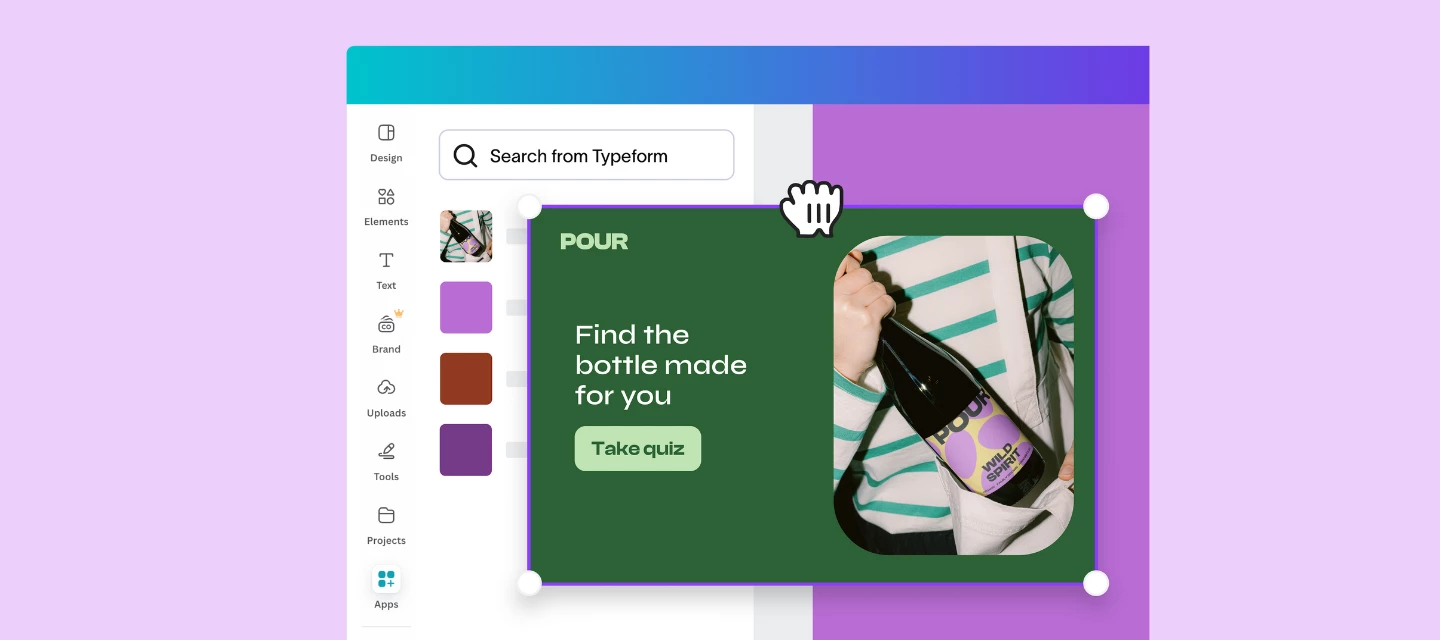
Hey Community, Here with a quick update about a super handy new integration – you can now add interactive typeforms to your Canva landing pages, presentations, and more. With this integration, you can embed interactive typeforms directly into your Canva projects to create interactive, on-brand content that captures leads and drives engagement—all without leaving the Canva editor! This makes it ideal for creating presentations, proposals, or lead capture assets. Here’s our Developer Advocate @picsoung with an overview of how the magic happens: 🪄 You can check out the integration for yourself here 🪄 What do you think? If you’re a Canva user we’d love to get your thoughts on this! Have you tried it? Is there anything else you’d like to be able to do with the integration?Thanks!
Hi everyone!Big thanks to everyone who joined us for the Summer 2025 Product Release Webinar! We hope you’re as excited as we are about the latest Typeform innovations.If you couldn’t make it or just want a refresher, the recording is now available—so you can catch up anytime. What we covered ⚡Smarter workflows: Power everything that happens after a form submission. Whether you’re using our new Email Builder to follow-up, Auto-tagging to segment your audience, or Create with Salesforce to connect with your CRM, we’re making it easier for you to act on your data automatically. 📈 Faster data capture and analysis: Collect all the data you need, then easily understand your data to take action. See how features like Form Pages and our new Results Summary page help you collect and analyze the data you need. 🎯 More personalized customer experiences: See how features like FAQ with AI, Match Quiz Mode, and more help you create more engaging forms and personalize your audience’s experience.
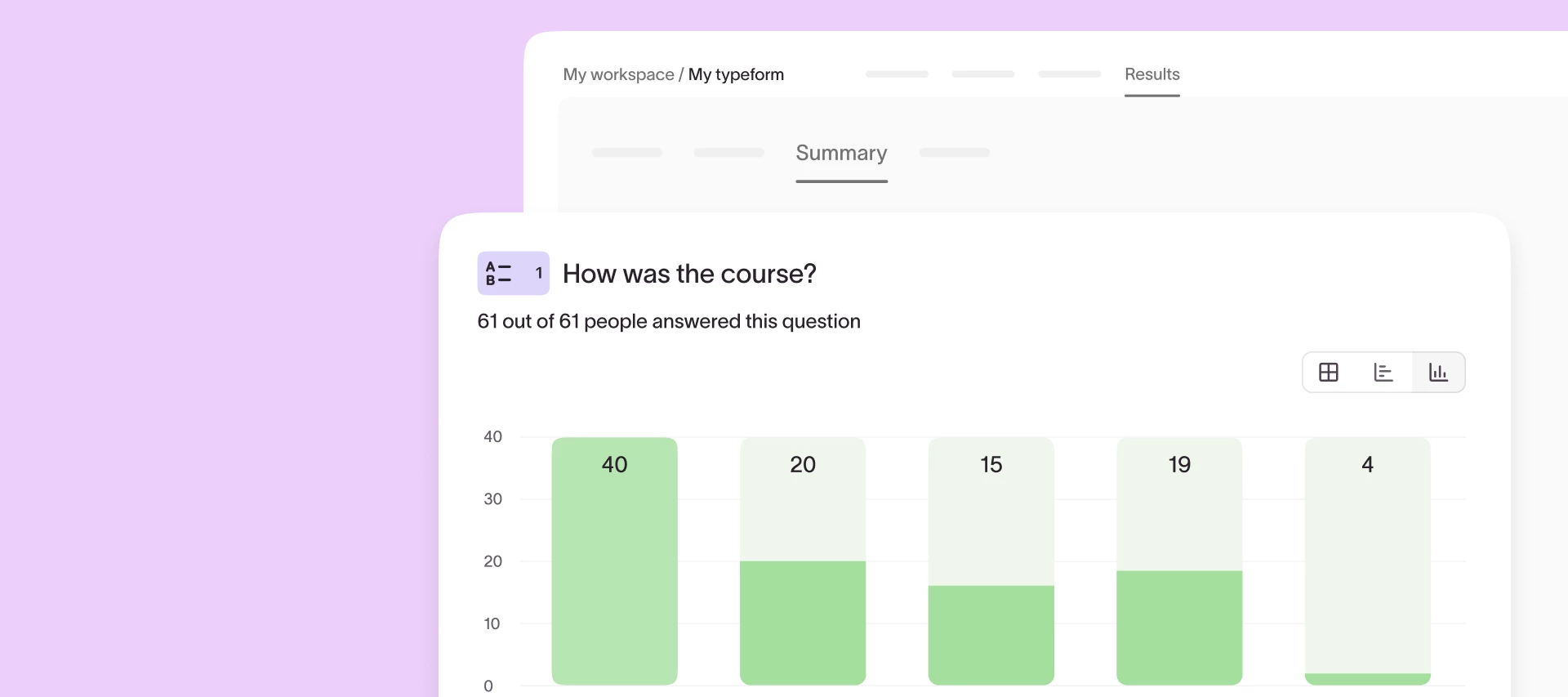
Understanding responses at scale shouldn’t require exporting to spreadsheets or wrestling with raw data. That’s why we’re excited to announce that a fresh, upgraded Results Summary page is on the way! Check out a sneak peek below. The updated experience makes it easier than ever to spot trends, compare performance, and take action, right from inside Typeform.What’s new?Interactive charts and tables: Visualize results with auto-formatted bar charts, NPS visuals, comparison views, and more. Smart formatting: Your charts adapt to long text, big data sets, and screen size so insights stay clean and clear. Descriptive stats: Instantly see counts, percentages, averages, and more—no spreadsheet required. Why it matters: Until now, extracting insights from large response sets required a lot of manual work. You’ve told us this in feedback and support tickets—and we listened. The upgraded Results Summary page gives you a faster, clearer way to understand your data and share impact across your
Hey Community 👋 I'm Cate from Typeform Labs - the part of Typeform dedicated to research and innovation. Back in February, the Typeform Labs team decided to embark on a new journey. With the release of new AI technologies, we saw a significant opportunity in offering a more conversational experience. In that moment, Formless was born. We've already been testing the product with a pool of users and today we're ready to open the product up to all of you! Everyone can now sign up to Formless and try the power of AI technology embedded in a great UX (it's still a Typeform product 😉). Like the look of it? You can sign up to the public beta here! Still curious as to what it is? Here’s some more info: What is Formless for? You can use Formless to:Collect feedback from your audience Capture and qualify leads Have engaging conversations with your audience Recruit new people for your team Act as your support and sales agent! Inspiration 💡 Check out how Statstak.io is using Formless for t
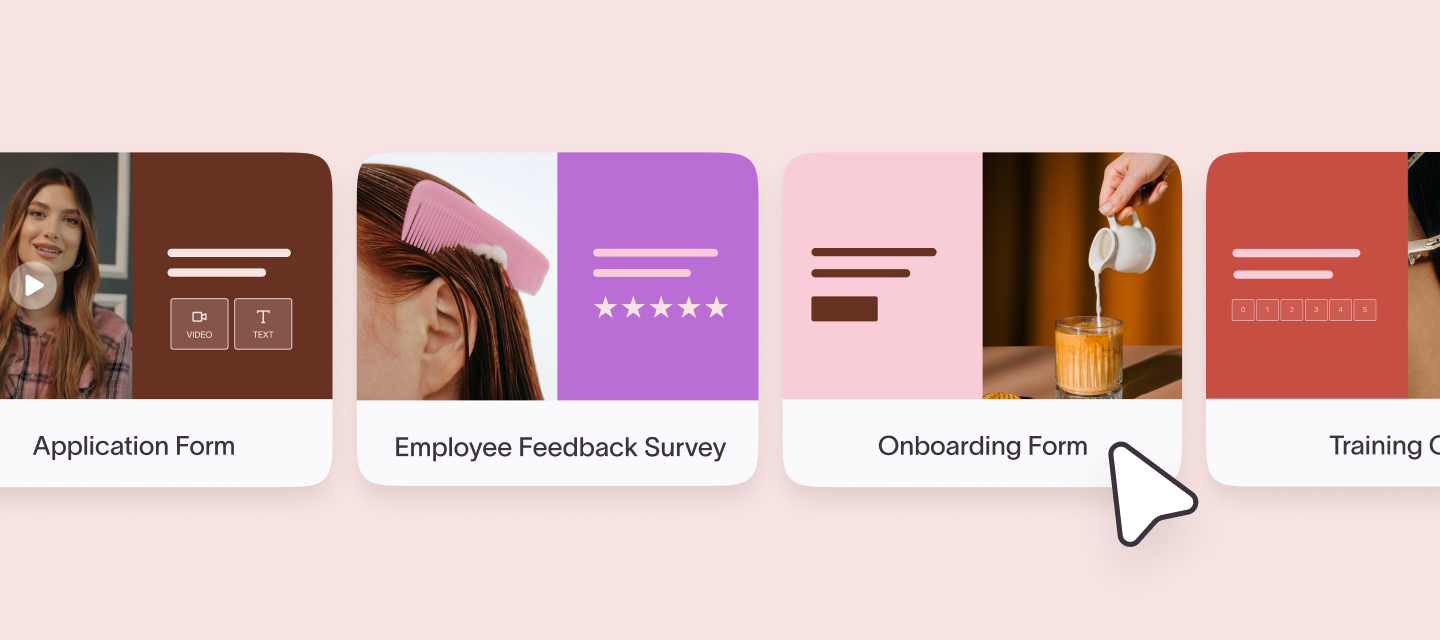
Hey there, I'm Ehikioya, Senior Product Marketing Manager at Typeform.If you’re using Typeform to recruit, onboard, or engage your team—this one’s for you…We’ve just launched Typeform for Talent, a new plan designed to make the employee experience easier, smarter, and feel more human. Whether you’re scaling a team, building culture, or gathering feedback, this plan gives you the tools to save time and create memorable employee experiences your team will love. Here’s what you can do with it:👋 Attract top talent with application flows that convert🎓 Onboard new hires with engaging, personalized forms💬 Gather authentic feedback with interactive videos and AI📈 Track engagement and retention over time with analyticsYou’ll get access to premium features like:🎥 Video questions and answers🧠 Knowledge quizzes📄 Ready-to-use HR templates 👉 Find out more about Typeform for Talent here 👈 Want to see it in action? We’re hosting a live webinar on July 24 at 12 PM ET where our team will tune u
Hi all!Marketers and sales teams juggle a ton of campaigns, forms, and lead sources. But until now, all that data has been scattered across different workspaces, making it hard to get a clear picture of who you’re engaging with. That’s why we’re introducing the Contacts Hub in Typeform! ✅ Surface key contact information about each contact✅ Prioritize high-value prospects at a glance✅ Track all contacts in one place—no more jumping between forms Want to stay in the loop? Sign up to receive updates about the Contacts Hub and be the first to know when it’s available. Drop your info here!
Don't be shy and ask the community.
Already have an account? Login
Enter your E-mail address. We'll send you an e-mail with instructions to reset your password.