


Hey Community friends!
We’re back with another round up of all the latest from the world of Typeform. New features, new connections, new tips and tricks from our community of creators 💪

What’s new in Typeform
Multi Question Pages gets an upgrade
We know traditionally Typeform has been a one question at a time kinda vibe, but last year we launched Multi Question Pages to help you group questions and create quick and easy forms.
You can now add content directly in the question panel on the left side of the builder, for quick and easy access to creating Multi Question Pages within your form.
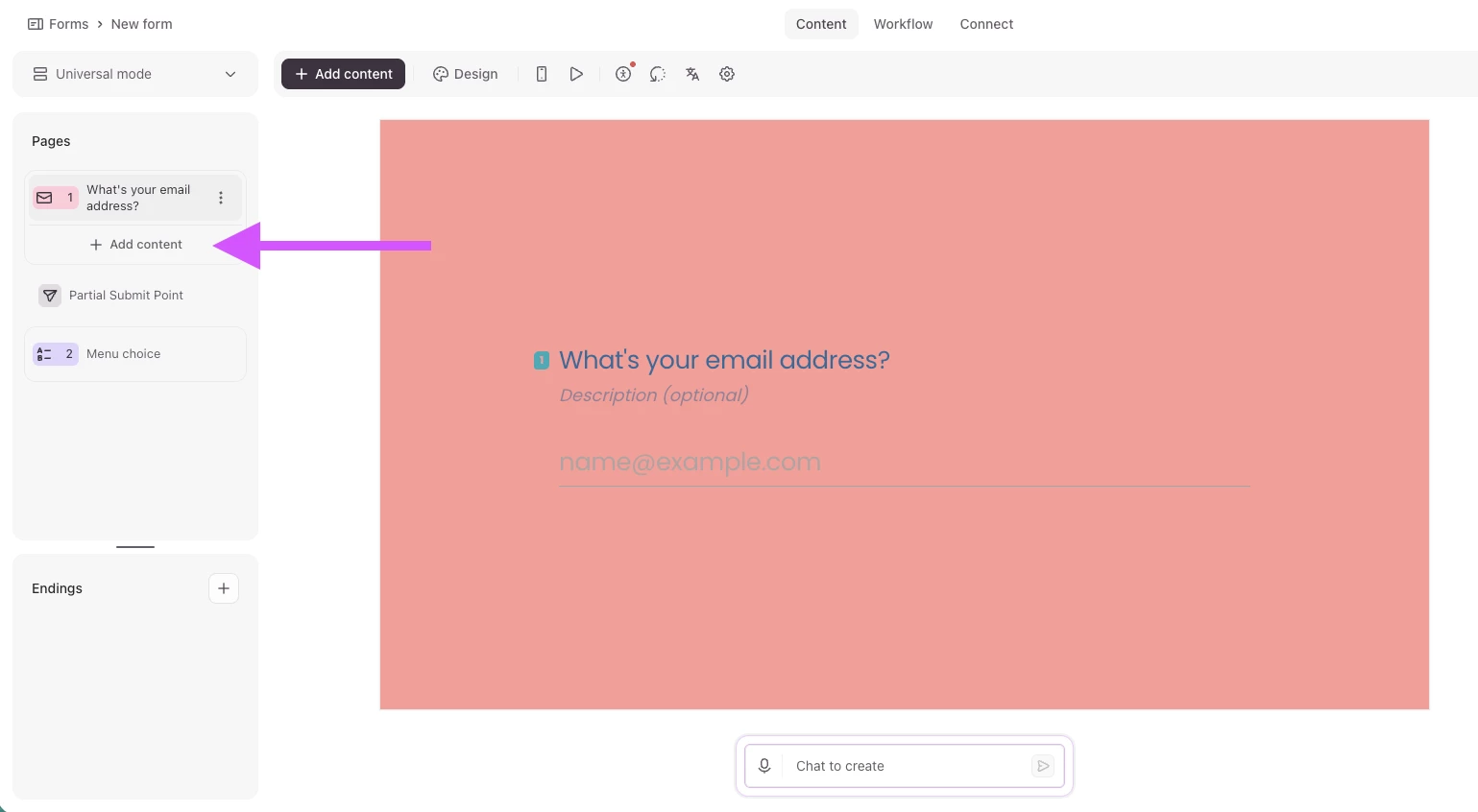
For more information on this feature, check out the Help Center article here.
Hide the asterisks on Required questions
This has been a hot topic here in the Community so we are delighted to report that you can now remove the asterisks that appear when you set a question as “Required” in your form.
You still need to toggle on the Required option in the right hand panel when building your form:
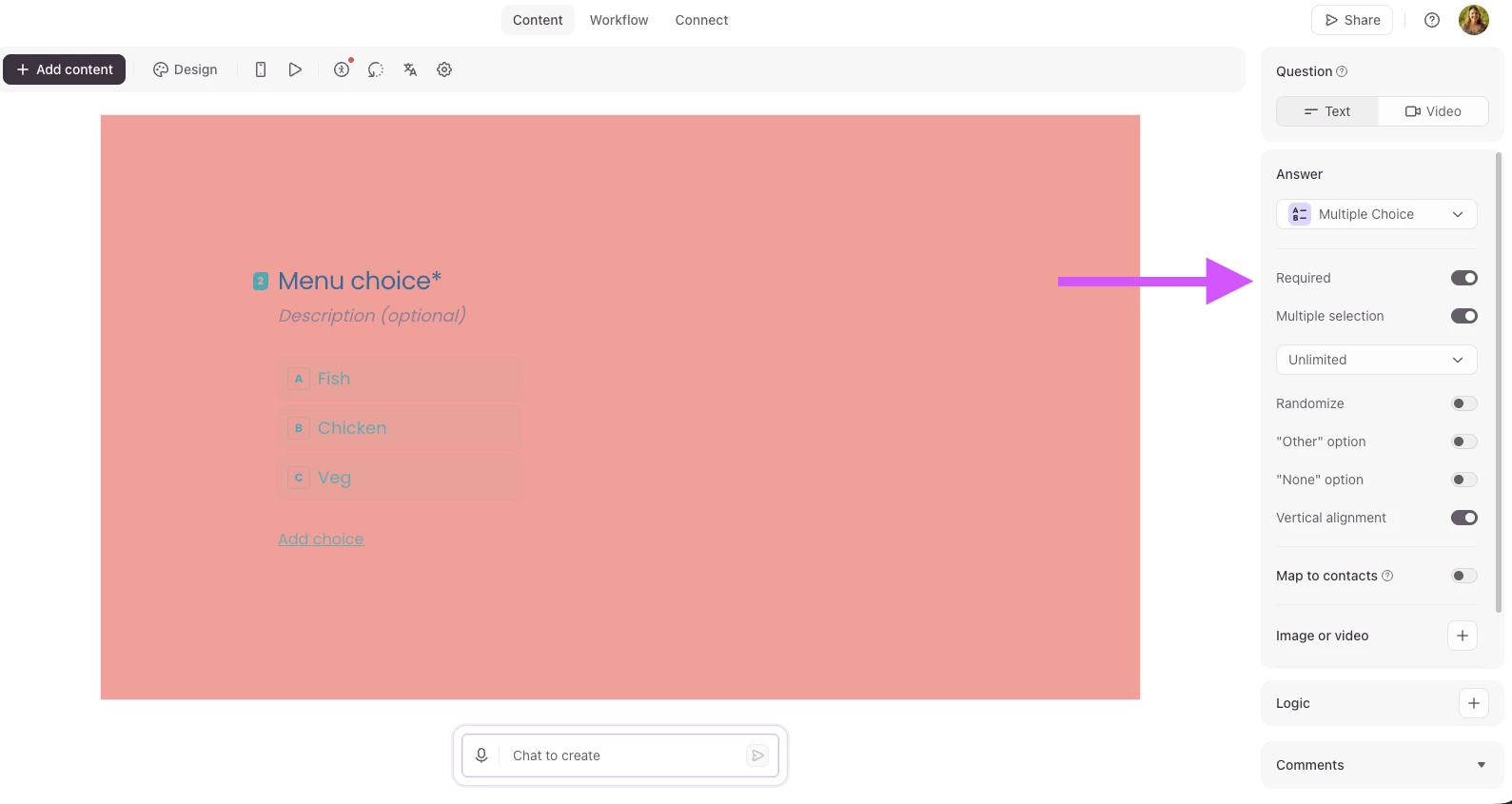
Then head to your form Settings:

In the General Settings, you will find the Display options, and the options to toggle off the Asterisk appearing on Required questions:
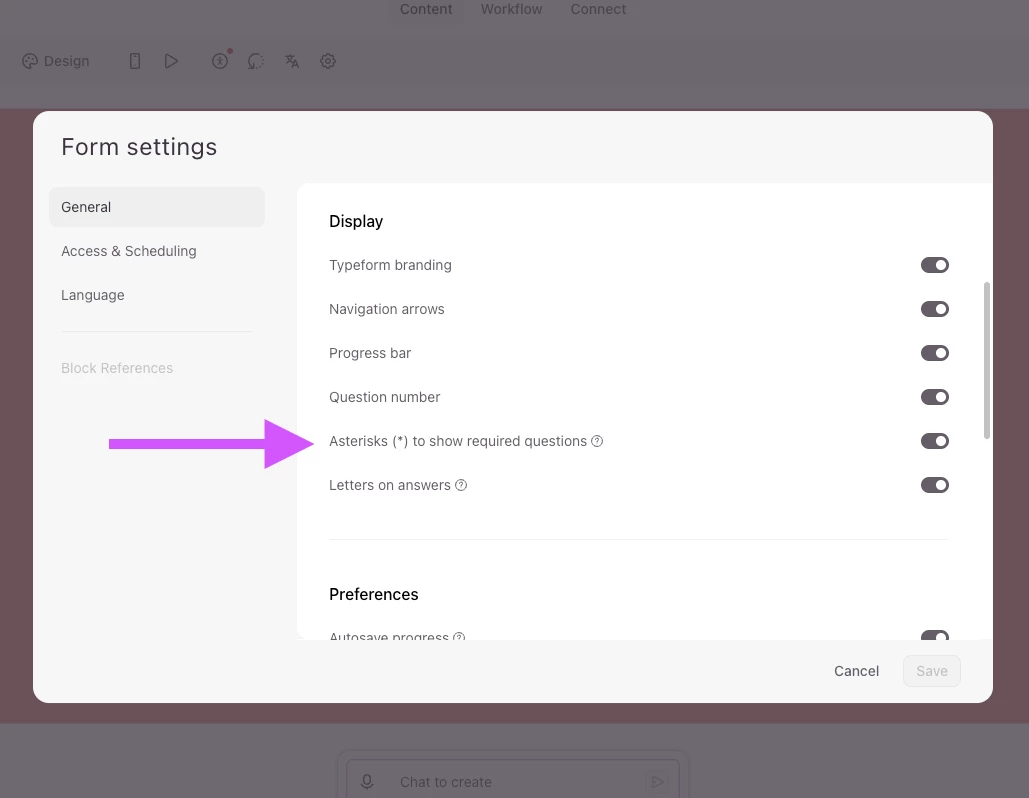
Learn more about how this feature works here.
Connect Typeform AI to your favourite tools
Not the same as a traditional integration, Connectors can pull information from another tool like Notion, Slack, Canva, or Shopify Storefront into Typeform AI and ask it to use that content as context for whatever you’re creating. Save time creating your forms but connecting your Notion project to Typeform and having AI generate a lead generation form you need based on the project brief!
Get the setup guide here.
As always, don’t forget to follow the Typeform Changelog for all the latest releases.
Get inspired
James and Suzie are back with another Tune up your Typeform Quick Fixes episode. Watch the video to see how they made just a few small changes to turn a simple lead gen form into an automated lead flow engine!
Head to the Typeform Blog to read how ThaCollabs built a creator onboarding engine, and with a little help from the Typeform Tune-up team, refined and optimized the experience to beat form fatigue and scale and automate the intake process.
Coming soon 👀
TypeFridays: Sleigh the holidays
If you’re a B2C or small ecommerce business, come join us for the next TypeFridays workshop on August 21st. We’ll be joined by Igor de Andrade, from Alce Rocks, who’ll be answering questions and sharing expert tips on how to set up successful holiday campaigns with Typeform.
Learn more about the session, and save your spot here:
That’s all for now, see you next month!