Hello, we would like to implement a phone number validation on one of our contact form.
The ideal solution for us would be a using OTP system (like the one from Twilio). As per my understanding it will require an API.
According to TypeForm help support, there is no native solution
We are looking for the best manner to implement this verification via API or any other way, does anyone know any example of something similar done on a form ? Or have any advices ?
Thanks in advance
Best answer by picsoung
Hi @Damien
As @Liz mentioned, the flow of a form can’t be interrupted to make an external API call between questions.
So the only moment you can do this verification would be when the form is submitted.
As a workaround for now, I would suggest to break your flow into two forms. One first form just asking for form number. This form redirects to an OTP validation UI of your own. When this forms is submitted it triggers a webhook to call Twilio OTP API.
If the OTP validation works, you can redirect the user to the second part of the form, passing the phone number as a hidden field.
i switched to makeforms for my workflows. They have OTP for Mail and Phone.
Thanks for referring. I used them. They give 5k responses for $29. But, you need to purchase verification SMS credits separately and it’s costly compared to Twilio. For US, Twilio charges per sms are $0.007 for which they charge about $0.040. I had to reach out to support and they gave only 20% discount. But it’s okay for me as I don’t need to manage a separate Twilio account.
Hey Damien, You're right Typeform doesn’t support OTP verification natively, and setting it up with Twilio requires custom API work and infrastructure for sending and verifying codes.
If you're looking for a simpler solution to check if a phone number is real and valid, I recommend using Zapier + Numverify. I've used this setup successfully for form validation without needing to send OTPs.
Here’s how it works:
A user submits a phone number via Typeform
Zapier picks up the submission
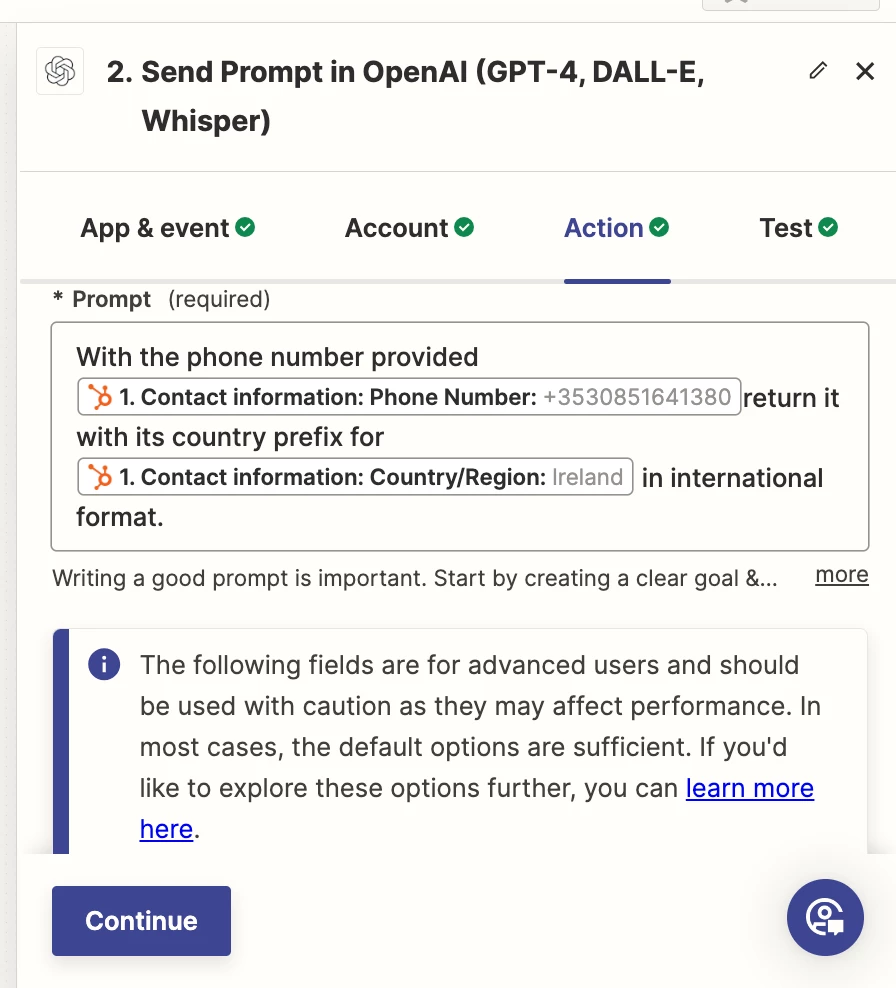
(Optional) Use OpenAI inside Zapier to clean and format the number
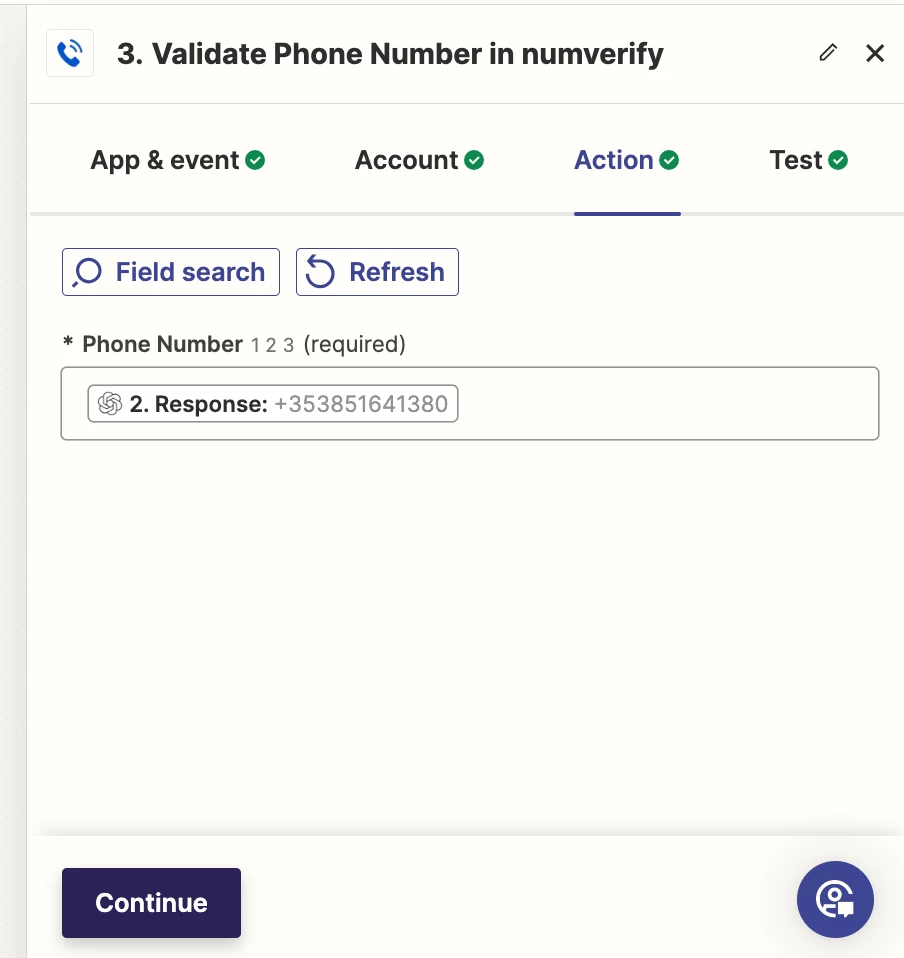
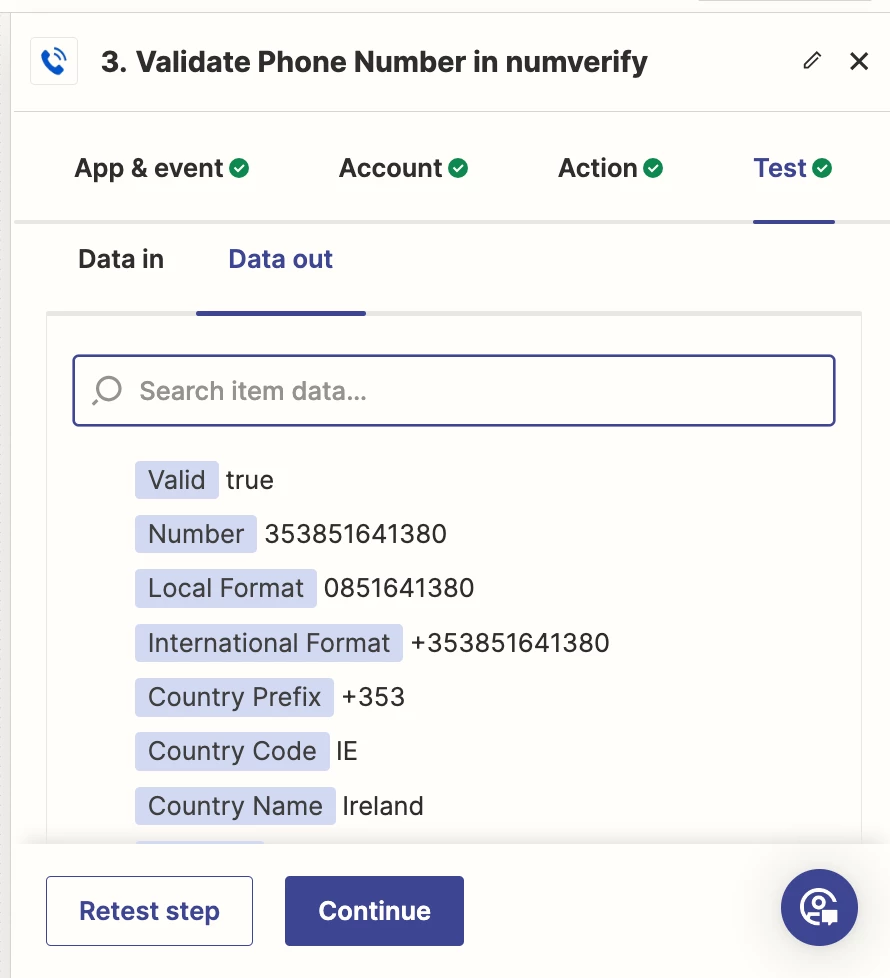
Pass the formatted number to Numverify, which checks if it’s:
A real number
Properly formatted
From a valid carrier and country
Why use this approach:
No code required
Works for international numbers
Flags fake or mistyped entries
Integrates easily with Google Sheets, CRMs, and more
You can still trigger Twilio OTP after validation, if needed
Let me know if you’d like help setting up a sample Zap.
Hey Damien, You're right Typeform doesn’t support OTP verification natively, and setting it up with Twilio requires custom API work and infrastructure for sending and verifying codes.
If you're looking for a simpler solution to check if a phone number is real and valid, I recommend using Zapier + Numverify. I've used this setup successfully for form validation without needing to send OTPs.
Here’s how it works:
A user submits a phone number via Typeform
Zapier picks up the submission
(Optional) Use OpenAI inside Zapier to clean and format the number
Pass the formatted number to Numverify, which checks if it’s:
A real number
Properly formatted
From a valid carrier and country
Why use this approach:
No code required
Works for international numbers
Flags fake or mistyped entries
Integrates easily with Google Sheets, CRMs, and more
You can still trigger Twilio OTP after validation, if needed
Let me know if you’d like help setting up a sample Zap.
— Aanchal
How do you verify if the number belongs to the person filling up the form. And how will the OTP verification via Twilio work? I think this still doesn’t solve the basic problem of verifying user’s phone number using OTP.