Answer

How to receive email notifications when survey receives a response

  • December 13, 2023
  • 12 replies
  • 3562 views

Hi there,

I don’t know if I’m being silly, but I’m not receiving email notifications when someone submits an answer to my survey. The last one I received was You've used 90% of your response limit, back in May, but I have received responses since then.

I’ve searched myself, then in the community, and help centre. Where is the setting to turn email notifications on for every survey response, please? I’m wondering if it’s not available to me on my plan…

The only resources I’ve found thus far is to do with Zapier, which I don’t think is relevant here?

Thanks very much!

Best answer by john.desborough

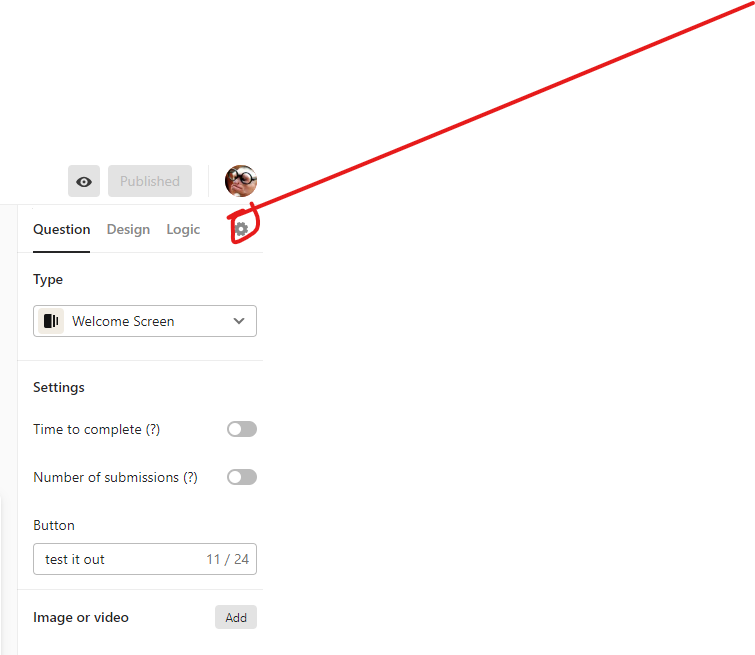
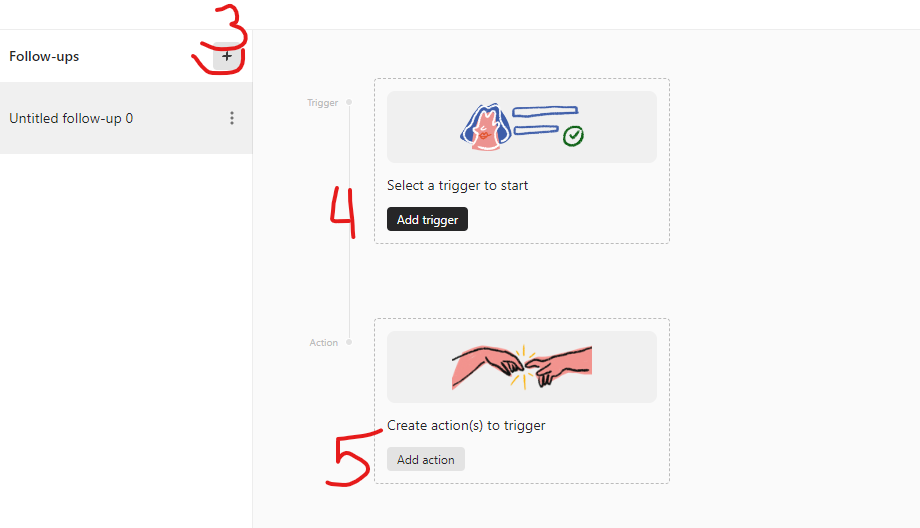
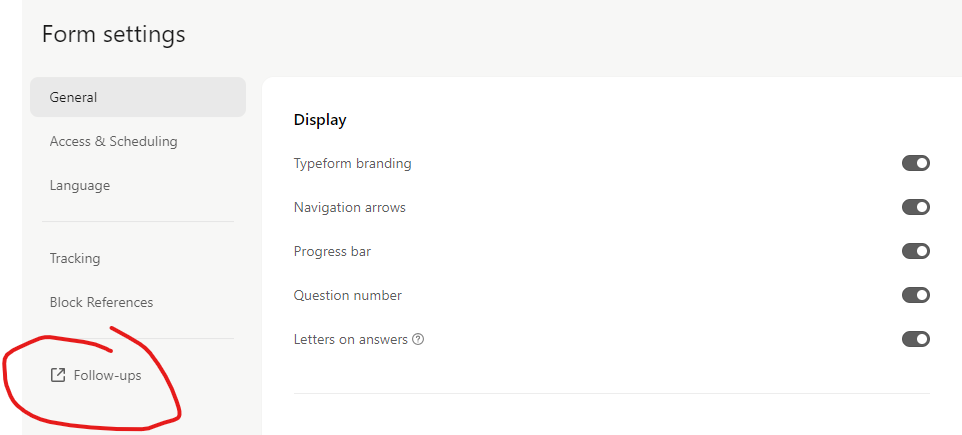
@lewys  - look under the gear/settings icon and use Follow-ups 

that is where you can set up the notification emails now. 


des

12 replies

john.desborough
Forum|alt.badge.img+6
  • Certified Partner & Champion
  • Answer
  • December 13, 2023

@lewys  - look under the gear/settings icon and use Follow-ups 

that is where you can set up the notification emails now. 


des


  • Author
  • Explorer
  • December 19, 2023

Done, @john.desborough! Thanks very much 🤗.


  • Navigating the Land
  • March 4, 2024

are these instructions still applicable to set up email notifications? I can’t seem to locate this gear/settings icon that contains followup. help


john.desborough
Forum|alt.badge.img+6
  • Certified Partner & Champion
  • March 4, 2024

@Maia_ChamberCT 


  • Explorer
  • March 4, 2024

Hello, I wonder how can we customize the content of confirmation email. 
Right now it only says: 

Hello,
We’ve received your submission.
Thank you & have a nice day!


I would like to make it align with business’ brand image and tone of voice. 


Victory
  • June 20, 2024

For some reason my surveys do not have the gear icon in that location.  I am also needing to receive email notifications each time a response is submitted. Help!


john.desborough
Forum|alt.badge.img+6
  • Certified Partner & Champion
  • June 20, 2024

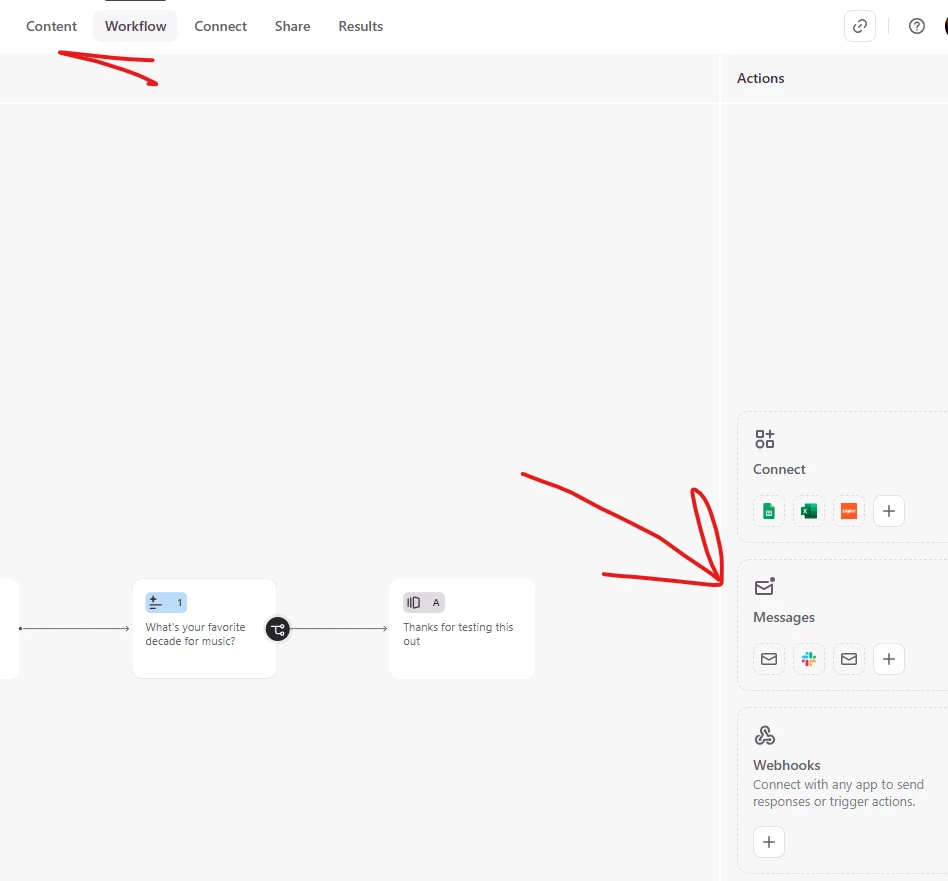
@Victory - the screen layout of Typeform has changed.. you will find it more in the middle left of the top of the builder. You will need to look in the settings for Followups and set up the notification there. 


des


  • Navigating the Land
  • August 1, 2025

Bonjour

ca a encore changé !  Des années que j’utilise Typeform et A CHAQUE FOIS je remets 1 heure à trouver cette option.

Est-ce que vous faites des tests d’utilisabilité ? C’est pas possible que cette option, tout le monde galère à la trouver… 

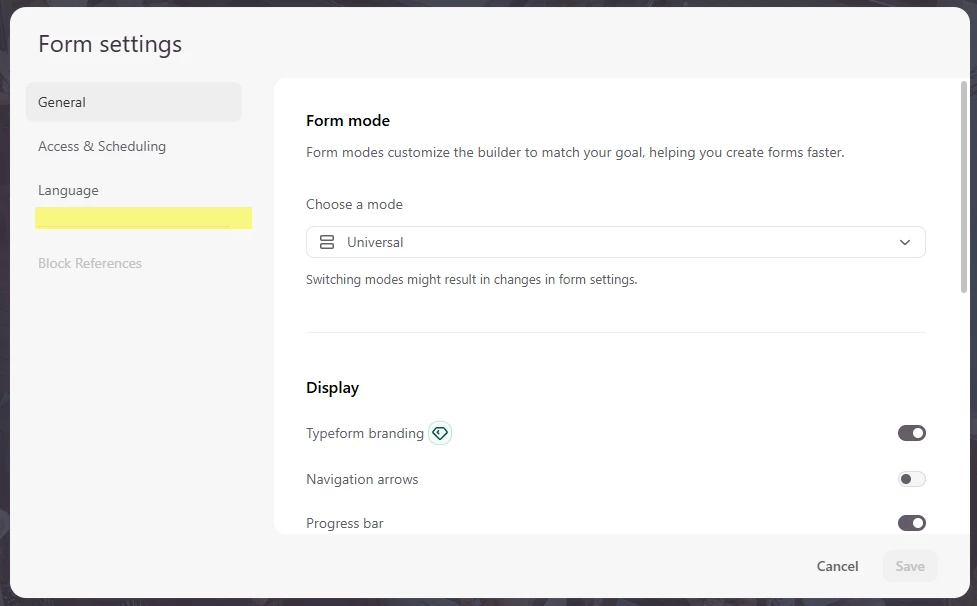
Là en Août 2025, voilà ce que j’ai quand je clique sur l’engrenage : 


Rien ne fait référence à un onglet “Follow-ups”, où est-ce s’il-vous-plait ?


Merci.


john.desborough
Forum|alt.badge.img+6
  • Certified Partner & Champion
  • August 1, 2025

@Clarisse - under Worfklow icon - messges


  • Navigating the Land
  • August 1, 2025

Merci beaucoup !!!  Réponse claire, efficace et rapide !


  • Navigating the Land
  • November 21, 2025

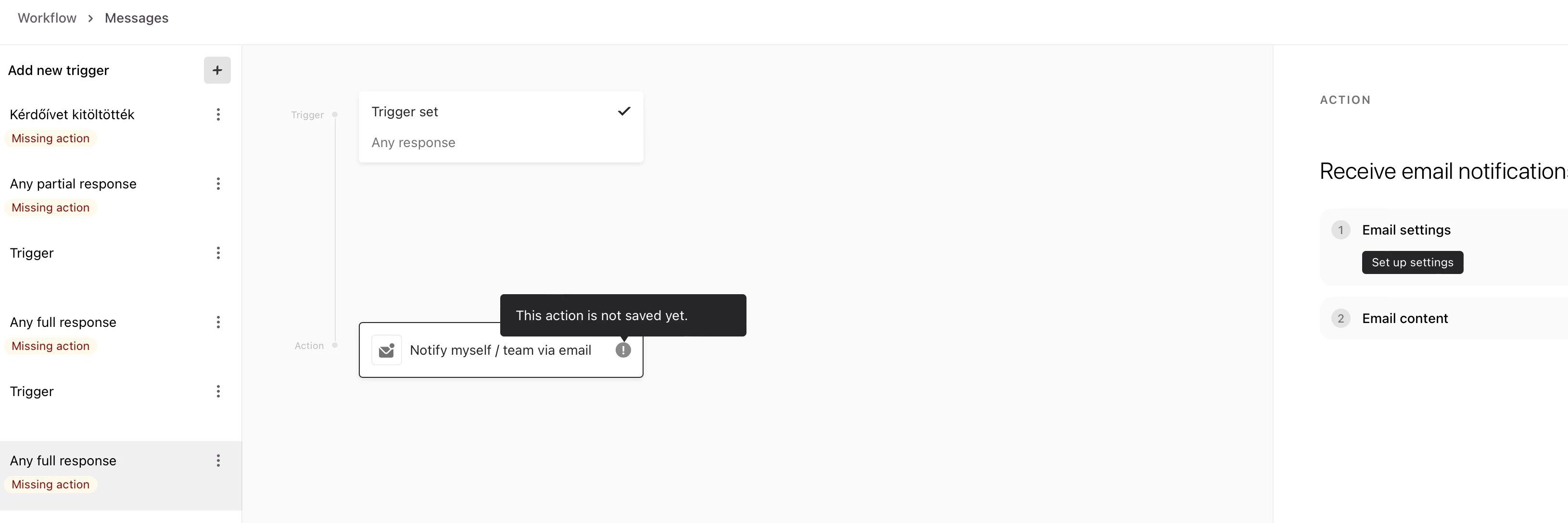
Hi, help me please to set up an email notification for myself, after someone fills out my form. There is no option to type my email address when I want to set up the notification email after someone fills out my form. I can select a trigger, but when I select the Action: Receive email notification, there is no option form me to fill in my email address.
What should I do?


Grace
Community Team
Forum|alt.badge.img+5
  • Community Advocate
  • November 24, 2025

Hey ​@office sorry to hear you’re having issues setting up this trigger. Have you checked out our Help Center guide here? It walks you through setting up each follow up email option, there’s a section for sending yourself a notification.

If the option to add your email isn’t appearing I would recommend reaching out to our support team via this link so they can investigate what’s happening in your account.