Question

adding a short text answer to the contact page

  • Aug 20, 2025 10:57 AM UTC
  • 5 replies
  • 106 views

Hello, on the contact page I want to add a short text question after company name, “What is your position within the company?”. I cannot find how to add into the contact page rather than creating a new page.

Also I want to remove the prompts:

Jane

Smith

Acme corporation


how do I do this?


Many thanks for your help

 

5 replies

Phoebe VA
Typeform
Forum|alt.badge.img+5
  • Typeform
  • Aug 20, 2025 7:12 PM UTC

Hi Jessica,


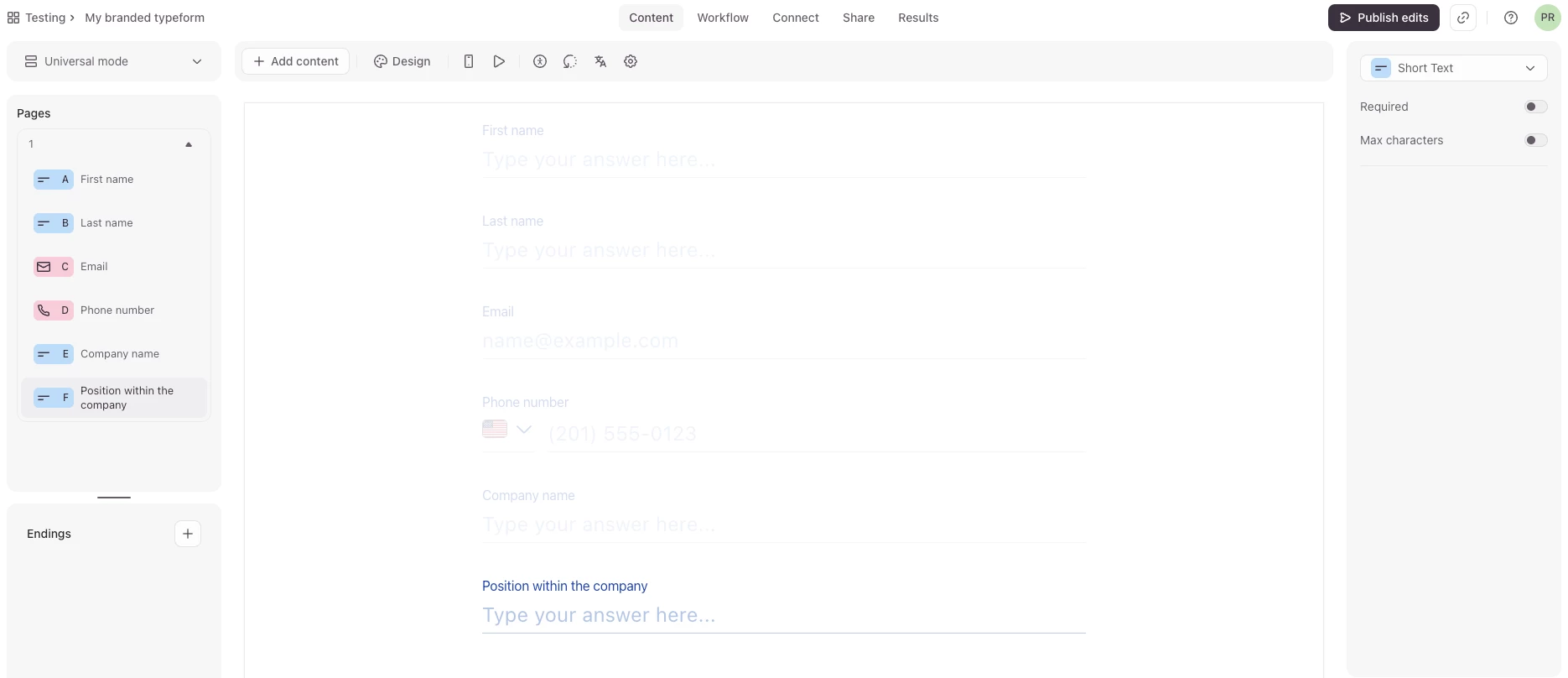
I’m afraid the Contact Info question type isn’t supported with adding multiple questions to a form page. You would need to add a new page with the question “What is your position with the company”. As an alternative, you can create your own contact page by adding a mixture of multiple question types to a page. For example, you can add some Short Text questions for first and last name, then add the email and phone number questions and then add a few Short Text questions for company name and position with the company. More information on how to add multiple questions to a page can be found here.

Below is a screenshot of a contact information page created from scratch:

With the Contact Info question type, there isn’t a way to remove the placeholder prompts but I have submitted your feedback to the team! 


Grace
Community Team
Forum|alt.badge.img+5
  • Community Advocate
  • Aug 26, 2025 9:01 AM UTC

Hi ​@Jessica gorman hope you’re having a good week 😊 

Did Phoebe’s suggestion here help? Let us know if you managed to get your form set up, or if you have any other questions!


thanks very much, very helpful


I assume we cannot adapt the prompts?

for example show a UK phone number as standard?


jvh
Typeform
Forum|alt.badge.img+5
  • Typeform
  • Sep 1, 2025 10:43 AM UTC

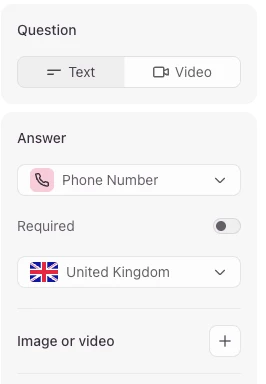
Hi ​@Jessica gorman - In case of the phone number question, you can change the default country in the question settings which does change the placeholder text to a UK number.