Question

@recall and Multi question title hover

  • July 31, 2025
  • 4 replies
  • 47 views

Newbie here with 2 questions:

  1. I’m creating a form for use at multiple client sites, and wanted to use the @recall function to grab the name of the specific form (aka client name) and insert it into different areas of the form. Is this possible? 
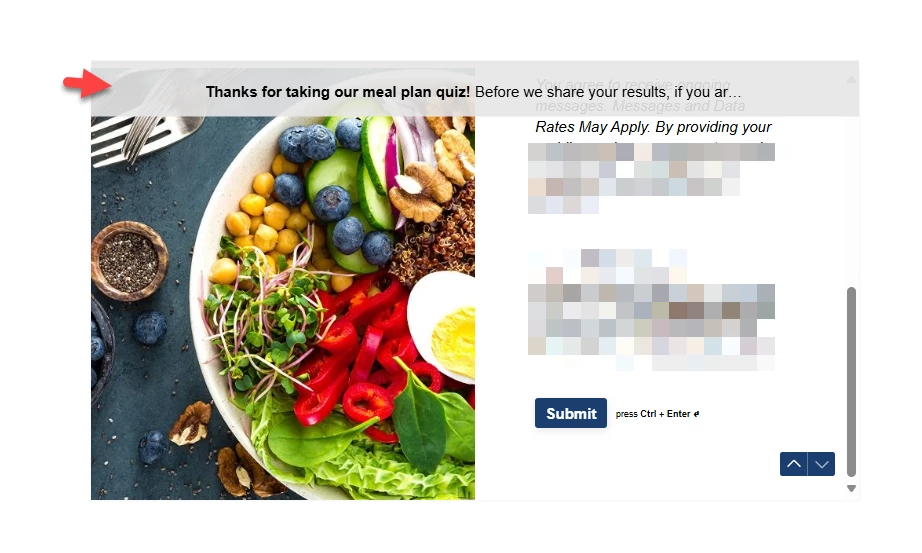
  2. I have a multi-question page inserted right before the results page, and it has a brief summary at the top of the page. The component drops this strange hover at the top that repeats the first sentence of my summary. It seems redundant and sloppy but I’m not sure where to change it. Is this possible? 
     

4 replies

James
Community Team
Forum|alt.badge.img+5
  • Community Team
  • August 1, 2025

Hey ​@rl24712 welcome to the Community 👋 


Question 1

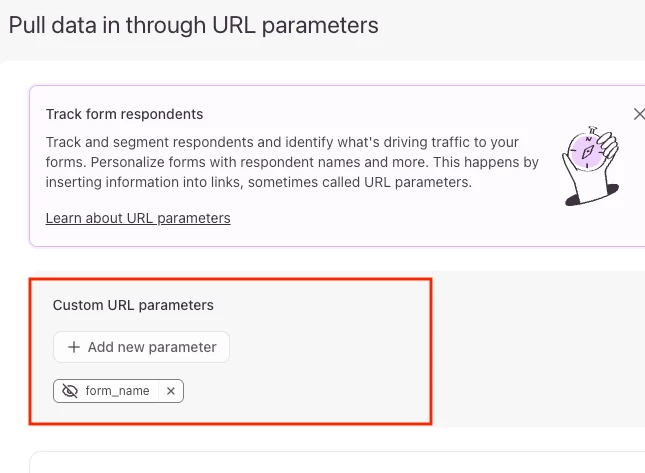
Yes, it’s possible to do this using UTM parameters in Typeform. You could create a custom URL parameter to store the form name/client name in the URL of the form, then recall this in any of the questions.
 

1. Go to the ‘Workflows’ tab and click the “Pull data in” section. Then choose a name for this parameter


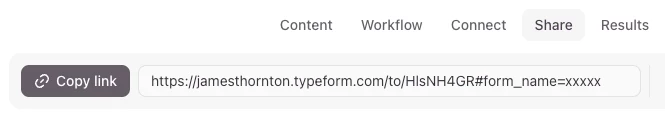
2. Click the Share tab and copy the link
3. Replace the xxxxx in the URL with the name of your form/client (or whatever data you want to use in that parameter)
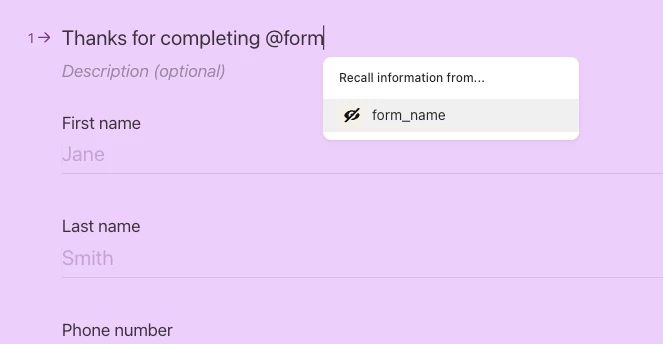
4. Go back to the Create section, type “@” then select the variable “form_name” (or whatever you called it) to recall it into the question.

 
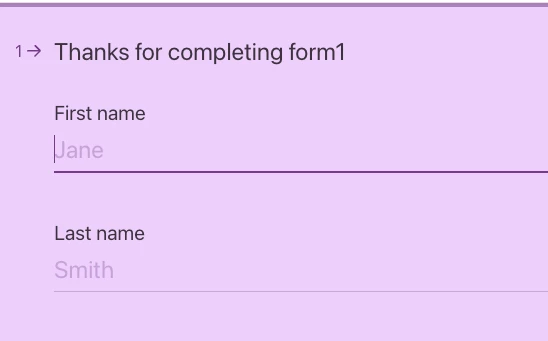
5. When the person fills out the form it’ll pipe the info from the URL parameter into the form


Question 2

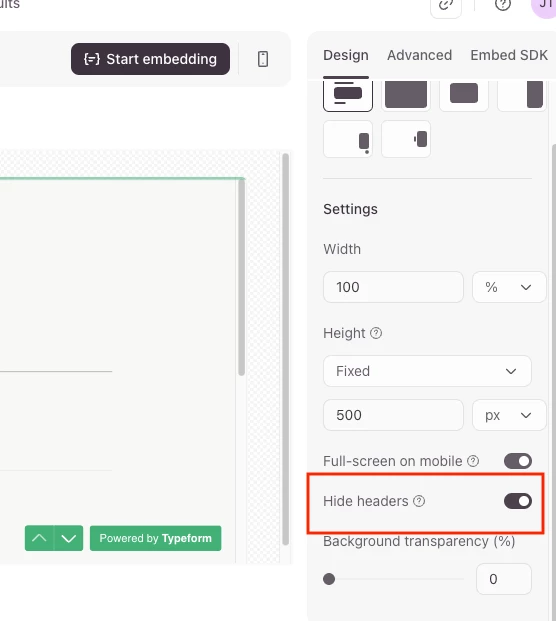
It’s possible to turn off this header in an embedded typeform by going to the ‘Share’ tab, clicking “Embed in a web page” from the sidebar then clicking the option to “Hide headers” from the settings:


I hope this helps, but let us know if you have any other questions!

Cheers

James


  • Author
  • Explorer
  • August 1, 2025

Thanks. I figured out the first question using a custom variable and have that working. The 2nd question was confusing me because the header still appeared when I previewed it. I published and checked it on the site after turning off headers and it was fine. I guess the preview didn’t pick it up? 
 

It’s all good now. Thanks!


James
Community Team
Forum|alt.badge.img+5
  • Community Team
  • August 4, 2025

Glad to hear it’s working now ​@rl24712 Regarding the banner, I guess there must be an issue with the preview not updating it. I’ll flag this with our product team. Let us know if you need anything else!


Forum|alt.badge.img
  • Navigating the Land
  • August 7, 2025

Yes, you can use the @recall function to pull in the form name (like the client name) and display it in different parts of the form, as long as the value has been set earlier in the workflow.