Question

Big gap at top of form

  • Jul 15, 2021 1:53 AM UTC
  • 12 replies
  • 288 views

Forum|alt.badge.img

Hi, I’ve used a template to build my quiz and have embedded it on my website.

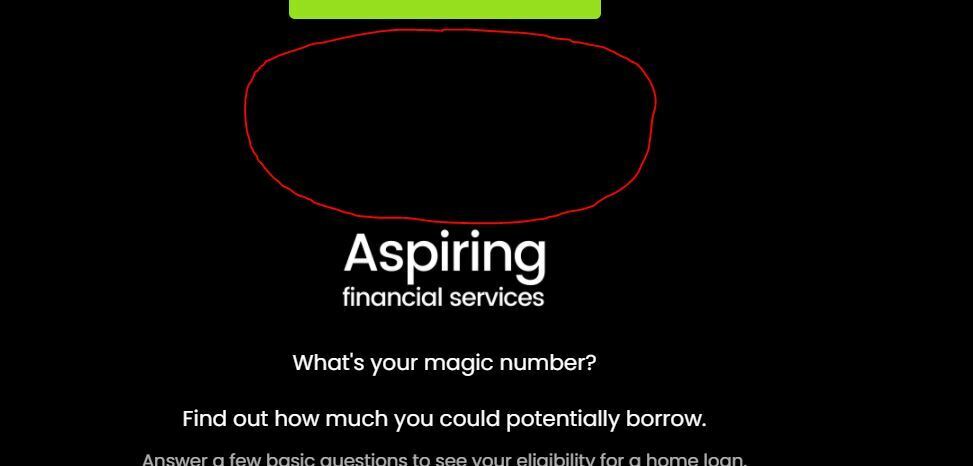
However, there seems to be a large gap at the top of the form between my first piece of text or image and the rest of my web page.

The area circled in red is the gap I’m talking about in the first image.

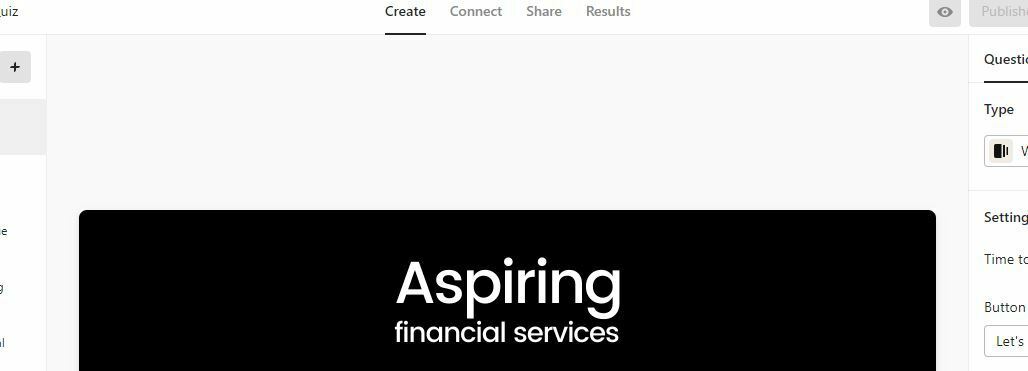
The second image shows no such gap on the build page.

How can I remedy this?

Thanks
 

12 replies

Liz
Ex–Typefomer
Forum|alt.badge.img+5
  • Tech Community Advocate
  • Jul 15, 2021 1:01 PM UTC

Hi @Lippy Thanks for stopping by! Would you mind sharing the URL where you have the form embedded so I can take a look for you? :grin:


Forum|alt.badge.img
  • Author
  • Explorer
  • Jul 15, 2021 1:04 PM UTC

Hi, sure, here you go

https://aspiringfs.co.nz/quiz

it looks fine on my phone by the way, maybe just a desktop issue?


Liz
Ex–Typefomer
Forum|alt.badge.img+5
  • Tech Community Advocate
  • Jul 15, 2021 3:17 PM UTC

Ah, I think I see what it might be. Do you happen to have any spacing blocks above your embed block on the Squarespace site, @Lippy ? I’ve accidentally added extra spaces on my own SS site before ha!


Forum|alt.badge.img
  • Author
  • Explorer
  • Jul 15, 2021 8:37 PM UTC

Hi Liz,

No, there are no Space blocks or other empty blocks, and all sections are set to ‘small’ height.

Thanks


Liz
Ex–Typefomer
Forum|alt.badge.img+5
  • Tech Community Advocate
  • Jul 20, 2021 2:48 PM UTC

Hi @Lippy Apologies for the delay - I didn’t receive the notification of your reply. :( 

Do you mind sharing a screenshot of how you’re embedding the form in Squarespace? 


Forum|alt.badge.img
  • Author
  • Explorer
  • Jul 20, 2021 10:31 PM UTC

Hi Liz, no worries.

I wasn’t sure how best to show what you’ve asked for so here’s a photo of where the code is embedded. Is that ok?


Liz
Ex–Typefomer
Forum|alt.badge.img+5
  • Tech Community Advocate
  • Jul 21, 2021 1:07 AM UTC

Hi @Lippy Yes, thank you! I originally though this was built on a Squarespace site, but the photo looks like it may not be. What builder are you using to embed the form? Additionally, when you’re adding the form to your site, are you choosing the “Javascript” option? Thanks again!


Forum|alt.badge.img
  • Author
  • Explorer
  • Jul 21, 2021 1:20 AM UTC

Hi @Liz, yes it is Squarespace and I’m choosing HTML.

If I select Javascript it displays the source code and won’t allow me to turn it off.

Thanks for your help on this.


Liz
Ex–Typefomer
Forum|alt.badge.img+5
  • Tech Community Advocate
  • Jul 21, 2021 1:44 AM UTC

Huh. Is it displaying the source code on the live version? Additionally, can I have you try embedding the form on a test page? This will help us see if it’s the page the form is on or the embed code itself. Thanks again, @Lippy !


Gabi Amaral
Ex–Typefomer
Forum|alt.badge.img+5
  • Ex–Typefomer
  • Jul 23, 2021 12:19 PM UTC

Hi @Lippy! How are you doing today?

Have you had the chance to try what @Liz has suggested above? Don't forget to let us know, hope it works! :pray_tone2:


Forum|alt.badge.img
  • Author
  • Explorer
  • Jul 25, 2021 12:12 AM UTC

Hi, thanks for your replies and help but it seems to have been corrected. I’m not sure how or why it’s changed but it doesn’t look quite so large now.

Thanks again

Pete


Liz
Ex–Typefomer
Forum|alt.badge.img+5
  • Tech Community Advocate
  • Jul 26, 2021 9:45 PM UTC

Hi @Lippy Glad to hear it’s working! :grin: Let us know if we can help with anything else.