Question

Creating a Calculator using typeform

  • January 19, 2025
  • 9 replies
  • 710 views

I want to create a simple calculator:
I have these number questions which the user answers:

  • Your Fabric cost (per meter)
  • Number of metres
  • Pattern cost
  • Notion cost 
  • Estimated hours to sew (optional)
  • Hourly rate (only if Estimated hours to sew is greater than 0)

The ending that appears on the screen is:
The cost of your sewing project is: (v_total) with a summery of the costs below
v_total = (Your Fabric cost x Number of metres/yards) + Pattern cost + Notion cost + (Estimated hours to sew x Hourly rate)
All optional questions do not require an answer and if they do not have one, then proceed to the next question. Except if Estimated hours is blank then it skips hourly rate and goes to end.

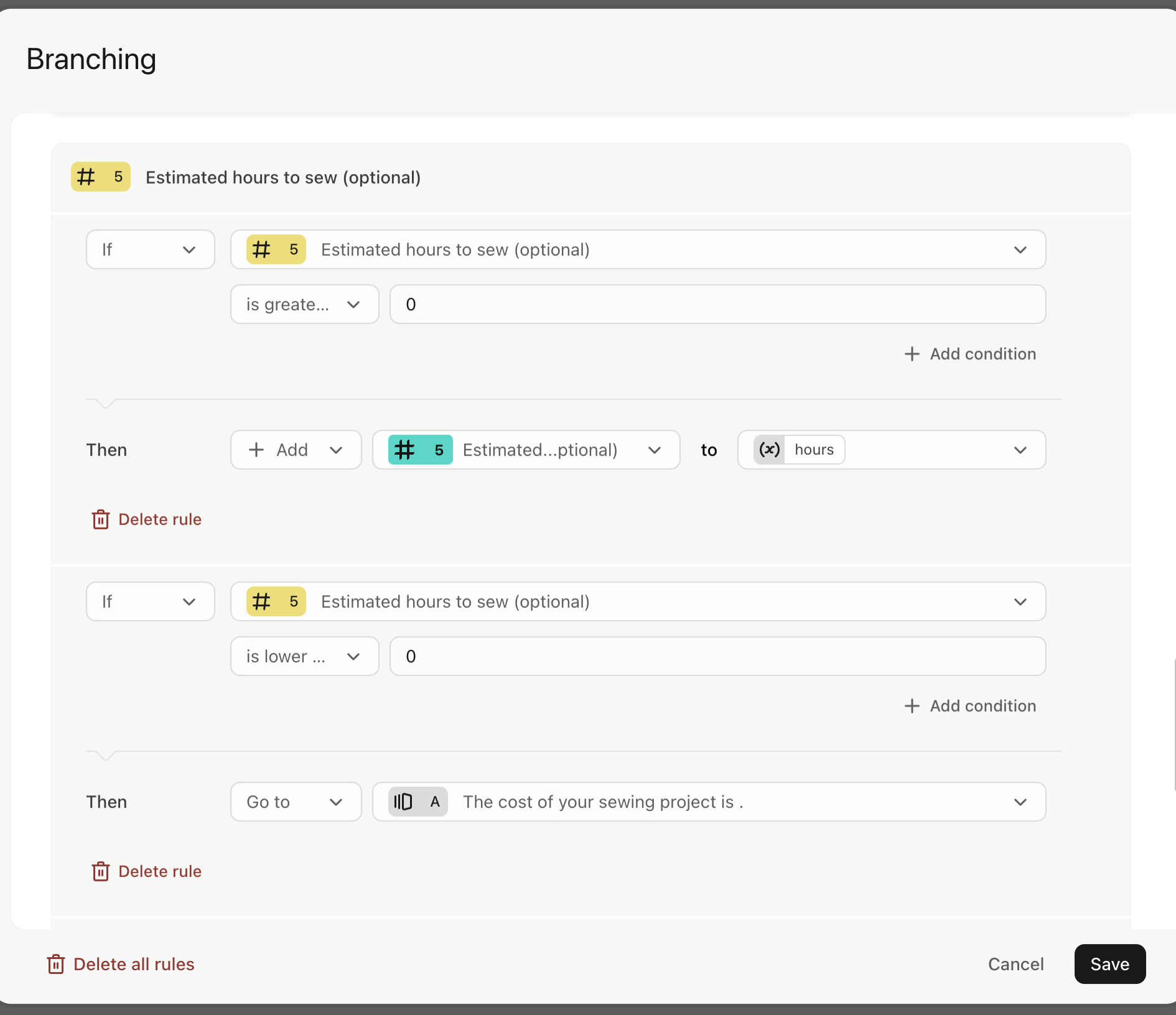
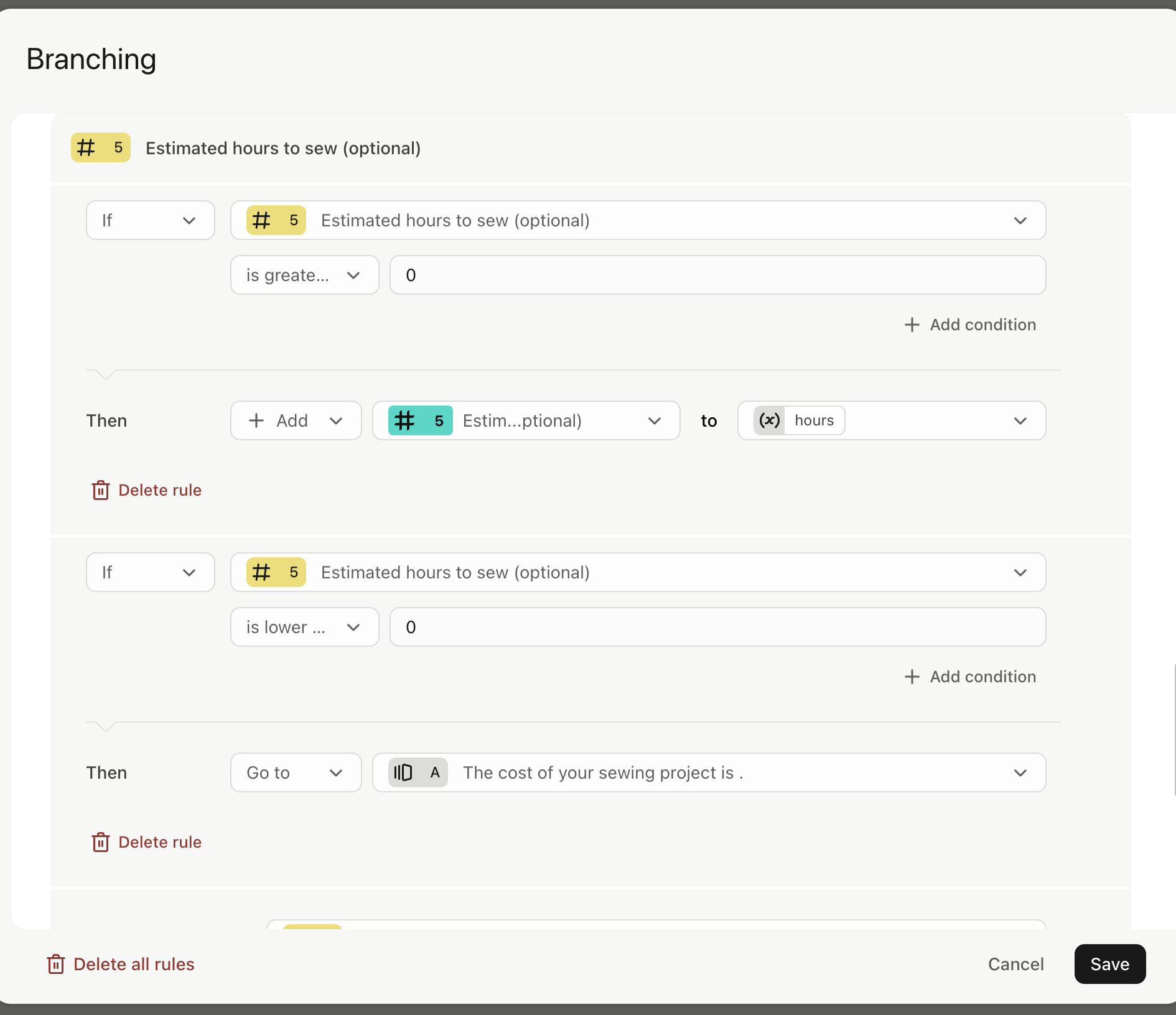
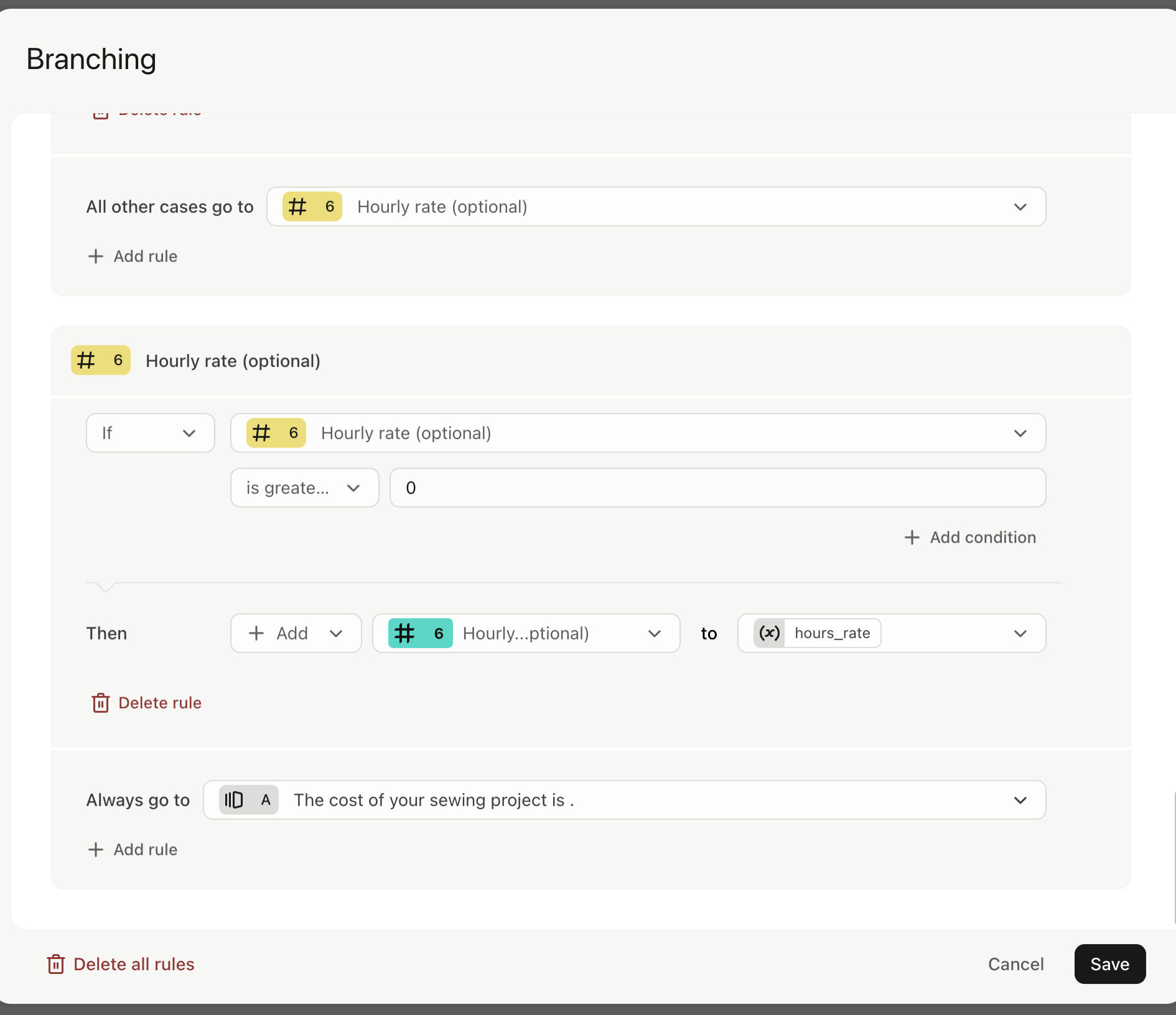
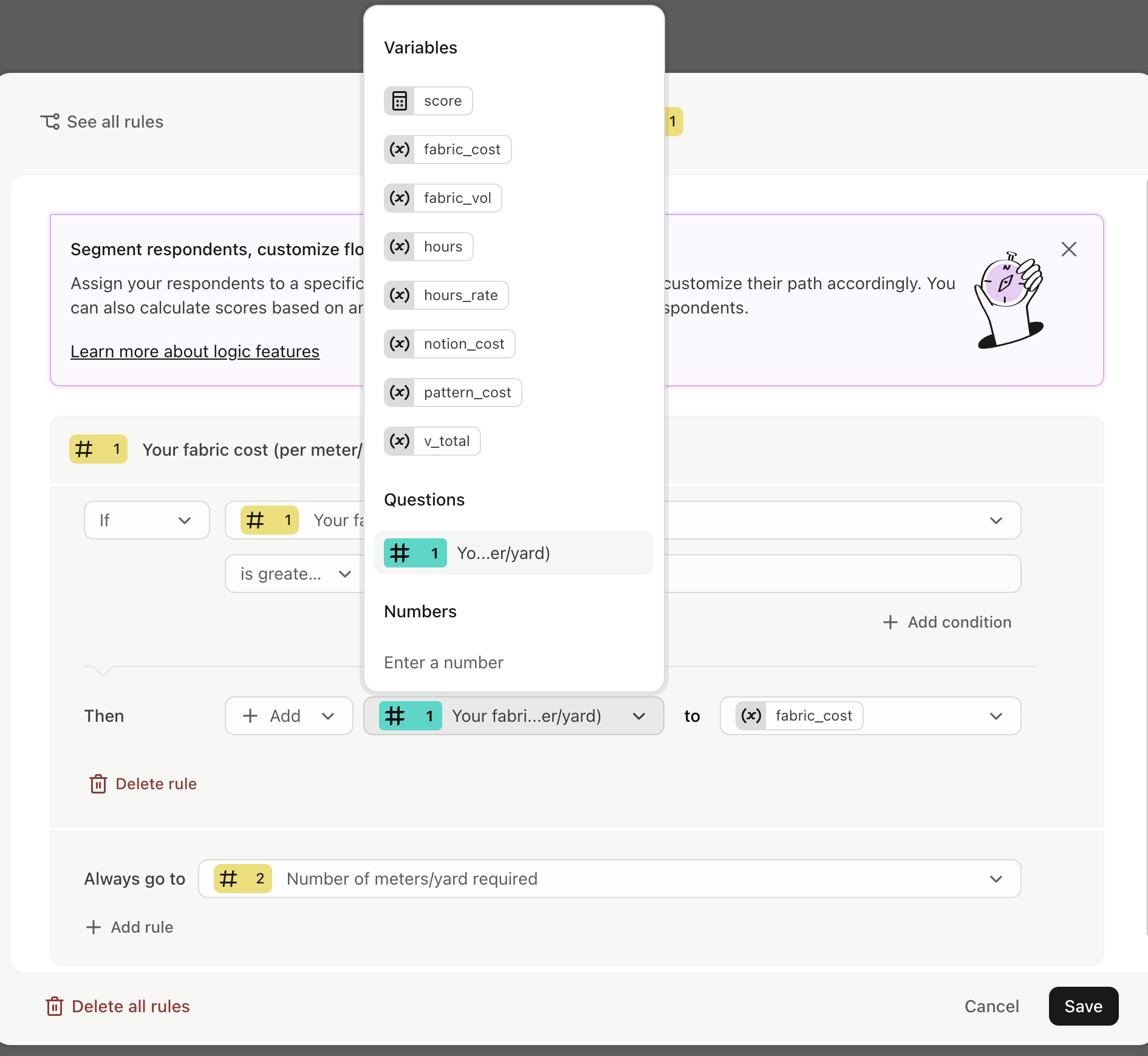
I have created these custom variables, but not sure how to correctly link them to the number questions. I have had a go with logic branching etc...but don’t seem to have it right.
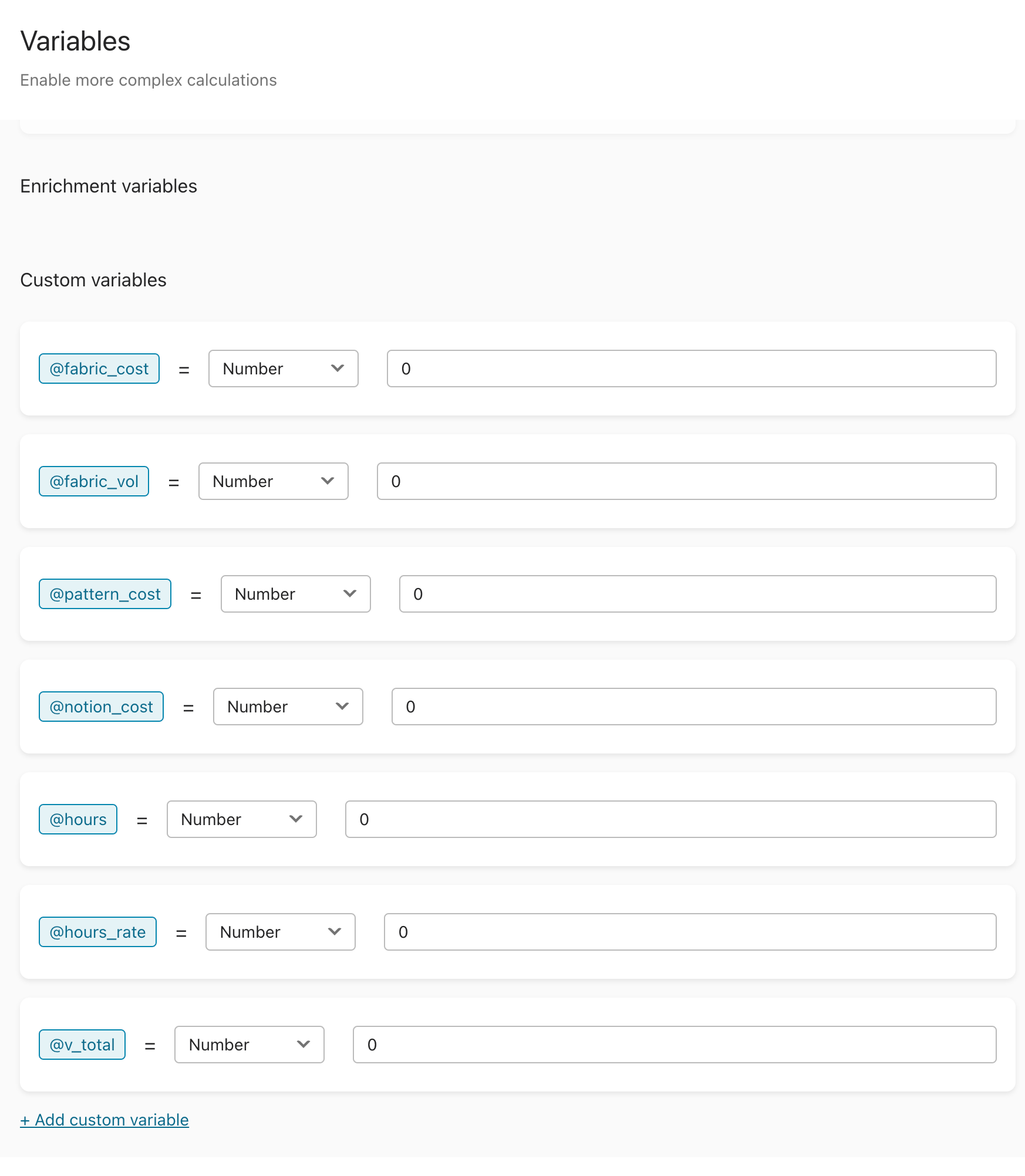


Can someone help me create this in Typeform logic? 
Greatly appreciated, Jane

9 replies

Liz
Ex–Typefomer
Forum|alt.badge.img+5
  • Tech Community Advocate
  • January 21, 2025

Hi ​@Jane H Happy Tuesday! I hope you’re having a great week so far!

​@john.desborough is definitely your guy when it comes to calculators and variables!


john.desborough
Forum|alt.badge.img+6
  • Certified Partner & Champion
  • January 26, 2025

​@Jane H - can you please add a screenshot or a loom/video of the logic rules that you are trying to implement. that will make it easier to answer the question. 

thanks

des


  • Author
  • Explorer
  • January 30, 2025

Hello John,
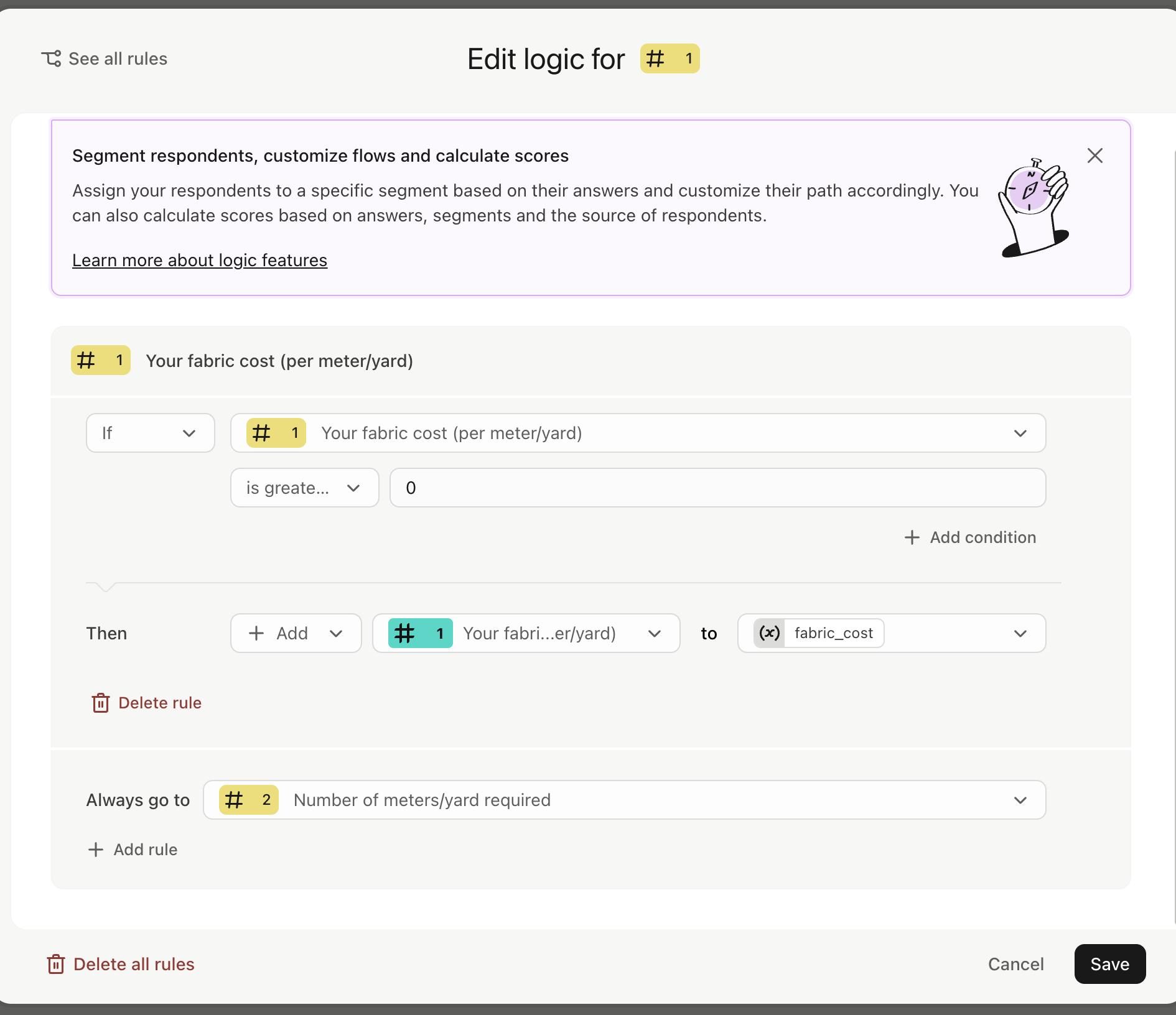
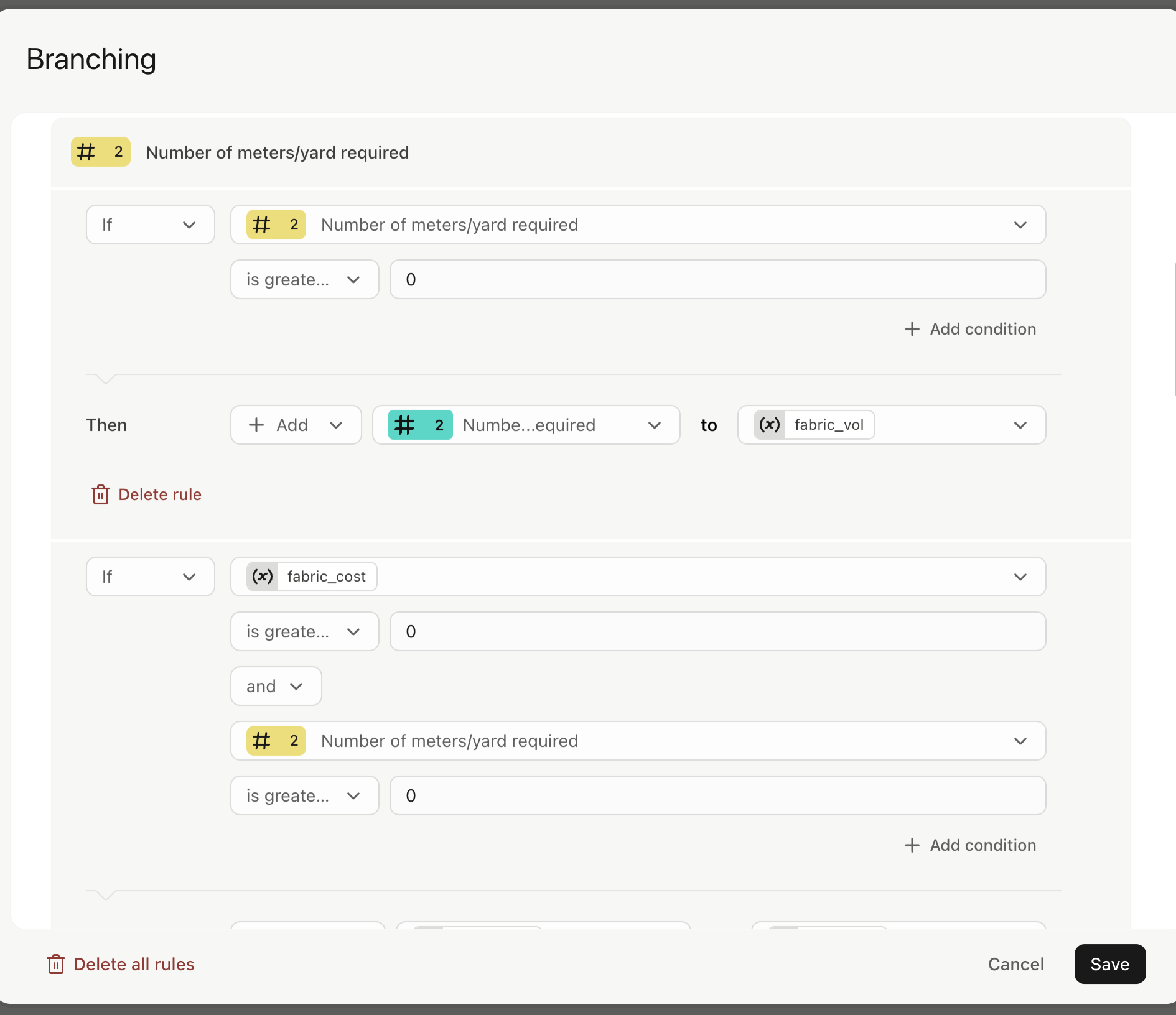
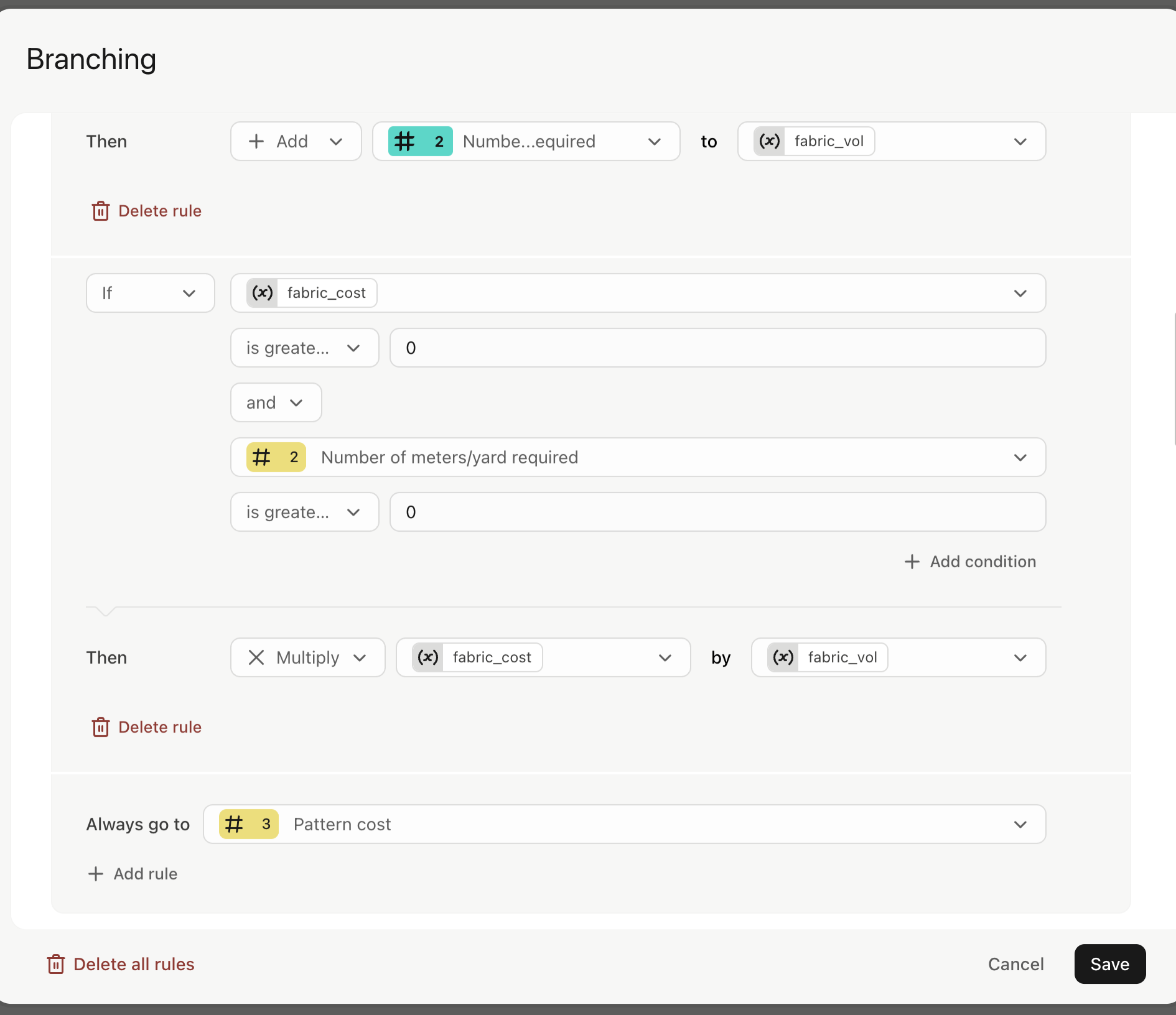
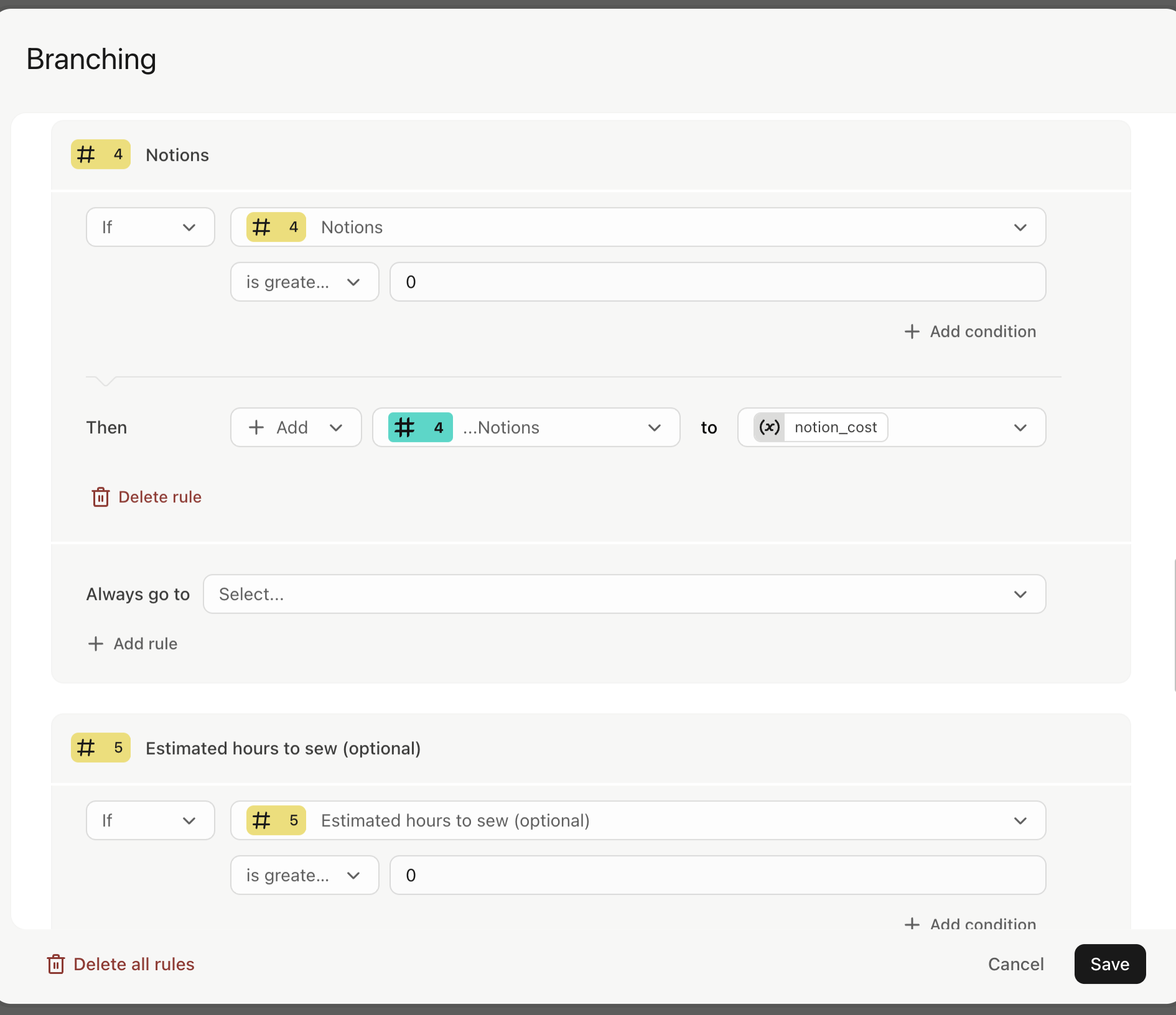
Ah yes apologies. Here is what I have set up. I am actually struggling with how to get it to calculate the answer. Where do I put that so it displays the total and a summary of each item on the Ending. The variables are at the end but not sure if they are correct either :) I hope the below helps.
Many thanks for looking at this for me.
Jane


  • Author
  • Explorer
  • February 11, 2025

Hello ​@john.desborough 

i am wondering if the screenshots I sent last week were useful?


many thanks Jane


  • Author
  • Explorer
  • February 16, 2025

Hi Des ​@john.desborough 

my biggest problem is I don’t know how to calculate the result and display it as part of the ending. I am hoping you can shed some light. Many thanks Jane 


  • Navigating the Land
  • October 10, 2026

I’d test the calculation with a few different answers first, especially when optional fields are left blank. That should help spot any issues with the logic. For anyone interested in mobile games, here’s a gta san andreas apk.


  • Navigating the Land
  • October 10, 2026

Creating a Calculator using typeform

I want to create a simple calculator:
I have these number questions which the user answers:

  • Your Fabric cost (per meter)
  • Number of metres
  • Pattern cost
  • Notion cost 
  • Estimated hours to sew (optional)
  • Hourly rate (only if Estimated hours to sew is greater than 0)

The ending that appears on the screen is:
The cost of your sewing project is: (v_total) with a summery of the costs below
v_total = (Your Fabric cost x Number of metres/yards) + Pattern cost + Notion cost + (Estimated hours to sew x Hourly rate)
All optional questions do not require an answer and if they do not have one, then proceed to the next question. Except if Estimated hours is blank then it skips hourly rate and goes to end.

I have created these custom variables, but not sure how to correctly link them to the number questions. I have had a go with logic branching etc...but don’t seem to have it right.

I’d start by connecting each number question to its matching variable, then use a calculation step to combine the values and handle optional answers as zero. The conditional logic for hourly rate should only run when estimated sewing hours are greater than zero.


Mancy34
  • Navigating the Land
  • October 12, 2026

You’ll need to link each question to its variable and use them to calculate the total. You can also set it so the hourly rate only shows up if they enter sewing hours. Alica calculator online is another option to check out for simple calculations.


Precious_Navarro
Community Team
Forum|alt.badge.img+1

Hey there ​@Jane H 👋🏼 When utilizing scoring and calculations in logic, you would need to utilize variables. Usually, you would store the total within that variable, so that you can recall it on the ending page. I highly suggest using this guide for reference and if you come across anything unusual within your form, you can always reach out to us through support here directly so we can take a closer look 👍🏼 Happy Typeforming!