Hi everyone,
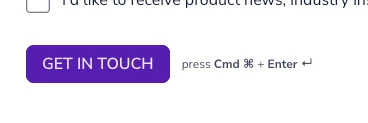
I’m new to Typeform and am building my first forms. I have troubles with removing the hint “press Cmd ⌘ + Enter ↵ ” that appears next to the button.
I can’t find it in the messaging settings.
I’d appreciate any help!
Thanks, Anna

Hi everyone,
I’m new to Typeform and am building my first forms. I have troubles with removing the hint “press Cmd ⌘ + Enter ↵ ” that appears next to the button.
I can’t find it in the messaging settings.
I’d appreciate any help!
Thanks, Anna
Enter your E-mail address. We'll send you an e-mail with instructions to reset your password.