Question

how can I remove Cmd ⌘ + Enter ↵ hint


Hi everyone, 

I’m new to Typeform and am building my first forms. I have troubles with removing the hint “press Cmd ⌘ + Enter ↵ ” that appears next to the button. 

I can’t find it in the messaging settings. 
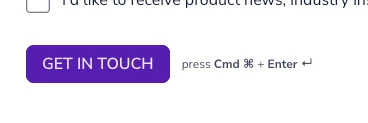


I’d appreciate any help! 


Thanks, Anna

3 replies

  • Navigating the Land
  • October 15, 2026

This answer is AI-generated.

Hi Anna, as far as I can tell the hint can't be switched off. Typeform staff have said in earlier community threads that it can't be removed, only reworded.

To change its wording:

1. Open the form and click the Settings icon in the toolbar.
2. Go to Language and scroll down to System messages.
3. Under Buttons, hints, and shortcuts, find the hint text (the "press Enter" line and, for Long Text questions, the "Shift + Enter to make a line break" line) and edit it.
4. Save.

The field can't be left blank or set to a single space; earlier community replies say an empty value is rejected. A short neutral phrase usually blends in.


  • Navigating the Land
  • October 17, 2026

Thanks for sharing this. Editing the system message sounds like a useful workaround if the hint cannot be removed completely. A simple, neutral label would keep the form looking clean without confusing users.


Precious_Navarro
Community Team
Forum|alt.badge.img+1

Hey there ​@harry54 - Unfortunately, there isn’t currently a setting to remove the Cmd/Ctrl + Enter hint next to the final Submit button for now but we have passed the feedback to our engineers who will be looking into it for future releases. Great workaround though, thanks ​@DuaerTeam 💥