Answered

Logic variables not available in Stripe Payment field – How to link "price" variable?

  • April 14, 2026
  • 5 replies
  • 33 views

Forum|alt.badge.img

Hi everyone,

I’m struggling with a logic issue regarding the Stripe Payment question.

I need to implement a discount code system. I have already:

  1. Created a numeric variable called price (default value: 150).

  2. Set up the Branching & Calculations logic so that if a user enters a specific coupon code, it subtracts a value from the price variable.

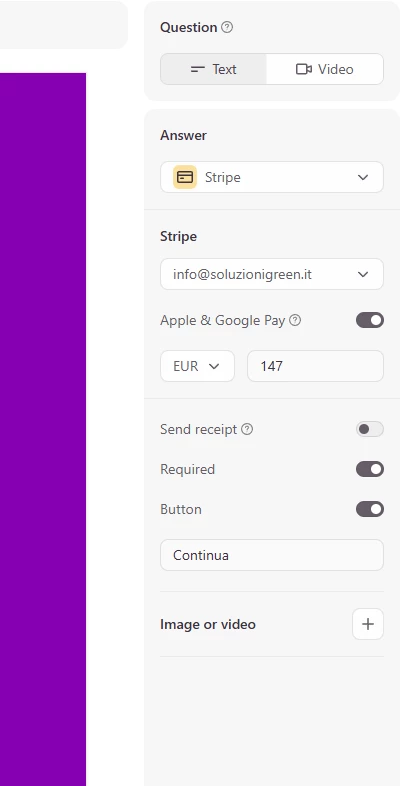
The problem: When I go to the Payment question settings, I cannot find a way to link the price variable to the Stripe field.

  • Typing "@" in the price field doesn't trigger the variable list.

  • I don't see the "Use a variable to calculate price" toggle in the Logic/Payment settings.

Is this feature restricted to specific plans, or is there a new way to map variables to the Payment block in the current editor?

Thank you for your help!
Best answer by Phoebe VA

Hi ​@MarcoBaret,


To use the Stripe Payment question, you’ll need a Basic or higher Typeform plan and your data cannot be hosted in the EU Data Center.


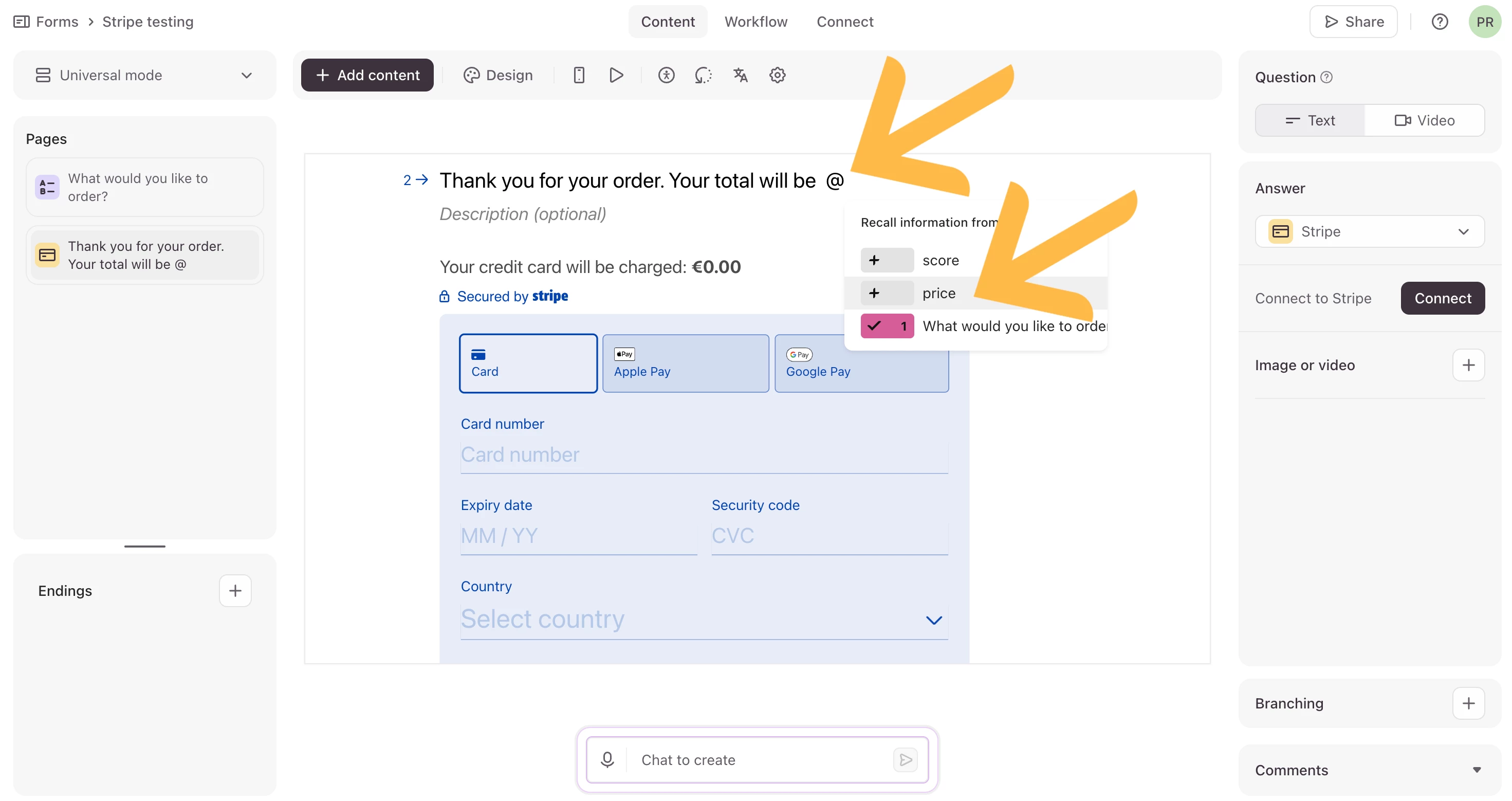
When you’re trying to link your price variable to the Stripe field, are you wanting to link the price in the text of the payment question? You can link the price variable in the text of the question by typing the @ symbol in the question text and selecting the price variable you created. See image below:

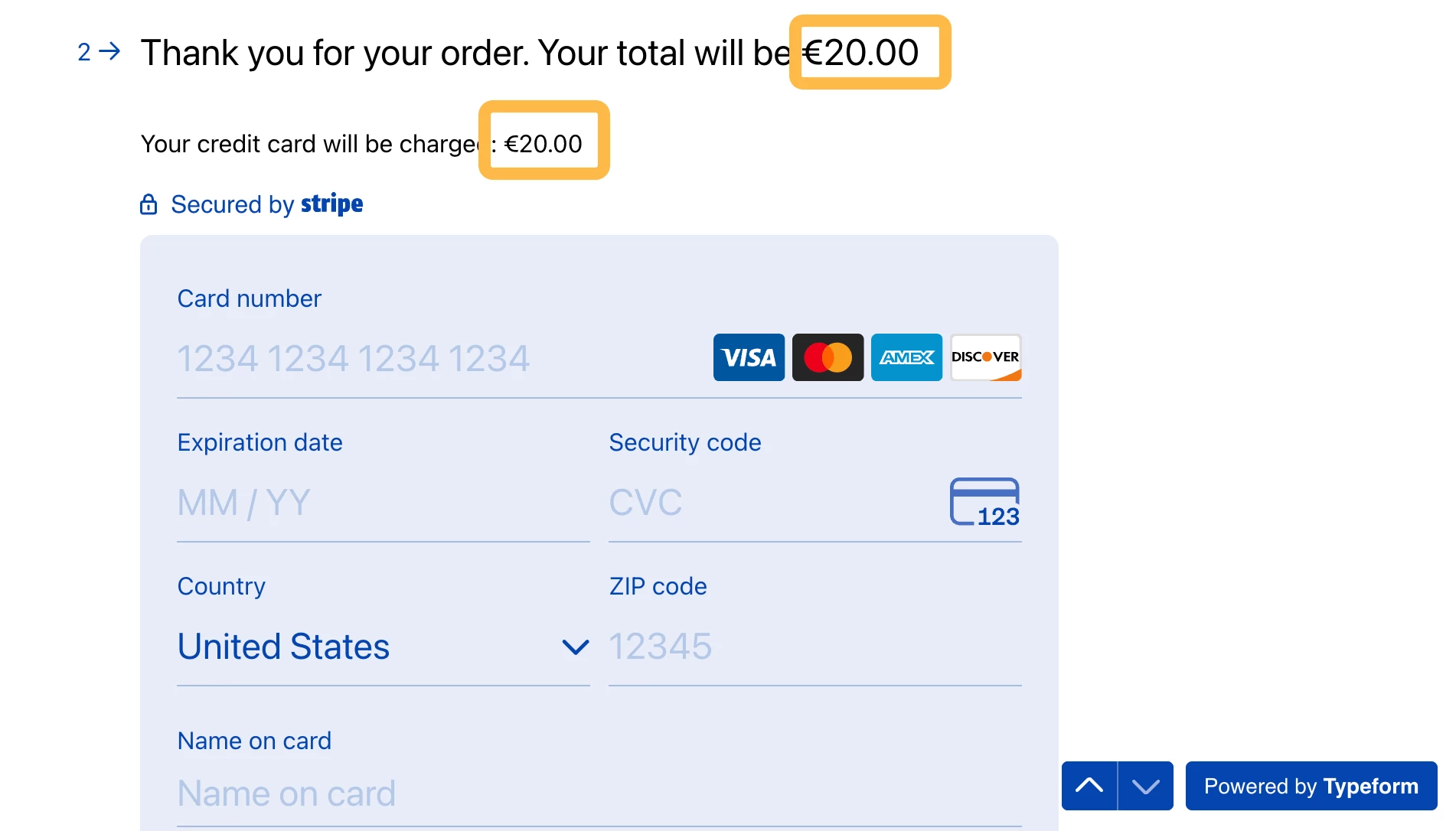
When you link the price variable in the question text, the same price variable will appear in the Your credit card will be charged field.

More information on how to use the Stripe payment question can be found here.


My apologies if I’ve misunderstood where you want to link the price variable. If I have misunderstood, could you please send us a screenshot of where you’re wanting to link the price variable?

5 replies

Phoebe VA
Community Team
Forum|alt.badge.img+5
  • Community Team
  • Answer
  • April 16, 2026

Hi ​@MarcoBaret,


To use the Stripe Payment question, you’ll need a Basic or higher Typeform plan and your data cannot be hosted in the EU Data Center.


When you’re trying to link your price variable to the Stripe field, are you wanting to link the price in the text of the payment question? You can link the price variable in the text of the question by typing the @ symbol in the question text and selecting the price variable you created. See image below:

When you link the price variable in the question text, the same price variable will appear in the Your credit card will be charged field.

More information on how to use the Stripe payment question can be found here.


My apologies if I’ve misunderstood where you want to link the price variable. If I have misunderstood, could you please send us a screenshot of where you’re wanting to link the price variable?


Forum|alt.badge.img
  • Author
  • Explorer
  • April 20, 2026


Forum|alt.badge.img
  • Author
  • Explorer
  • April 20, 2026

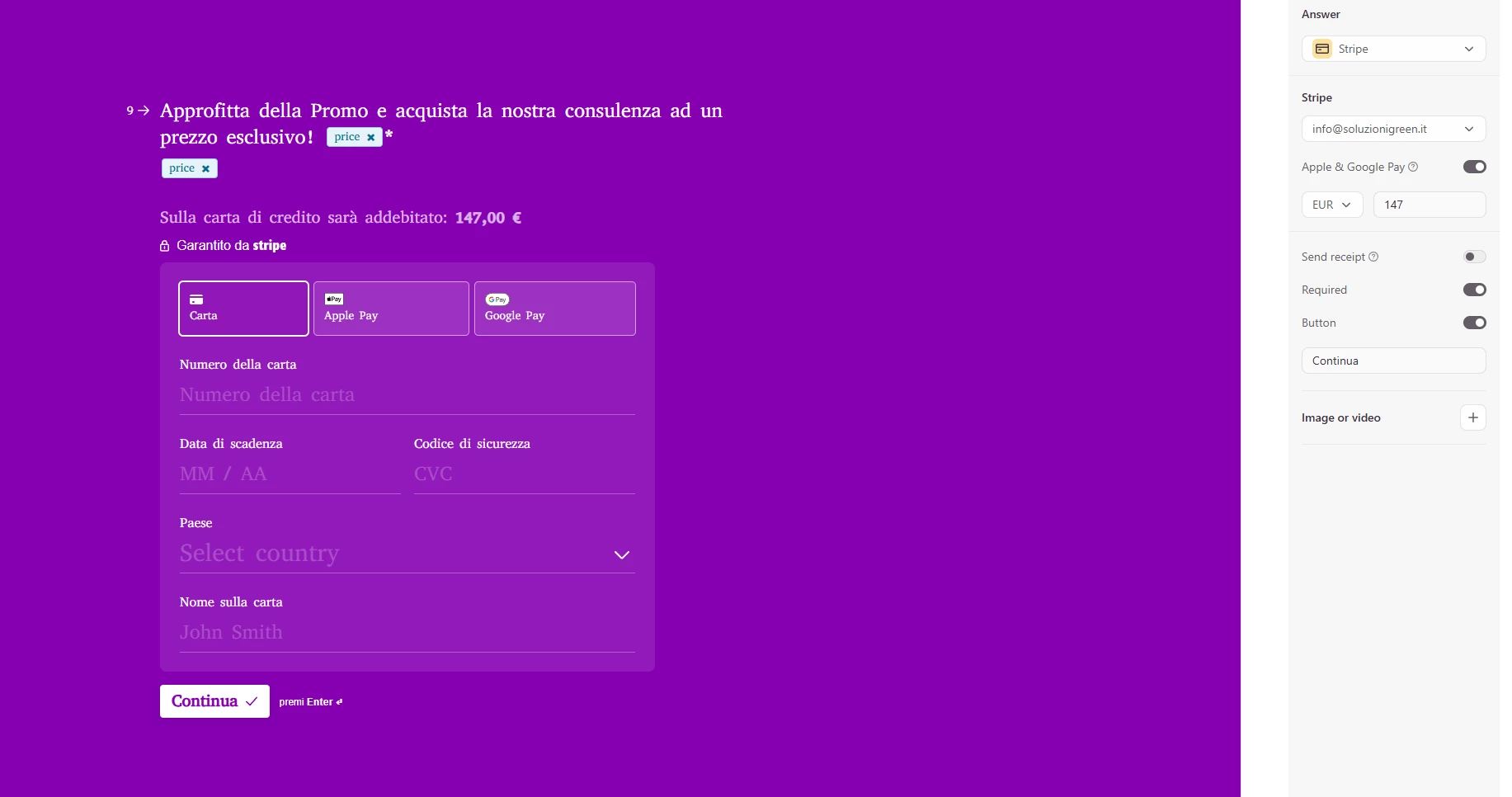
If I add the @price variable, I can include it in the question, but in the payment section, it pulls the specific amount set on the right. It isn't possible to enter @price in that particular box.


Forum|alt.badge.img
  • Author
  • Explorer
  • April 20, 2026

Update: I managed to solve that. Thank you very much for the support!


Phoebe VA
Community Team
Forum|alt.badge.img+5
  • Community Team
  • April 20, 2026

Happy to hear you sorted it out ​@MarcoBaret! Ah, yes in the box on the right, the amount you put in there will be a set amount for all respondents. The amount you want to charge every respondent. You won’t be able to insert the price variable there as you can only include the price variable in the question text of the form.

I’ll make sure to update the Help Center article with this information. Thank you so much for sharing!