Answered

Newbie formatting question

  • Feb 7, 2025 4:06 PM UTC
  • 5 replies
  • 100 views

Hello experts,

created my first Typeform questionnaire. Everything’s fine except for the formatting of the intro text preceeding the first item: all the text is centered where I’d like it to be left justified and (maybe) using an intro image but, unless I’m totally obsolete, I can’t figure out where and how to change text justification and add an image. 
Thx for helping out. 
Phil
Best answer by Liz

Hi ​@Philou91 Happy Fri-yay! I hope you’re having a good one. 

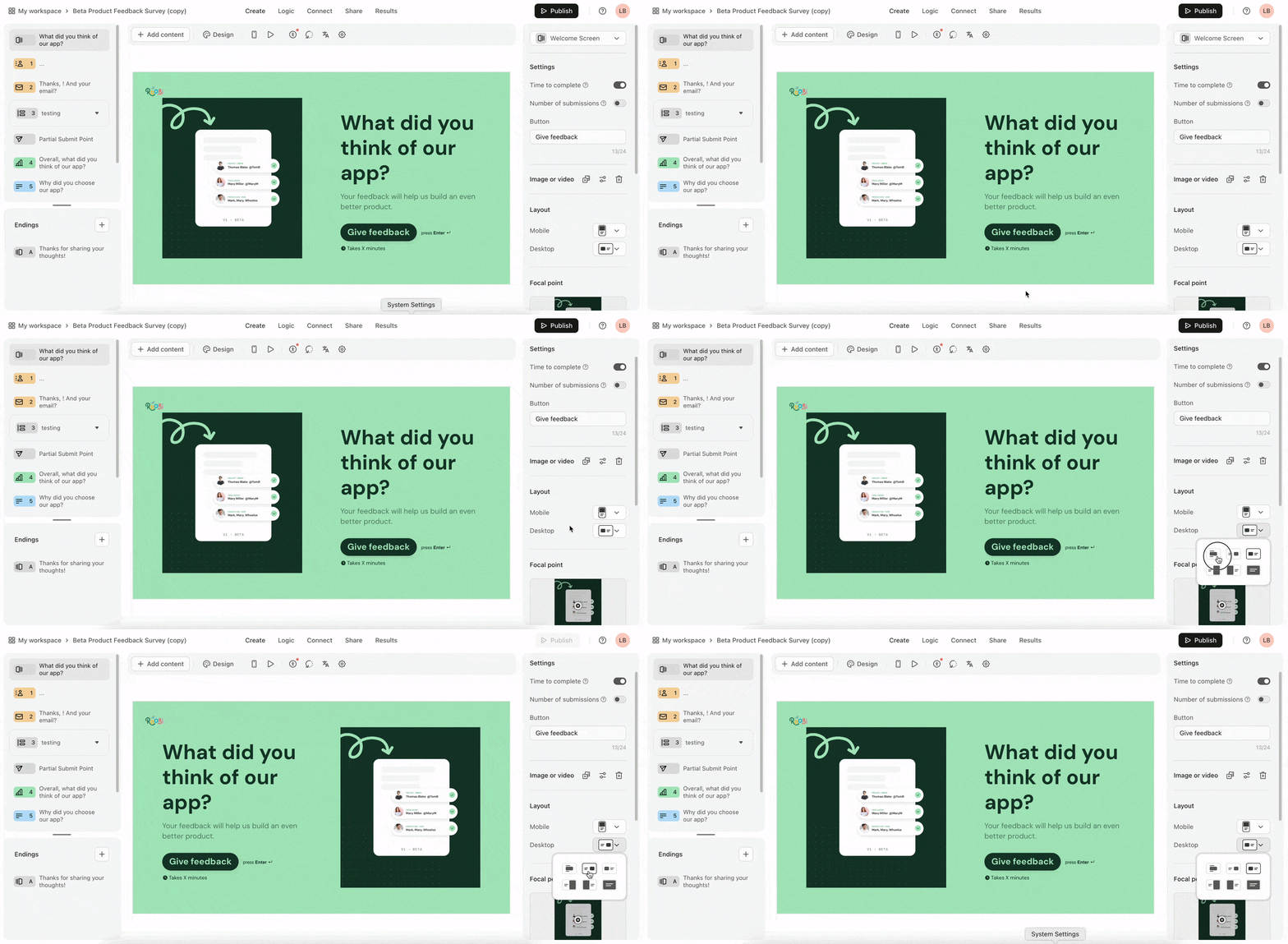
We sort of have an option to change the layout of the text, but it depends on where the image is on the welcome screen. You can see those options in the settings like this: 


View original

5 replies

Liz
Ex–Typefomer
Forum|alt.badge.img+5
  • Tech Community Advocate
  • Answer
  • Feb 7, 2025 6:14 PM UTC

Hi ​@Philou91 Happy Fri-yay! I hope you’re having a good one. 

We sort of have an option to change the layout of the text, but it depends on where the image is on the welcome screen. You can see those options in the settings like this: 


  • Author
  • Explorer
  • Feb 8, 2025 7:54 AM UTC

Hi,

Thx for the reply!

I’ll check this out today. 
Cheers


Liz
Ex–Typefomer
Forum|alt.badge.img+5
  • Tech Community Advocate
  • Feb 27, 2025 7:09 PM UTC

Hi ​@Philou91 I hope you’re doing well! How did this go for you? Let us know if you need any further help!


  • Author
  • Explorer
  • Feb 27, 2025 7:51 PM UTC

Hi,

Yes it did work ok. I believed I marked your suggestion as an answer. 
Thanks!

Phil


Liz
Ex–Typefomer
Forum|alt.badge.img+5
  • Tech Community Advocate
  • Feb 28, 2025 5:19 PM UTC

Glad to hear it, ​@Philou91 ! Let us know if there’s anything else we can help with!