

Answered

Page not showing as in preview (or as it always it)

  • January 25, 2026
  • 8 replies
  • 44 views

barriebramley
Forum|alt.badge.img+2

Hi there. I use Typeform every day to do the exact same thing (build a quiz and send it out). I’ve done everything I always do, and have been doing it for months and months (so I’ve not changed anything I do).

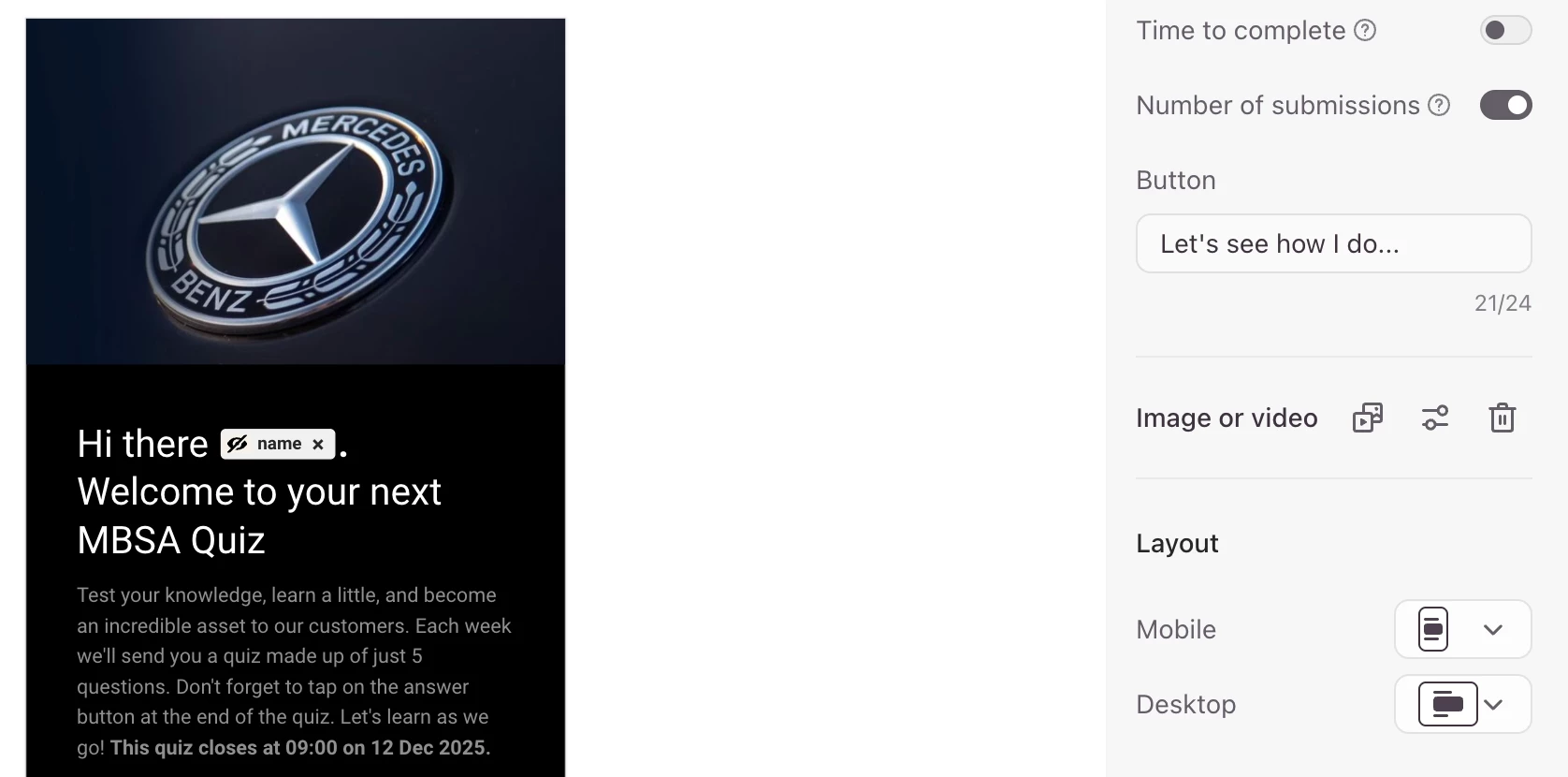
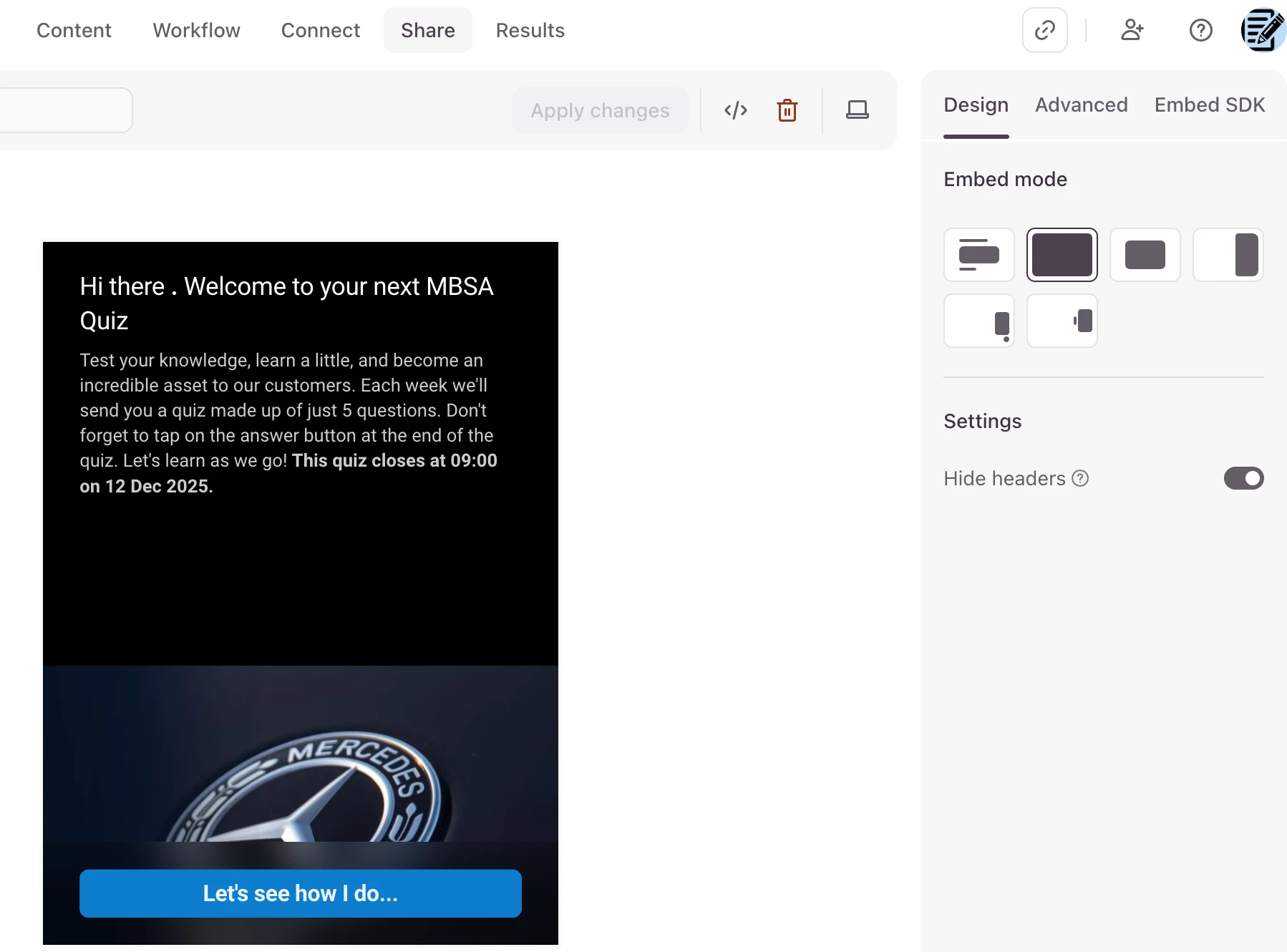
The preview when building the form shows as it always does, however when I go to ‘Share’ the preview is showing the image at the bottom and not at the top on mobile (as it always does).

I’m assuming it might have something to do with developers changing something, without knowing they did. Can someone please let me know if something changed that I should change, or is it on your end?

Thank you as always. I am very grateful to this community.

Here is the preview screen shot for mobile
And here’s the screen shot for when I share, and how it’s coming out in my live environment on mobile
 

Best answer by Grace

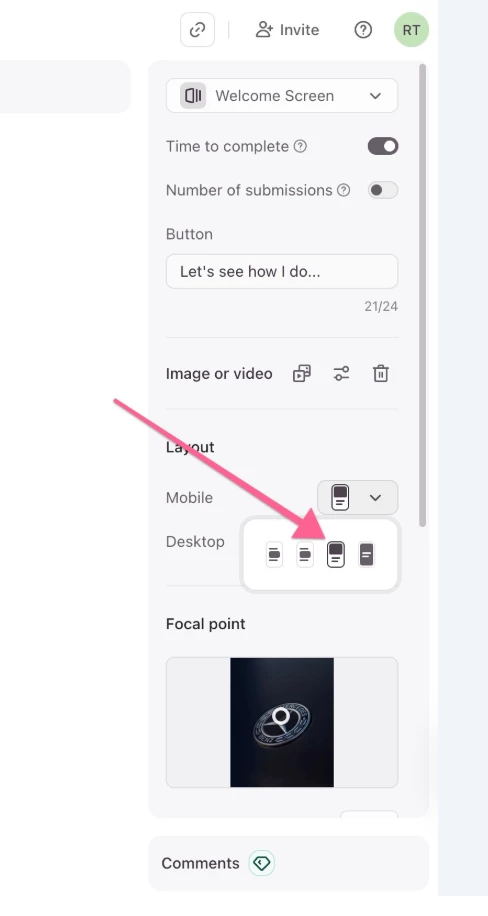
Hey ​@barriebramley I’ve been chatting to our technical support team, they’ve suggested switching the layout option to the third one:


and then try publishing it, we’re hoping that will fix it. Seems like it could be an isolated issue but if that doesn’t work we’ll investigate further!

8 replies

Grace
Community Team
Forum|alt.badge.img+5
  • Community Advocate
  • January 25, 2026

Hi ​@barriebramley thanks for flagging this, I’m checking with the team if we’ve made changes that could effect the preview visuals. When you share the form itself, is the image appearing correctly? Just wanted to check if it’s just preview mode that moves the image.


Honesty
  • Navigating the Land
  • January 26, 2026

Great work i followed you can i get the same


barriebramley
Forum|alt.badge.img+2
  • Author
  • Socializer
  • January 26, 2026

Hi Grace. Thank you for your reply.

The form is still showing ‘back to front’ (top image at the bottom) this morning.

Here’s the ‘share’ link to the form so you can see.

https://calidascope.typeform.com/to/KI1SHHxi#name=xxxxx&dealership=xxxxx&fullname=xxxxx&group=xxxxx&jobprofile=xxxxx&date=xxxxx&day=xxxxx&week=xxxxx

The desktop view is showing as per normal (on the right side) as the setting says it will.

Hope your team is able to fix this soon. Have a few hundred people expecting to see the same looking form today and the rest of the week, and this clearly doesn’t look correct

BB


Honesty
  • Navigating the Land
  • January 26, 2026

Great updates from you , Can you follow me up this morning


Grace
Community Team
Forum|alt.badge.img+5
  • Community Advocate
  • January 26, 2026

Hi Grace. Thank you for your reply.

The form is still showing ‘back to front’ (top image at the bottom) this morning.

Here’s the ‘share’ link to the form so you can see.

https://calidascope.typeform.com/to/KI1SHHxi#name=xxxxx&dealership=xxxxx&fullname=xxxxx&group=xxxxx&jobprofile=xxxxx&date=xxxxx&day=xxxxx&week=xxxxx

The desktop view is showing as per normal (on the right side) as the setting says it will.

Hope your team is able to fix this soon. Have a few hundred people expecting to see the same looking form today and the rest of the week, and this clearly doesn’t look correct

BB


Thanks for confirming ​@barriebramley I’m checking with our Product team to see what’s happened, will let you know asap!


Grace
Community Team
Forum|alt.badge.img+5
  • Community Advocate
  • Answer
  • January 26, 2026

Hey ​@barriebramley I’ve been chatting to our technical support team, they’ve suggested switching the layout option to the third one:


and then try publishing it, we’re hoping that will fix it. Seems like it could be an isolated issue but if that doesn’t work we’ll investigate further!


barriebramley
Forum|alt.badge.img+2
  • Author
  • Socializer
  • January 27, 2026

Thank you Grace. I see what has happened now. I simply duplicate a quiz every day. For some reason, on all of my quizzes, that setting has changed on the default. So as soon as I switched them, after your reply, it works. Something still must have happened in the back end. 


Doesn’t matter all good. And thank you as always


BB


Grace
Community Team
Forum|alt.badge.img+5
  • Community Advocate
  • January 27, 2026

Glad it’s fixed, will report back to the team! Thanks for confirming ​@barriebramley have a good week 😊