Question

Sidebars have disappeared and I can't get them back

  • Mar 14, 2022 2:46 AM UTC
  • 7 replies
  • 107 views

no buttons on my computer to “open” them. Help!

7 replies

Liz
Ex–Typefomer
Forum|alt.badge.img+5
  • Tech Community Advocate
  • Mar 14, 2022 3:01 PM UTC

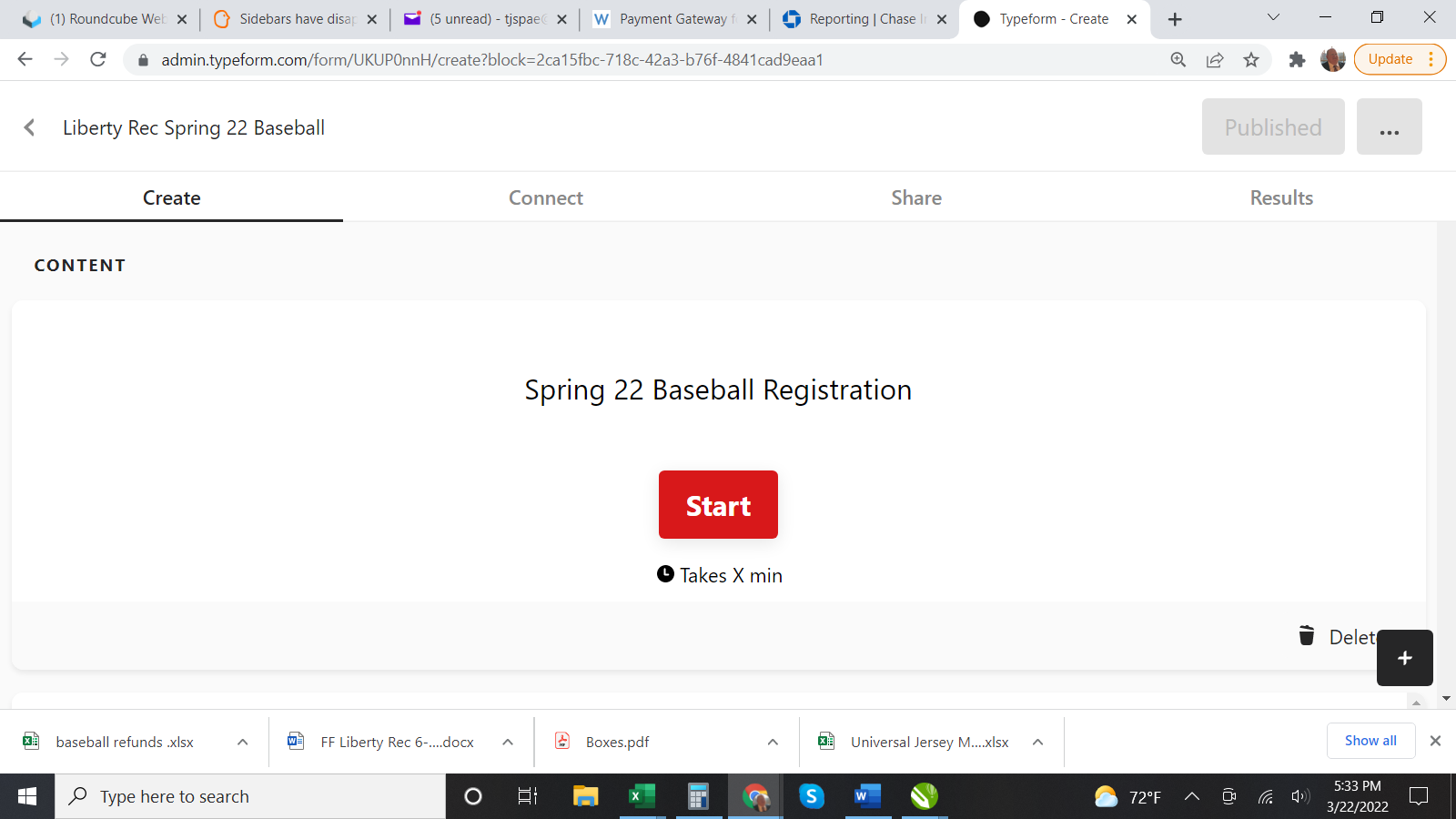
Hi @Biff Could you send a screenshot or video of what you’re referencing? Thanks!


Gabi Amaral
Ex–Typefomer
Forum|alt.badge.img+5
  • Ex–Typefomer
  • Mar 18, 2022 3:26 PM UTC

Hey @Biff! How are you doing today? I was wondering if you could give us more details on what you're referencing. A screenshot or a screencast would be very helpful. Have a great weekend! :wink:


  • Author
  • Explorer
  • Mar 22, 2022 9:33 PM UTC


Liz
Ex–Typefomer
Forum|alt.badge.img+5
  • Tech Community Advocate
  • Mar 23, 2022 2:45 PM UTC

Hi @Biff Thank you! It looks like you have your browser set to a mobile view. Can you adjust your browser settings so you’re viewing the form in a regular desktop setting? 


  • Author
  • Explorer
  • Apr 6, 2022 1:25 AM UTC

@Liz - how do I do that?


Yep  - I’m clueless


  • Author
  • Explorer
  • Apr 6, 2022 2:27 AM UTC

I was able to download firefox browser, login, and the sidebars are there. There are options to close those bars ( I didn’t dare touch them) but there are no options on chrome to re-open them.


Liz
Ex–Typefomer
Forum|alt.badge.img+5
  • Tech Community Advocate
  • Apr 6, 2022 4:09 PM UTC

Glad to hear you got it working in Firefox, @Biff ! In Chrome, are you still seeing the mobile view? If so, it sounds like something in the browser itself needs to be adjusted, whether that’s the size of your browser window or a setting on your computer.