
Answer

Summarize responses at the end of form

  • August 24, 2025
  • 3 replies
  • 51 views

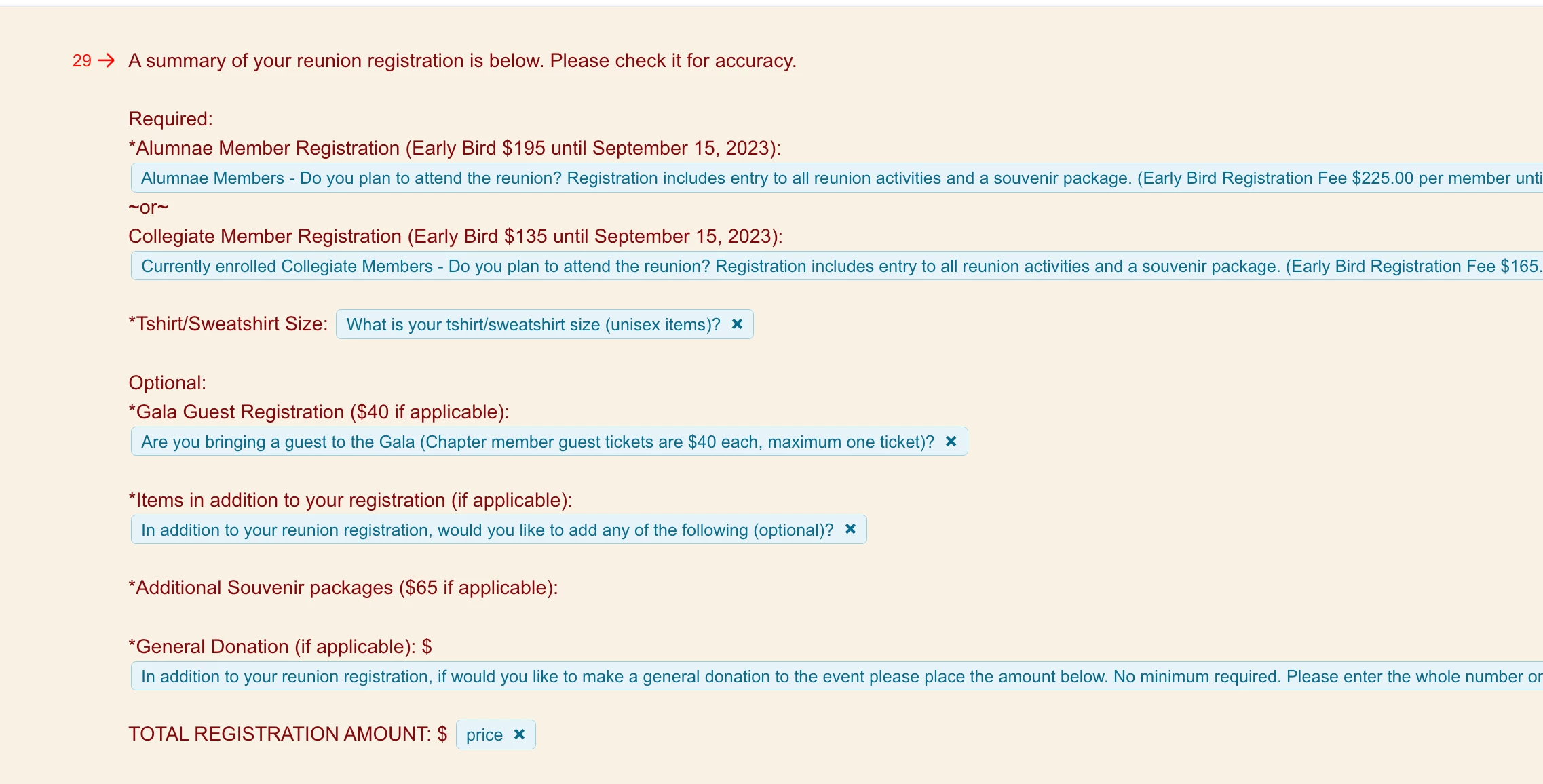
I created a form a few years ago for a group reunion registration.  At the end I was able to list all of the responses to their questions as seen below.  I cannot figure out how I did it, or the functionality has changed.  Can someone please jog my memory?  How do I pull each response field so the person completing the form can see their responses at a glance?



Best answer by Phoebe VA

Hi ​@needthattee,


It looks like you’ve might have used the recall information feature. When you added this summary page to your form, it looks like you copied the question text from each question and pasted into this page. Then when you type the @ symbol after each question, you can pull the answer from a question to the page. More information on how to use recall information can be found here.

3 replies

Phoebe VA
Community Team
Forum|alt.badge.img+5
  • Community Team
  • Answer
  • August 25, 2025

Hi ​@needthattee,


It looks like you’ve might have used the recall information feature. When you added this summary page to your form, it looks like you copied the question text from each question and pasted into this page. Then when you type the @ symbol after each question, you can pull the answer from a question to the page. More information on how to use recall information can be found here.


Grace
Community Team
Forum|alt.badge.img+5
  • Community Advocate
  • September 11, 2025

Hey ​@needthattee how’s it going?

Just wanted to check if Phoebe’s response here was helpful, and if you managed to set up your new form? Let us know if you’ve got any other questions 😊


  • Author
  • Explorer
  • September 11, 2025

Hi there, yes, she was correct.  I actually stumbled across the @ feature after posting the question.  Thank you, Phoebe.



