Answered

Asana integration

  • Oct 4, 2022 5:12 PM UTC
  • 3 replies
  • 94 views

I am capturing utm values as hidden fields in the Typeform submission. My Typeform is integrated with Asana to create tasks for submissions. How to I get the hidden utm values to populate in the Asana tasks?

Best answer by Liz

Hi @minuit999 Happy Wednesday! 

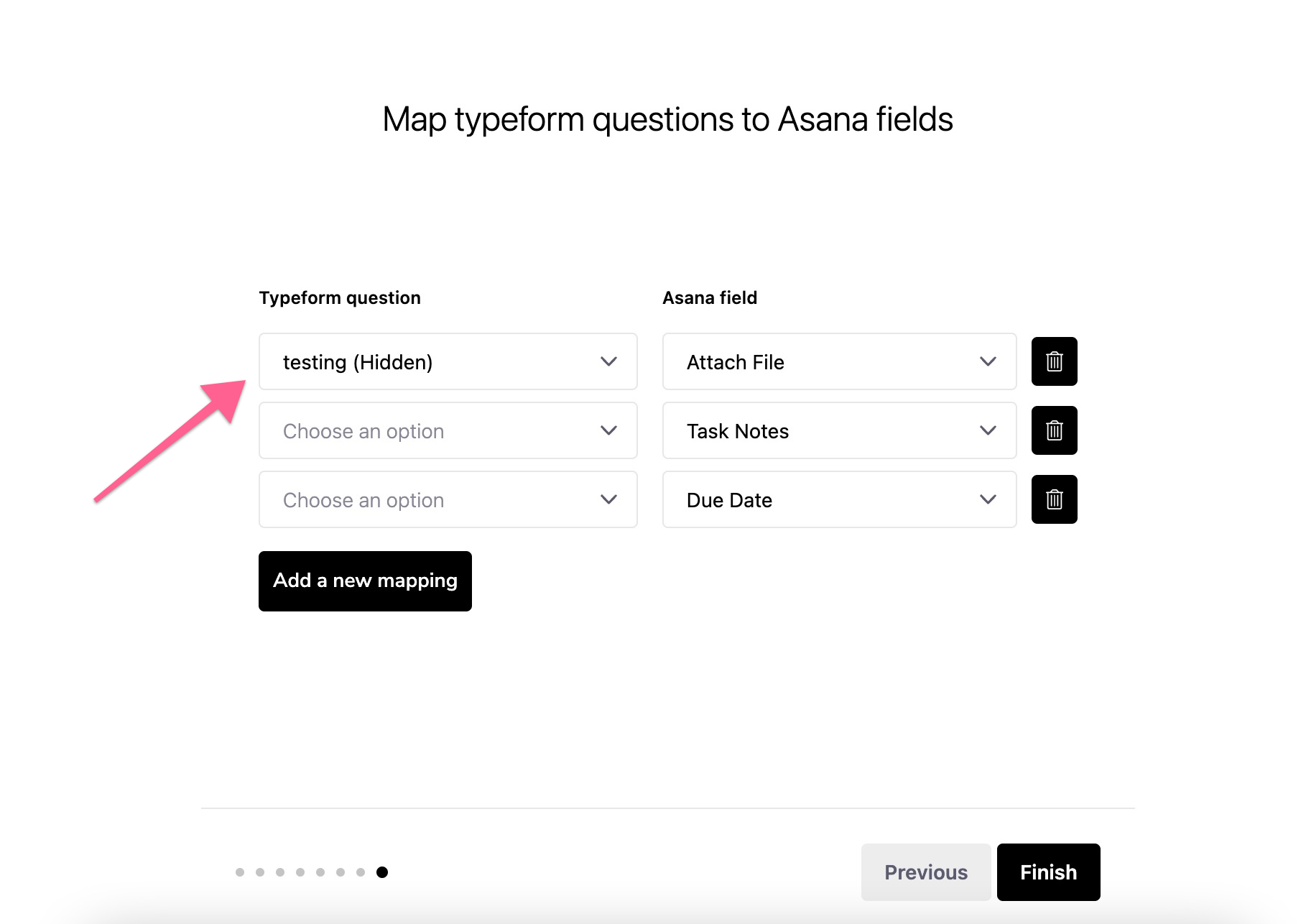
When you’re setting up the integration, you have the option to map the hidden field to a Asana field, shown below: 
If you’ve edited your form and already set up the integration before adding the hidden fields, then you’ll: 


  1. Want to first make sure all of the changes to your form are published
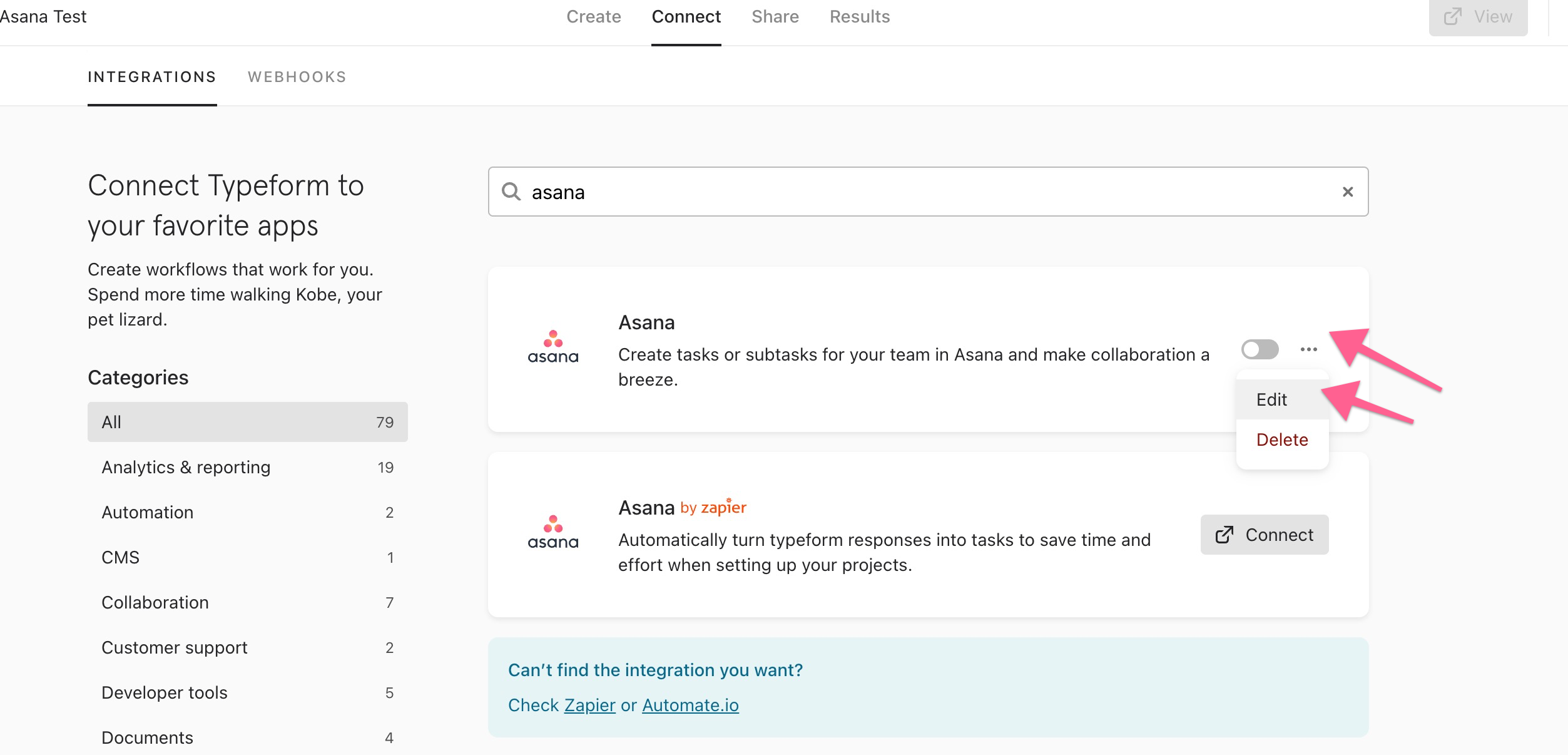
  2. Then, edit the integration by clicking the three dots shown below: 
Let me know if you have any issues following these steps!

View original

3 replies

Liz
Ex–Typefomer
Forum|alt.badge.img+5
  • Tech Community Advocate
  • Answer
  • Oct 5, 2022 1:10 PM UTC

Hi @minuit999 Happy Wednesday! 

When you’re setting up the integration, you have the option to map the hidden field to a Asana field, shown below: 

If you’ve edited your form and already set up the integration before adding the hidden fields, then you’ll: 


  1. Want to first make sure all of the changes to your form are published
  2. Then, edit the integration by clicking the three dots shown below: 

Let me know if you have any issues following these steps!


  • Author
  • Explorer
  • Oct 6, 2022 11:35 PM UTC

Solved (and embarrassingly easy - not sure how I missed this). Thank you for the quick response and solution.


Liz
Ex–Typefomer
Forum|alt.badge.img+5
  • Tech Community Advocate
  • Oct 7, 2022 4:13 PM UTC

Haha no worries, glad it was an easy fix, @minuit999 !