Question

Google Sheets integration fails with "Oops! Something went wrong" — all troubleshooting steps already tried

  • Oct 28, 2026 2:29 PM UTC
  • 3 replies
  • 90 views

Hi everyone,

I'm unable to connect the Google Sheets integration on one of my forms. The connection always fails at the final step with: "Oops! Something went wrong. Please try again."

What happens:
1. I click Connect on the Google Sheets integration.
2. I authorize the Google account — it shows as "Connected".
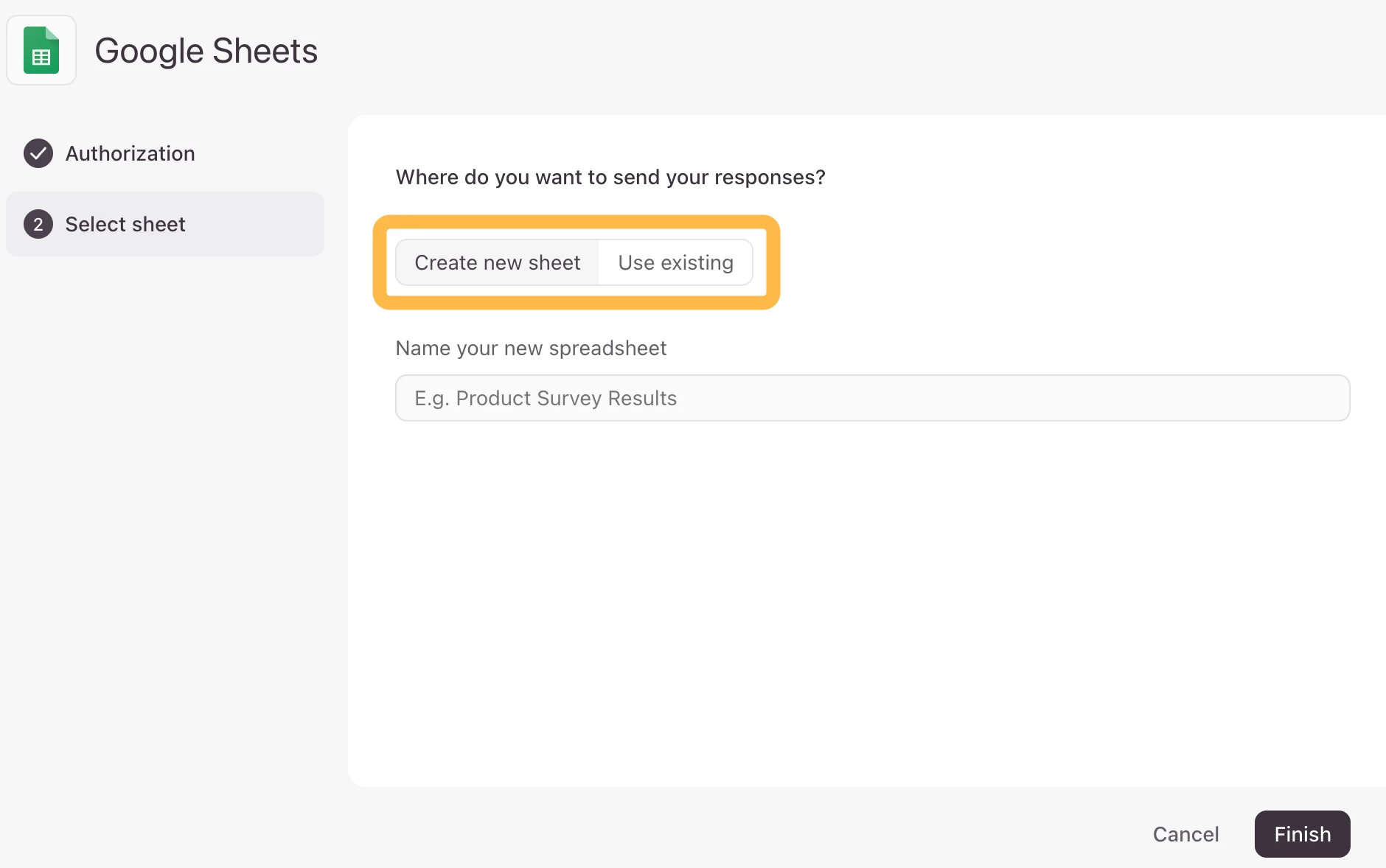
3. On the final step (both "Create new sheet" with a new name, and "Use existing" with a valid spreadsheet URL I own), clicking Finish always returns: "Oops! Something went wrong. Please try again."

Troubleshooting already done (all failed the same way):
- Tried both a Japanese and an English spreadsheet name when creating a new sheet
- Tried connecting to an existing spreadsheet by URL (one I created and own, fully accessible)
- Disconnected and re-authorized the Google account from scratch
- Checked Google Workspace Admin Console (API access controls) — Typeform is not blocked or restricted there
- Confirmed Google Sheets integration is available on the Basic plan
- Retried in an Incognito/Private browsing window to rule out extensions or cookies — same error
- Checked Google Account > Linked apps — Typeform only shows "Sign in with Google" (profile) access, never actually receives Sheets/Drive permission, even though the integration UI shows "Connected"
- Also tried reaching Support directly, but both the in-app chat ticket flow and the "Submit a request" form fail with ERR_TOO_MANY_REDIRECTS on typeform.zendesk.com (reproduced on two different browsers, cookies cleared) — that's why I'm posting here instead

This suggests the OAuth consent for the Sheets/Drive scope isn't completing properly on Typeform's end, even though the initial account authorization succeeds.

Has anyone run into this, or could a Typeform team member look into it? Happy to share screenshots or a screen recording.

Thanks,
植地

3 replies

carmentf
Community Team
  • Community Team
  • Oct 29, 2026 11:04 AM UTC

Hi there,


Thanks for sharing the detailed steps you’ve already tried. Since the connection fails with both a new sheet and an existing one, even after reauthorizing, there’s no need to repeat those checks at this stage.


I’m sorry the Support forms are also redirecting you in a loop. We’ll create a support ticket so our team can investigate the Google authorization flow. Could you please remove your Google account email and any other contact details from this public post? Please don’t share passwords or sensitive sheet data here.


  • Navigating the Land
  • Nov 5, 2026 12:56 AM UTC

Did you get resolution? I am in this precise loop right now. Super frustrating.  Without integrations, not sure I can justify the cost of Typeform much longer.


carmentf
Community Team
  • Community Team
  • Nov 5, 2026 12:13 PM UTC

Hi there, so sorry to hear that. Can you please try these steps in this exact order and let us know if it resolved your issue with the G Sheets integration?:
 

  1. First, fully disconnect the integration by deleting it from the Connect panel of your form:
    ?name=Delete+integration+2.png

  2. Open the typeform from an incognito/private window/tab in your browser.
  3. Go to the connect panel of your form and re-connect the Google Sheets integration by following these steps.
  4. When you set it up anew, choose "add new account" in the dropdown instead of the one already listed in the integration. You can still use the same account, but by adding it now, we're refreshing the authority to connect with your Google account. 

 
If this doesn't work when using an existing Google Spreadsheet but works when creating a New Google Spreadsheet from the integration, please let us know and we will have another look:


Let us know how it goes!