Question

How to make my form public?

  • December 20, 2025
  • 2 replies
  • 42 views

I want to use my typeform via SDK in typescript. But it says Sorry, you can't access this typeform until its creator says so. How do I make my form public and use it in my projects? Could that be done with the free plan?

2 replies

Grace
Community Team
Forum|alt.badge.img+5
  • Community Advocate
  • December 22, 2025

Hi ​@kanishk44 welcome to the community 😊

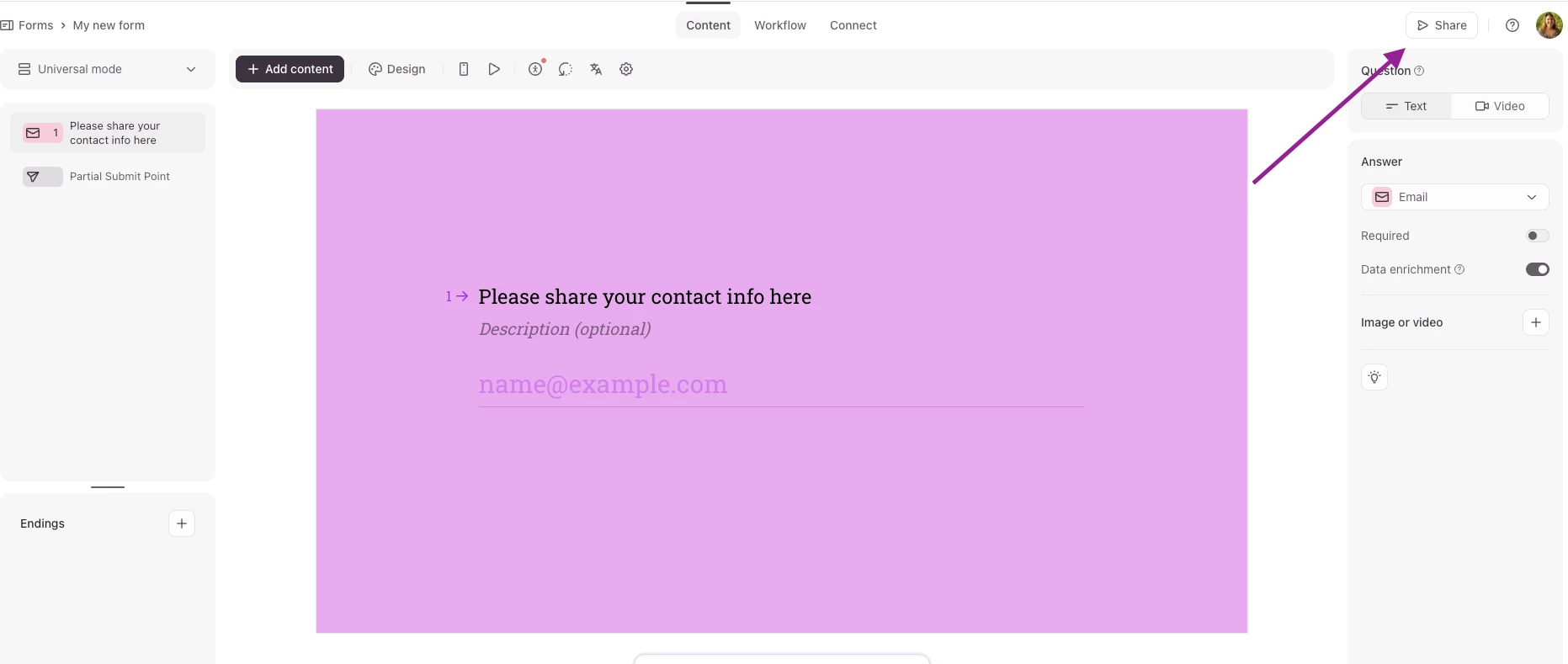
Have you published the form first? Once you’ve created a form you should see a button that says Share (or Publish edits any time you make a change) 


Clicking the button will mean the form is live and ready for use.

Let me know if that’s the missing piece of the puzzle, or if it’s still giving you an error message!


Forum|alt.badge.img
  • Navigating the Land
  • December 23, 2025

Yeah, that error is annoying—it's because the form isn't published yet. Just hit the Share (or Publish) button in the editor to make it live and public. Should work fine on the free plan too!