Answered

My form is not displaying correctly on mobile

  • Aug 15, 2022 4:27 PM UTC
  • 6 replies
  • 1174 views

Hi there, 

I just published a form on my Showit site and when I look at it on my phone the form is cut off like it’s not responsive I thought these forms worked on mobile devices? Any suggestions? 

Here is the url: https://fourthstreetcreative.com/templatewins


Thank you! 
Best answer by mathio-tf

Hello @melbuggy 

I have looked at your website and I see your typeform is not resized to 100% of the screen width. Is this the issue you are referring to?

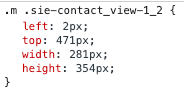
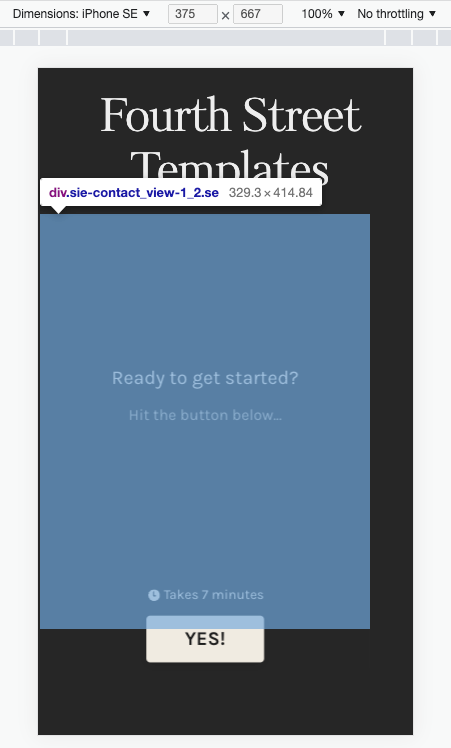
I see the form is placed in a DIV element (highlighted below) that is not resized to 100%. The typeform embedded is resized to 100% of the parent element (the DIV).

However the DIV is not resized properly.

You need to ensure that the parent DIV is resized correctly (to 100% of the screen width).

View original

6 replies

Liz
Ex–Typefomer
Forum|alt.badge.img+5
  • Tech Community Advocate
  • Aug 15, 2022 8:57 PM UTC

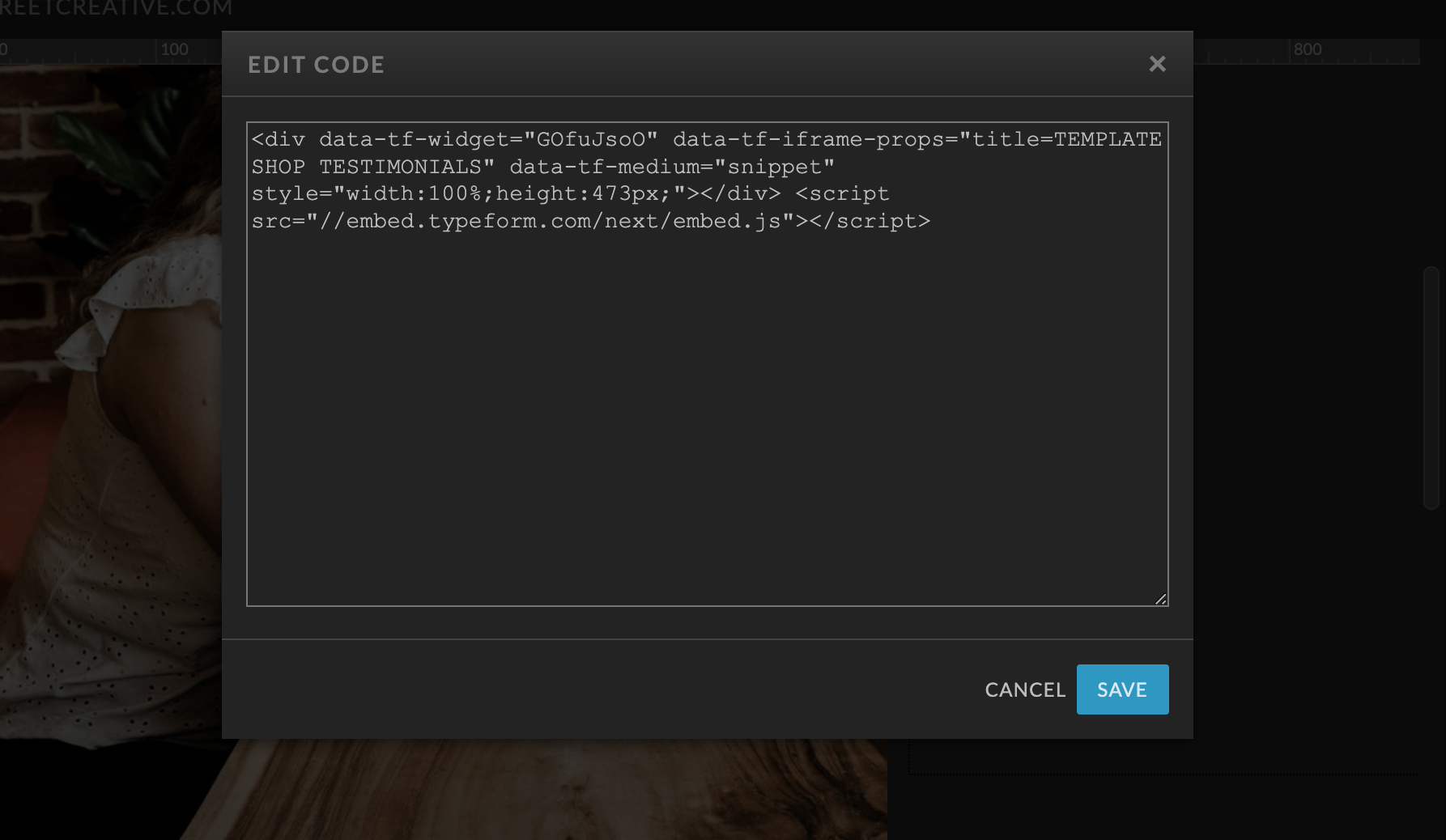
Hi @melbuggy Happy Monday! Thanks for stopping by the community. Our forms are responsive on mobile, but I think with your site, the issue has to do with how the form is embedded on your website. @mathio may have a more specific answer, but are you embedding your form into a section/frame on your site? (Or do you mind sending a screenshot of where/how you’re adding the code?)


  • Author
  • Explorer
  • Aug 16, 2022 1:37 PM UTC

Here it is! I’m guessing it’s missing some mobile responsive code? 


  • Author
  • Explorer
  • Aug 19, 2022 11:04 AM UTC

Any ideas?


mathio-tf
Typeform
Forum|alt.badge.img+5
  • Typeform
  • Answer
  • Aug 23, 2022 10:06 AM UTC

Hello @melbuggy 

I have looked at your website and I see your typeform is not resized to 100% of the screen width. Is this the issue you are referring to?

I see the form is placed in a DIV element (highlighted below) that is not resized to 100%. The typeform embedded is resized to 100% of the parent element (the DIV).

However the DIV is not resized properly.

You need to ensure that the parent DIV is resized correctly (to 100% of the screen width).


  • Author
  • Explorer
  • Aug 23, 2022 2:35 PM UTC

Thank you! I changed the height to 100% as well and that seemed to fix the issue thanks!


Liz
Ex–Typefomer
Forum|alt.badge.img+5
  • Tech Community Advocate
  • Aug 23, 2022 2:47 PM UTC

Wahoo! Glad to hear that worked, @melbuggy ! Let us know if you need help with anything else. 😀