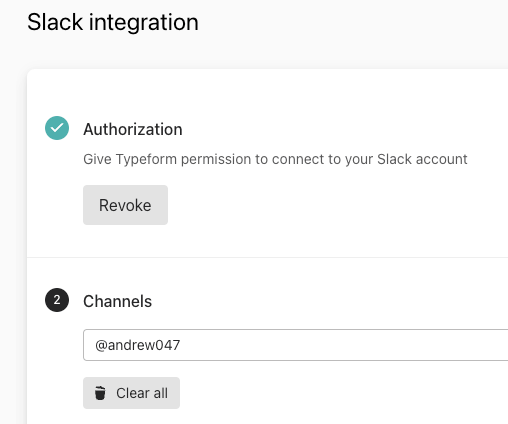
Created a new Typeform and configured it to post results to Slack. I want it to go to my personal channel (@andrew047). Here’s the setup:
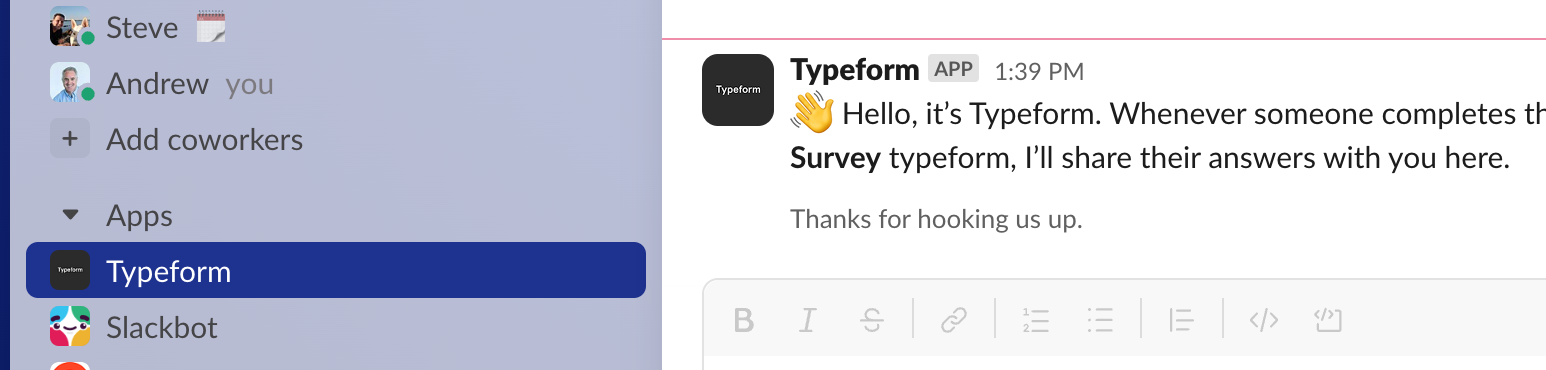
But, when something is submitted, it goes here, rather than the personal channel (which you can see just above the Apps/Typeform channel.
Anyone know how to fix this and have it sent to my personal channel?
Thanks.
Best answer by Liz
Hi again, @Tatango ! Our product team let me know that Slack has new permission rules that make it impossible for Typeform's integration to impersonate users. So, the option you’re seeing (which is sending the DM to the Typeform app) is the only option for sending via a DM nowadays.
I’ve asked our Help Center team to update the Slack integration article about this for anyone else that might have the same question, and that should go live shortly.
Hi @Tatango This is a really good question. I asked the technical folks here and they noticed the same thing. I’m going to ask the product team if there was an update to the integration that changed this behavior.
Hi again, @Tatango ! Our product team let me know that Slack has new permission rules that make it impossible for Typeform's integration to impersonate users. So, the option you’re seeing (which is sending the DM to the Typeform app) is the only option for sending via a DM nowadays.
I’ve asked our Help Center team to update the Slack integration article about this for anyone else that might have the same question, and that should go live shortly.