Question

Typeform integration with GA4

  • September 5, 2024
  • 4 replies
  • 62 views

Hi all,


Context

Problem

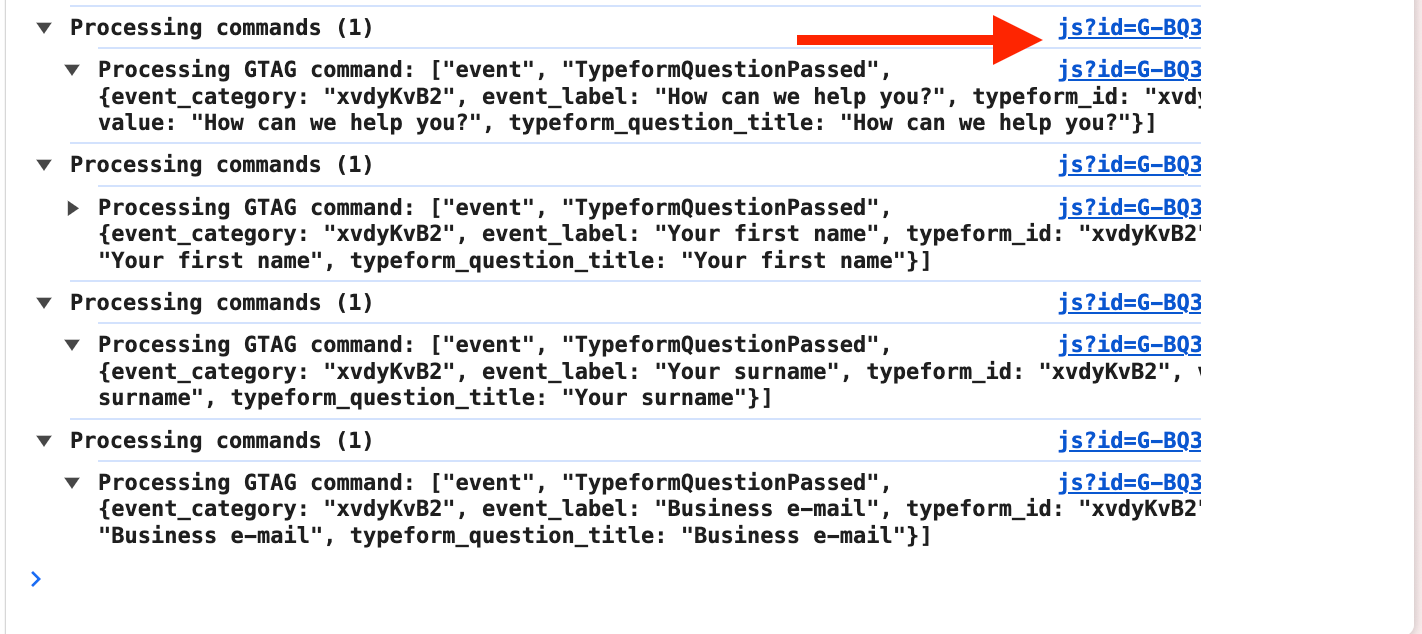
We can see that events like TypeformSubmit being sent to GA. But we do not see them in GA. How can we fix it?


4 replies

Liz
Ex–Typefomer
Forum|alt.badge.img+5
  • Tech Community Advocate
  • September 5, 2024

Hi @Gevorg Oh I’ve never heard of this website builder! Thanks for sending this over. 

I’m also glad to hear the events are sending to Google Analytics, as that’s usually the first issue. 

As for finding them in your account, this article here should be able to walk you through where to track those events down. 

If you’re not seeing it there, you may want to contact Google directly to see if there are any filters setup that may be accidentally hindering the events from view. 


  • Author
  • Explorer
  • September 6, 2024

@Liz, thanks for getting back.

I’m aware of this article. But unfortunately, it doesn’t help me. 

The problem is that I can see Typeform sends events to GA. But they are not shown in the realtime tab or in debug mode. Is there a known ways to fix this?


Liz
Ex–Typefomer
Forum|alt.badge.img+5
  • Tech Community Advocate
  • September 18, 2024

Hi @Gevorg If the events are being sent to Google Analytics but they’re not showing in your account, you may want to reach out to Google directly to see what might be causing the issue, if you haven’t already!


Forum|alt.badge.img+1
  • Navigating the Land
  • February 3, 2026

Hey Gevorg

Have you tried using the Google Tag Assistant to diagnose the issue? 

For context, I run a tool called Converly.io, which is kind of like Zapier for conversion tracking (you pick a trigger, like the Typeform being submitted, then select your actions, like a conversion being sent to Google Analytics, Google Ads, etc) so I am often dealign with these kinds of things.

When I am troubleshooting a customer’s setup, I often use the Tag Assistant to see what information is being received by Google, and I often use Gemini to debug. You can even just give it screenshots of your Google Tag Assistant and it figures out what is going wrong!