Question

Typeform Webhook Integration Randomly Stops Sending Data to Custom API

  • May 19, 2026
  • 1 reply
  • 20 views

I’m integrating Typeform with a custom API using webhooks, but I’m facing an inconsistent issue where some form submissions are delivered correctly while others never reach my server. The form itself works perfectly and all responses appear inside Typeform, but the webhook delivery seems unreliable. I already confirmed that my endpoint is public, uses HTTPS correctly, and returns a 200 response almost instantly.

I tested the same endpoint with Postman and other webhook testing tools, and everything works normally outside of Typeform. However, during real submissions Typeform sometimes reports timeout or failed delivery errors even though my server logs show very low response times. I also recreated the webhook configuration and simplified the payload handling logic, but the problem still appears randomly.

Another issue is that duplicate webhook events are occasionally being sent for the same response ID, causing duplicate entries in my database automation workflow. I’m trying to understand whether this is normal retry behavior or a webhook acknowledgment issue. Has anyone else experienced unstable webhook delivery with Typeform integrations or found a reliable way to debug these intermittent API problems?


1 reply

Laura Marco
Typeform
Forum|alt.badge.img
  • Typeform
  • May 20, 2026

Hello ​@amandasamre ! This is Laura from Typeform’s support thanks for reaching us about this!

For the failed deliveries:
There usually isn’t much you can control from the Typeform side beyond confirming the webhook is configured correctly and reviewing the delivery logs.

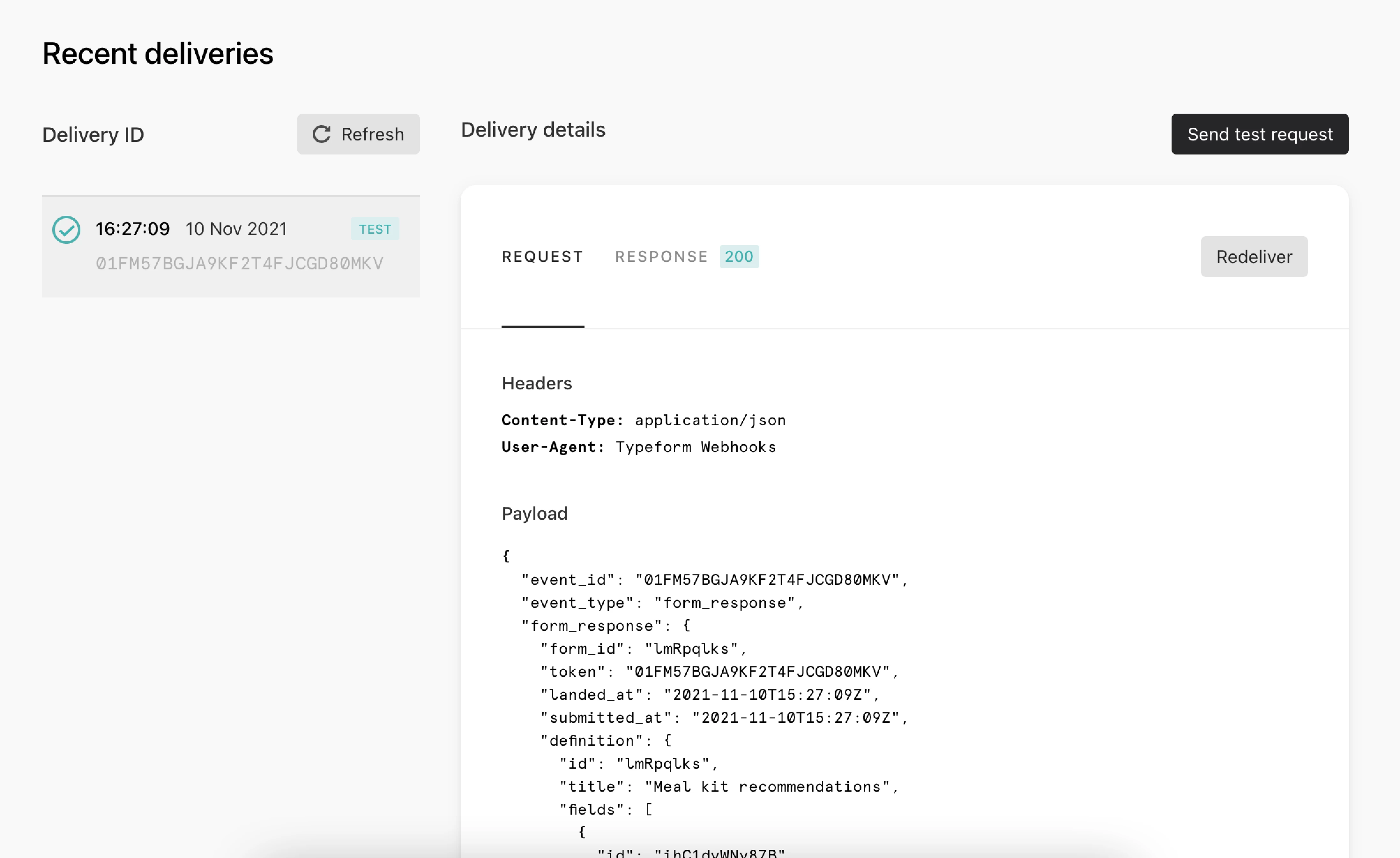
The most useful clue is normally the exact error code shown in the webhook delivery details. You can check this in the Webhooks section of your form -> “View Deliveries”

You can check the meaning for each of the errors that can appear here: Webhook Troubleshooting
 

For the duplicate deliveries:

If Typeform doesn’t confirm a successful 200 response in time, it may resend the same submission, so duplicate events for the same response usually come from this retry behavior. 

A few things you can check next:

  • Make sure the webhook is set to trigger only on completed responses. If partial responses are also enabled, one respondent can trigger the webhook multiple times.

  • You can also set up a deduplication step on your side using the submission token or response ID, since duplicate webhook deliveries can sometimes happen.


I hope this helps! If you need further help you can contact our team here (specifying the URL of your typeform so we can have a look) :) 

Laura