Answered

How to switch off notification of responses being ready to download

  • Feb 18, 2026 10:13 AM UTC
  • 8 replies
  • 124 views

Just that really. 
When I set up responses on a form to download, and if I don’t download immediately, I am emailed a link. 
How do I turn this email off as I don’t need it and it’s just another email cluttering up my inbox? 
Thanks

 

Best answer by SarahOD

Just for future reference, in case anyone comes here with the same question, this is the response from the support team: 

We can't disable the email that is sent when responses are downloaded right now. This email serves as a backup in case the local download to your device fails or if you are downloading many responses. The email is only sent to the email address of the Typeform account in which you are logged in. However, I have raised a feature request with our Product team to consider adding an option to disable the email that is sent.


View original

8 replies

Phoebe VA
Typeform
Forum|alt.badge.img+5
  • Typeform
  • Feb 19, 2026 3:50 PM UTC

Hi ​@SarahOD,


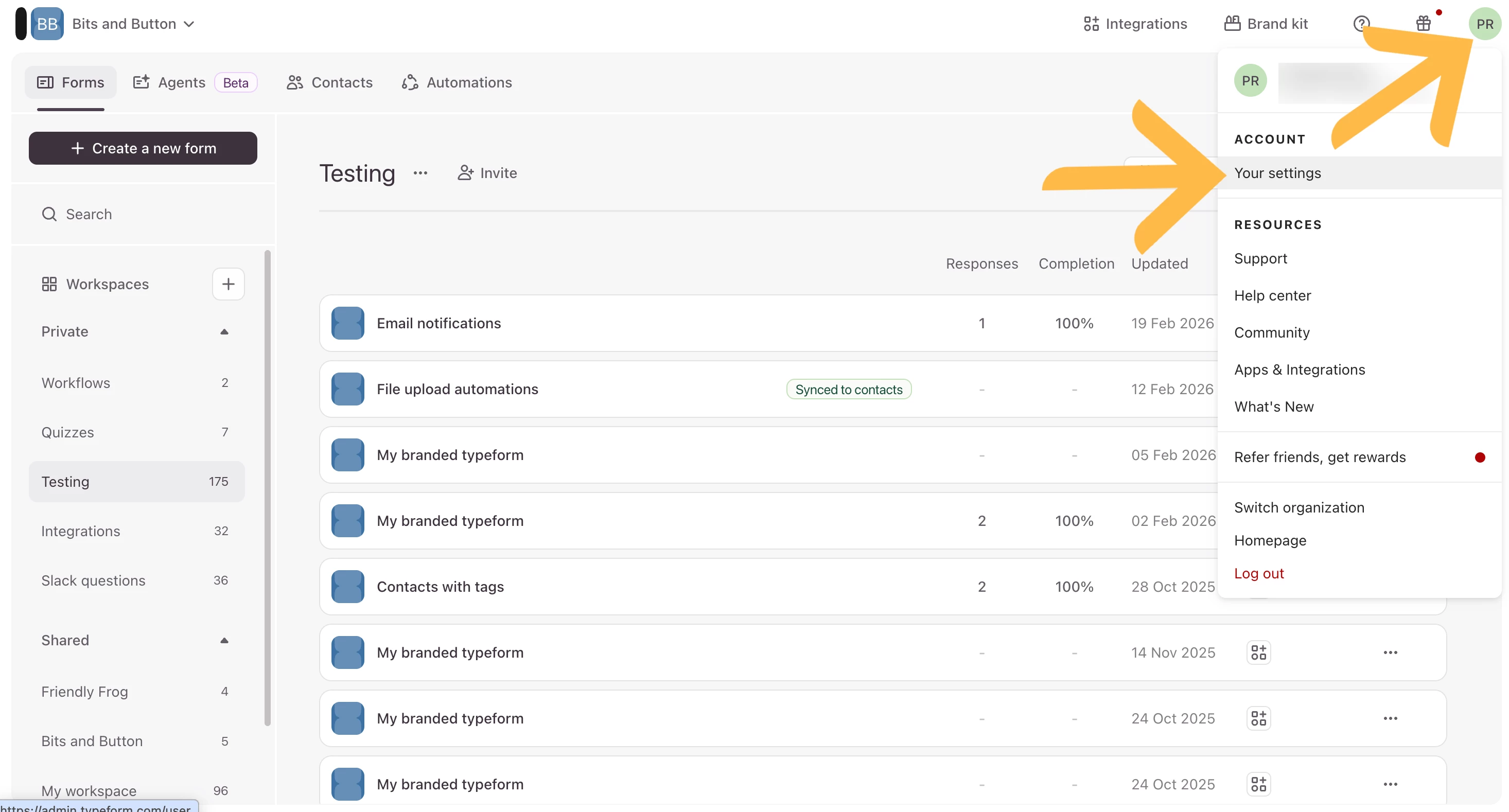
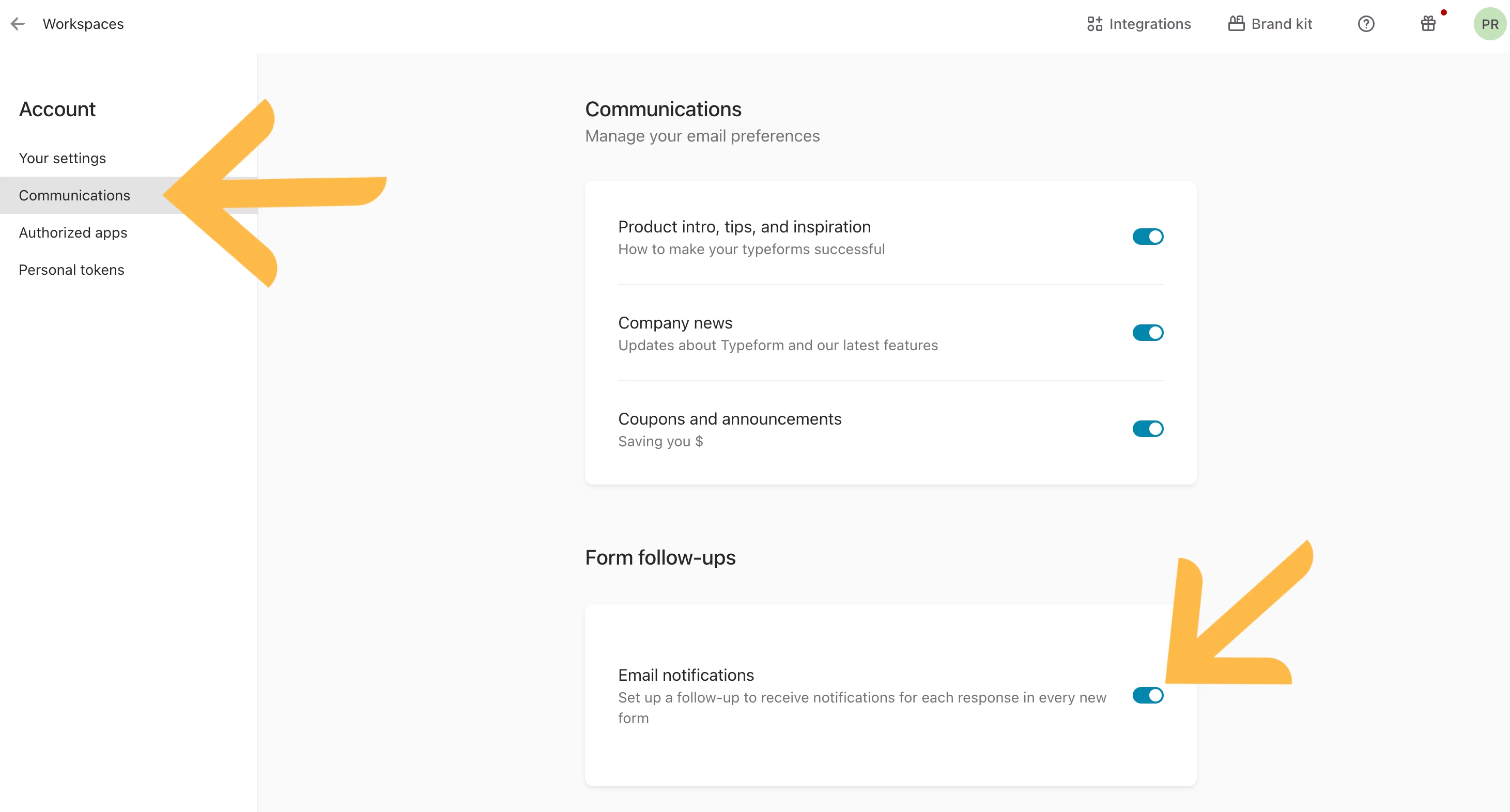
You can turn off email notifications in the account settings of your Typeform account. You can follow the steps below:


  1. Click on the icon in the top right corner of your account from your Workspace and then click Your settings:


  1. Click on Communications and then toggle Email notifications to be off (the toggle should be grey for off):


Hope this helps!


  • Author
  • Explorer
  • Feb 19, 2026 5:32 PM UTC

Hi Phoebe
Thanks for the reply.
I thought I had switched off all notifications I could already, which is why I was surprised to get this one. 
Any other suggestions? 


Phoebe VA
Typeform
Forum|alt.badge.img+5
  • Typeform
  • Feb 19, 2026 6:18 PM UTC

Hi ​@SarahOD,


It could be the follow-up message you’re receiving. The Email notifications toggle from my previous reply will turn off email notifications for any newly created typeforms.


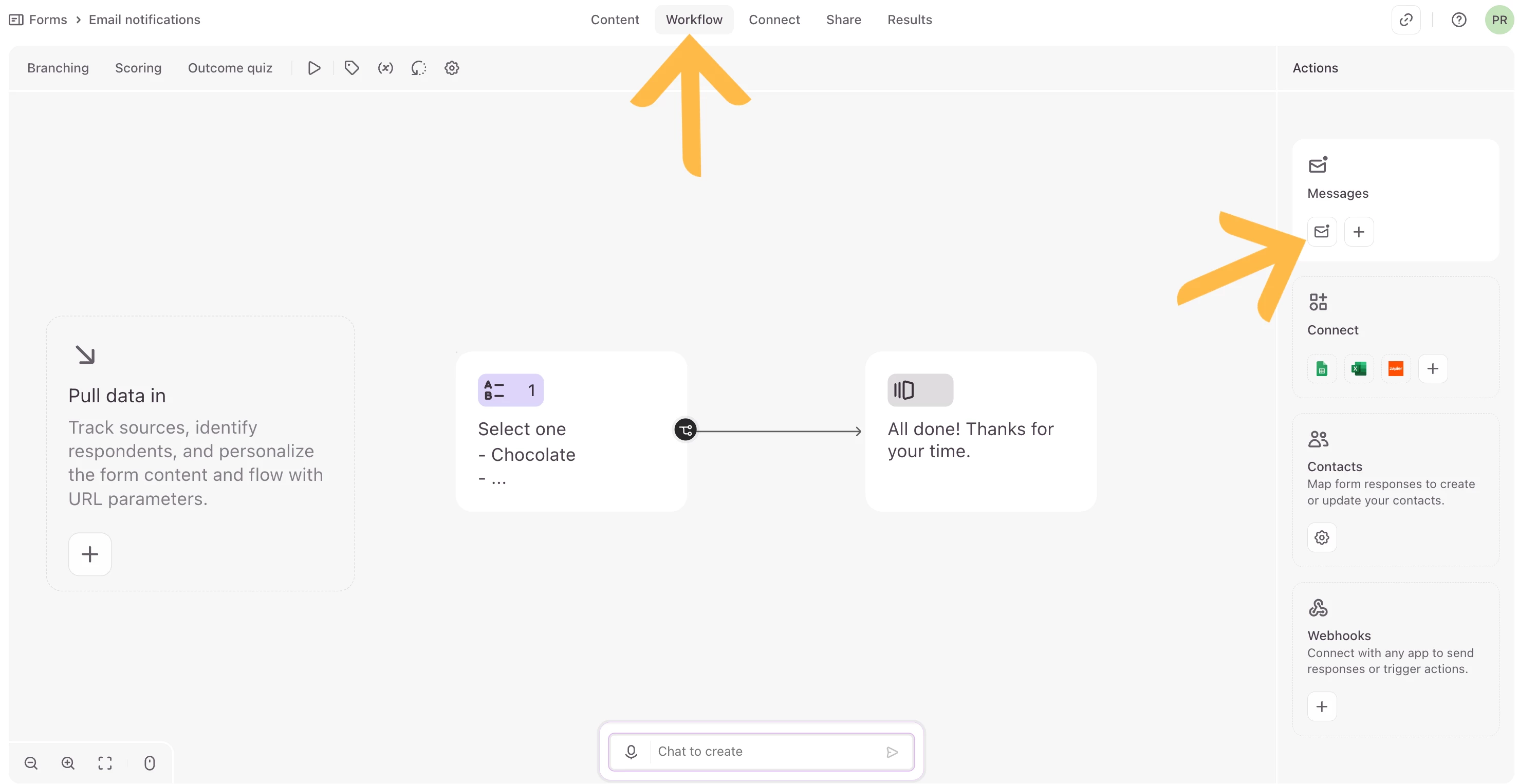
To delete any follow-up messages you’re currently receiving, follow the instructions below:

In the form you’re receiving notifications for, click on the Workflow panel and then email icon under Messages.


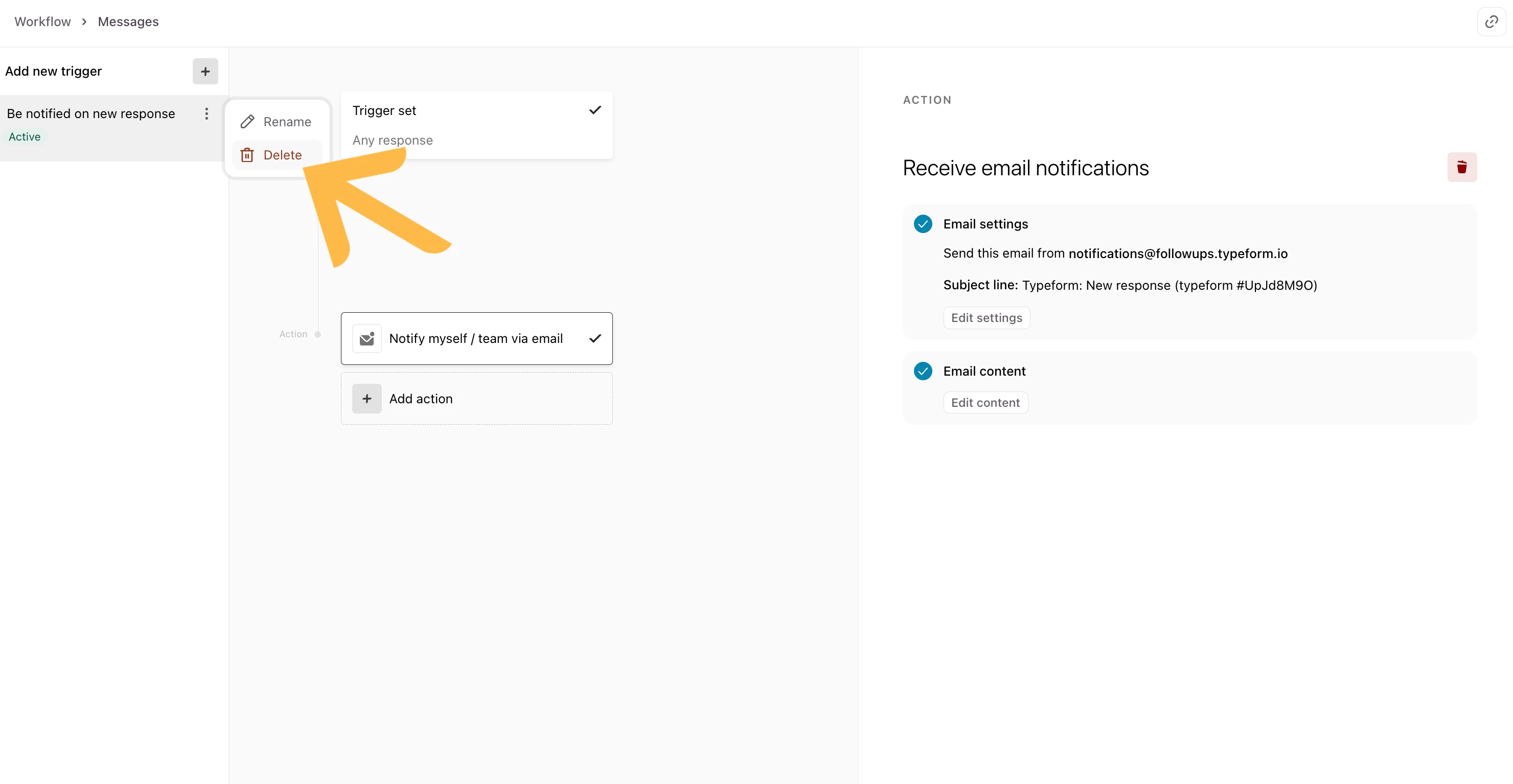
Click the 3 dots on the notification you’re receiving it might say something like Be notified on new response, then select Delete.


Hope this helps! 


  • Author
  • Explorer
  • Feb 19, 2026 6:24 PM UTC

Hi Phoebe
Thanks for trying to help - much appreciated. 
I’ve turned off those ones too.  That’s what’s puzzling me. 


Phoebe VA
Typeform
Forum|alt.badge.img+5
  • Typeform
  • Feb 19, 2026 7:05 PM UTC

Hi ​@SarahOD,


Hmm that’s strange. I would suggest reaching out to the Support team here and let them know that you’ve turned off email notifications from your account settings and that you’ve turned off follow-up messages from your form too but you’re still receiving email notifications. They’ll be able to help troubleshoot this further.


  • Author
  • Explorer
  • Feb 20, 2026 9:38 AM UTC

Hi Phoebe
Thanks for trying. 
I’ll see what the support team say.  


  • Author
  • Explorer
  • Answer
  • Feb 20, 2026 11:46 AM UTC

Just for future reference, in case anyone comes here with the same question, this is the response from the support team: 

We can't disable the email that is sent when responses are downloaded right now. This email serves as a backup in case the local download to your device fails or if you are downloading many responses. The email is only sent to the email address of the Typeform account in which you are logged in. However, I have raised a feature request with our Product team to consider adding an option to disable the email that is sent.



Grace
Community Team
Forum|alt.badge.img+5
  • Community Advocate
  • Feb 24, 2026 12:47 PM UTC

Thanks for sharing ​@SarahOD I’m sure other folks will want to know. Fingers crossed a solution is on it’s way!