Answered

big padding below form/quiz

  • Dec 22, 2021 10:38 AM UTC
  • 3 replies
  • 185 views

HI, 


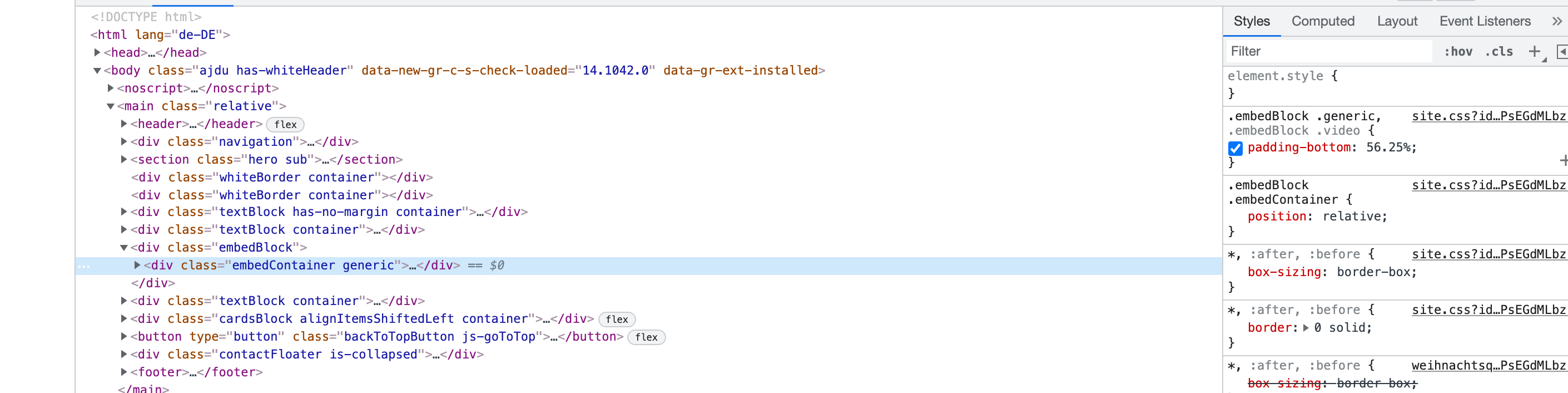
I embed the form on this page (https://www.travelessence.de/weihnachtsquiz) but I end up with a big white gap below. I can see it is due to the padding. See the picture below. But I don’t know how to resolve this. Who can help?



Best answer by Liz

Oh, I see, @Thijsg . Thanks for the screenshot. Based on the image, it seems that the website builder is automatically adding the padding for you. I would suggest reaching out to them directly to see if they can remove the padding or offer advice on how to do so within their system. 

View original

3 replies

Liz
Ex–Typefomer
Forum|alt.badge.img+5
  • Tech Community Advocate
  • Dec 22, 2021 11:00 AM UTC

Hi @Thijsg Thanks for sharing the screenshot! This helps a lot. 

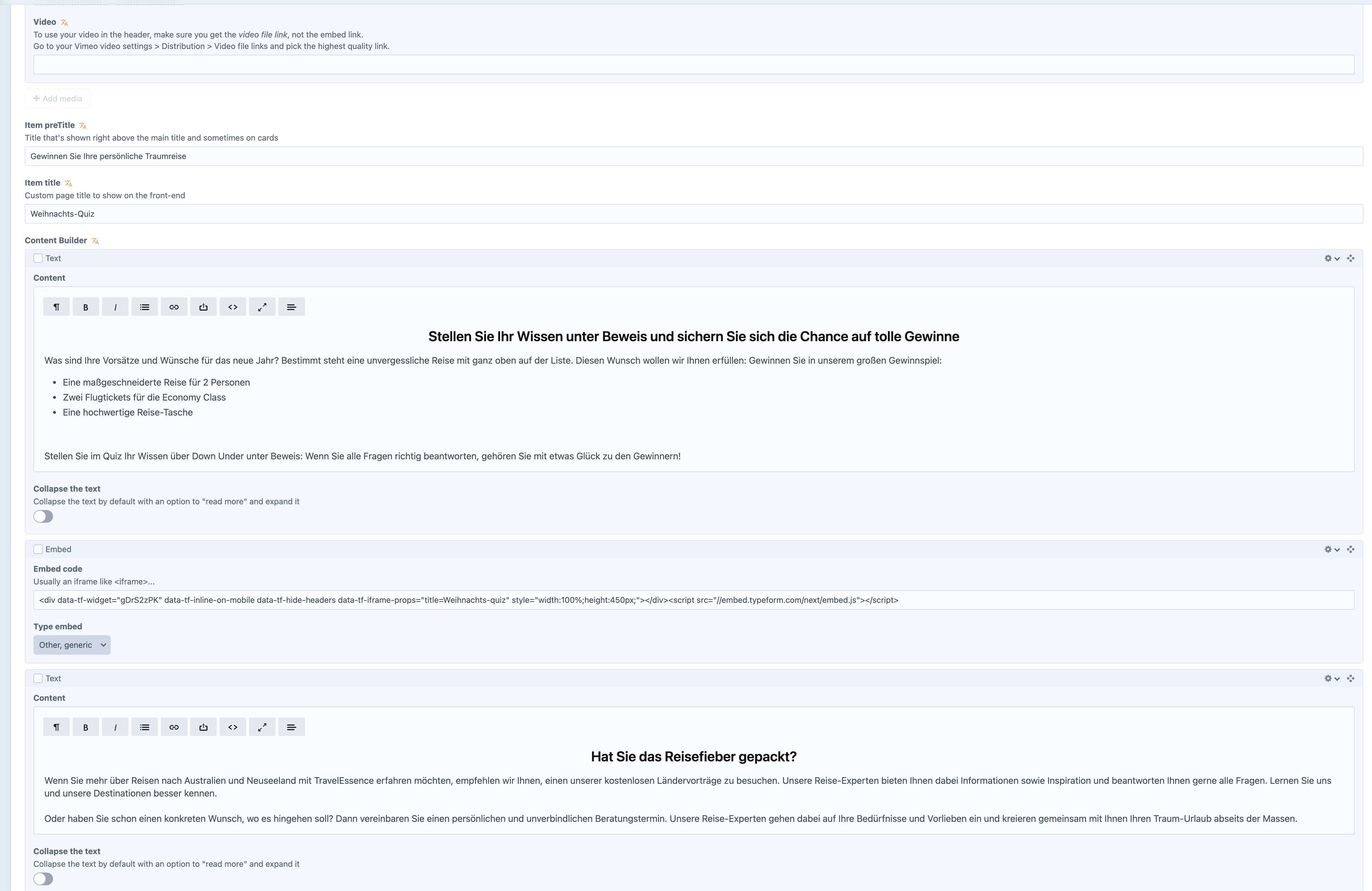
It looks like the block you’re adding the embed code to is automatically adding the padding. What building are you using? Would you mind sharing a screenshot of how you’re adding the code to the site? 


  • Author
  • Explorer
  • Dec 22, 2021 11:18 AM UTC

Hi Liz, 


Thanks for the quick reply. I’m using Craft CMS to add the code. So there isn’t much room to change much there myself. 


Liz
Ex–Typefomer
Forum|alt.badge.img+5
  • Tech Community Advocate
  • Answer
  • Dec 22, 2021 12:22 PM UTC

Oh, I see, @Thijsg . Thanks for the screenshot. Based on the image, it seems that the website builder is automatically adding the padding for you. I would suggest reaching out to them directly to see if they can remove the padding or offer advice on how to do so within their system.