Answered

How do I change the profile pic in chat?

  • Sep 12, 2022 10:11 AM UTC
  • 7 replies
  • 265 views

The person speaking in chat is just a white and grey icon profile. Can I change that pic somehow?  Or is it something in business?

 

Best answer by Liz

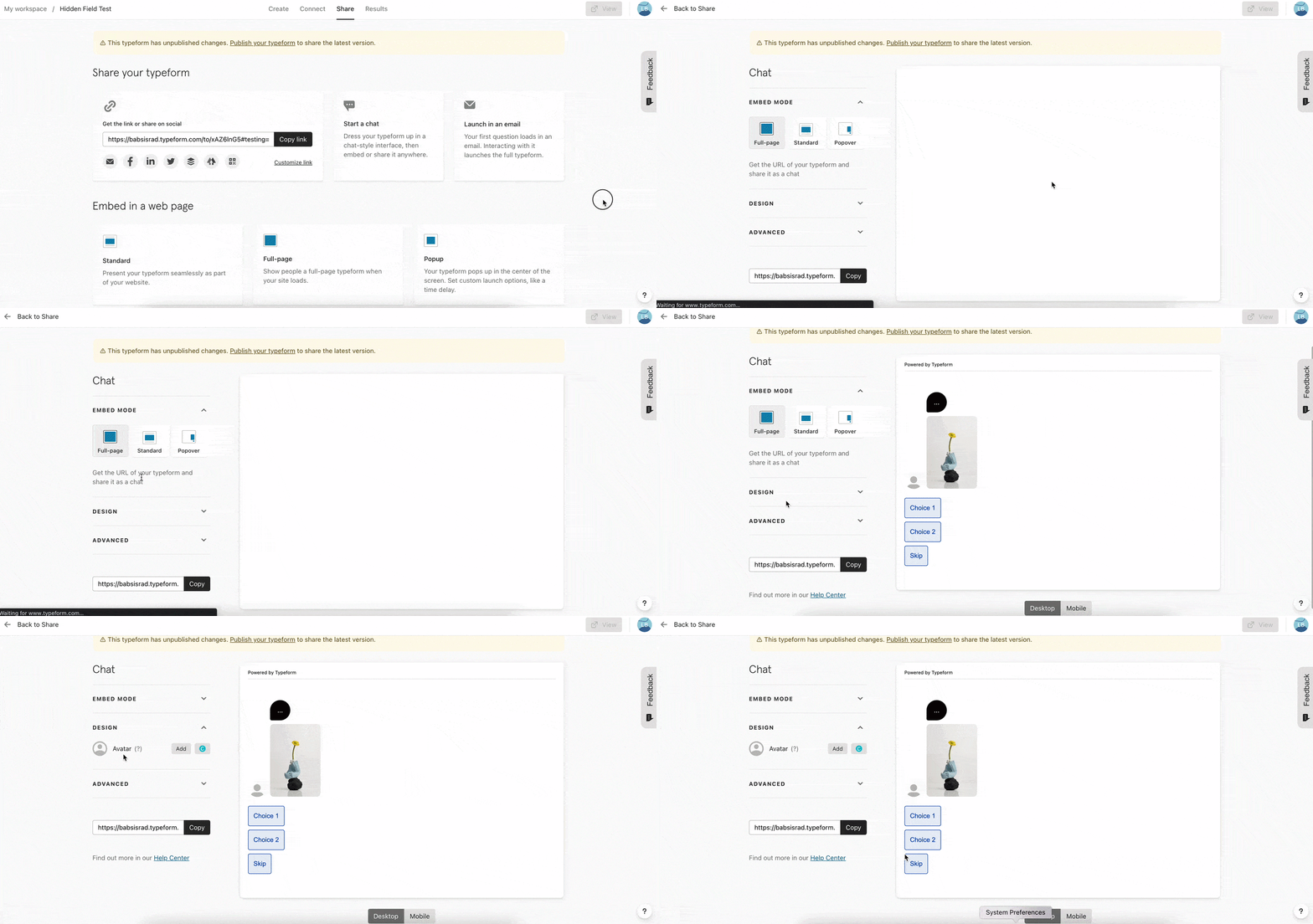
Hi @ChrissyK Happy Monday! If you’re referencing the image on the conversational chat embed, you can change the avatar like this: 
 

View original

7 replies

Liz
Ex–Typefomer
Forum|alt.badge.img+5
  • Tech Community Advocate
  • Answer
  • Sep 12, 2022 8:21 PM UTC

Hi @ChrissyK Happy Monday! If you’re referencing the image on the conversational chat embed, you can change the avatar like this: 


  • Navigating the Land
  • Oct 15, 2022 1:38 PM UTC

Typeform has a new look - I tried to change the avatar for the chat, but it isn’t possible anymore. Where can I do this?


Liz
Ex–Typefomer
Forum|alt.badge.img+5
  • Tech Community Advocate
  • Oct 17, 2022 2:47 PM UTC

Hi @vsophia I’ve added your post here where we have the answer. 😀


  • Navigating the Land
  • Oct 18, 2022 6:41 AM UTC

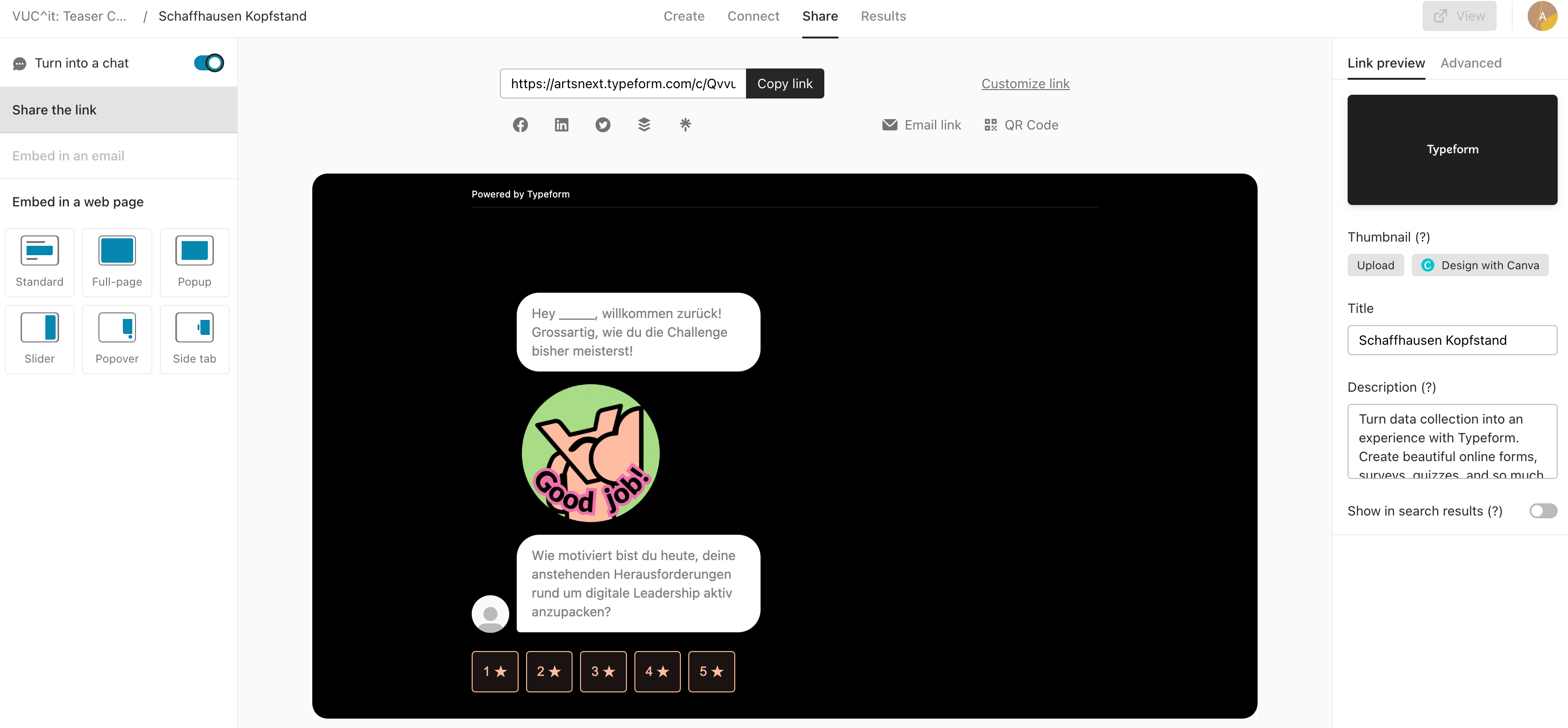
Hi Liz, thank you very much for your answer. Yes, this is how it used to be, but now the design/page looks different, and here we cannot find the “Design” part with the Avatar anymore: 


Liz
Ex–Typefomer
Forum|alt.badge.img+5
  • Tech Community Advocate
  • Oct 19, 2022 3:28 PM UTC

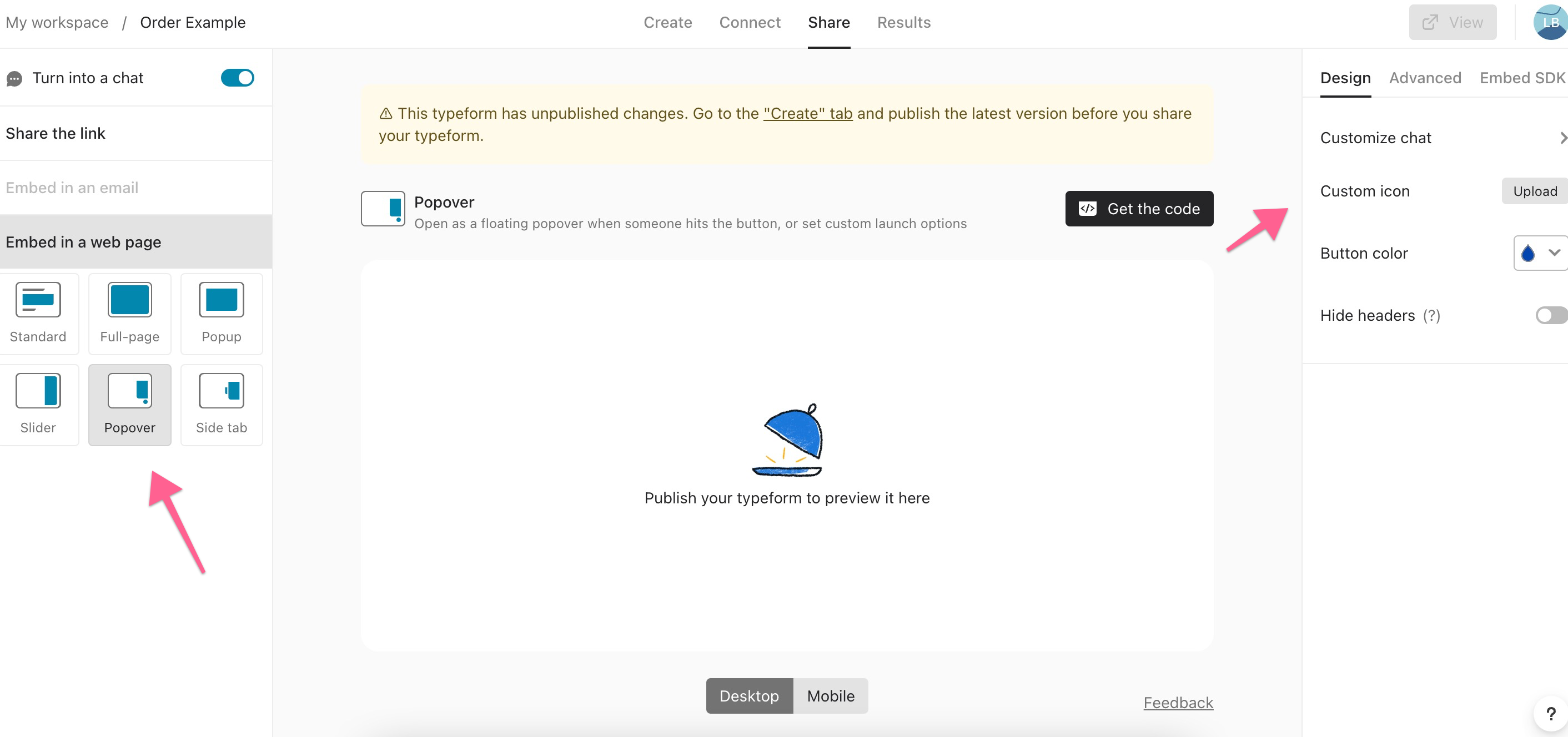
Hi @vsophia Oh I see. When you choose the popup option shown below, then the icon setting will appear: 


  • Navigating the Land
  • Oct 19, 2022 3:35 PM UTC

That’s it!! Thank you so much for your help! 🤗


Liz
Ex–Typefomer
Forum|alt.badge.img+5
  • Tech Community Advocate
  • Oct 19, 2022 6:22 PM UTC

Wahoo! Glad that worked, @vsophia . Let us know if we can help with anything else! 😁