Question

Sharing quiz results with a group or instructor

  • July 30, 2025
  • 3 replies
  • 41 views

Hello! I am looking at using Typeform in training sessions. I wonder if learners might share their personality quiz results within a close group or even with their instructor upon completing the questions. Do you have anything into the platform that might help us with this? 

3 replies

James
Community Team
Forum|alt.badge.img+5
  • Community Team
  • July 31, 2025

Hey ​@hilleli90 thanks for dropping by :) Yes, I reckon it’s possible to do this:


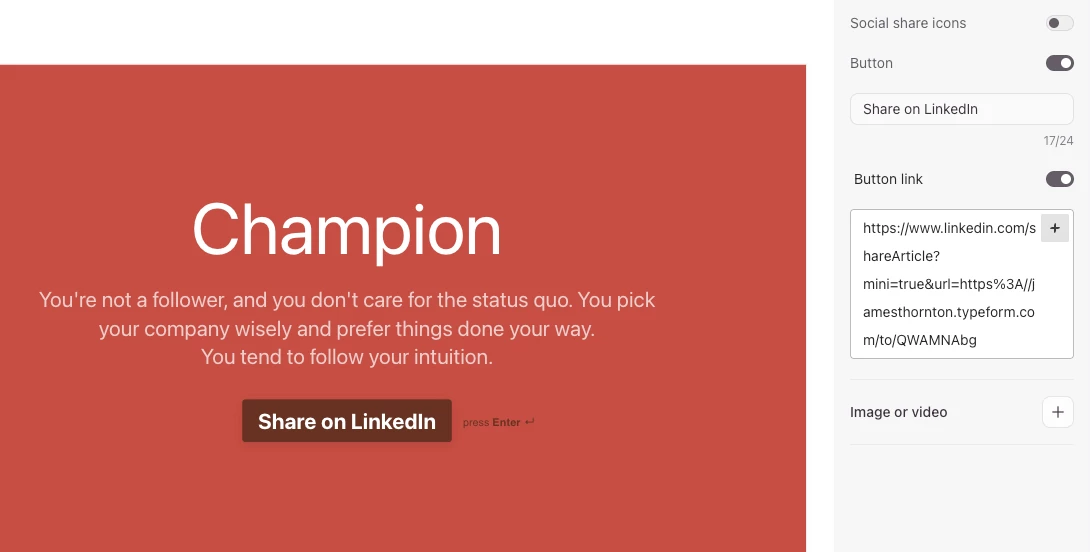
If it’s a personality-style quiz you could redirect them to a specific landing page (one per personality outcome). You’d need to set these pages up yourself (or you could build a simple landing page using a typeform with just a welcome/statement page – you could then even link to the original quiz from the end screen of this one if you want).

You could even generate shareable links per social platform using a tool like Share Link Generator to have custom shareable links depending on what platform the person wants to share on (you could ask this in the form then redirect to the corresponding one using logic).


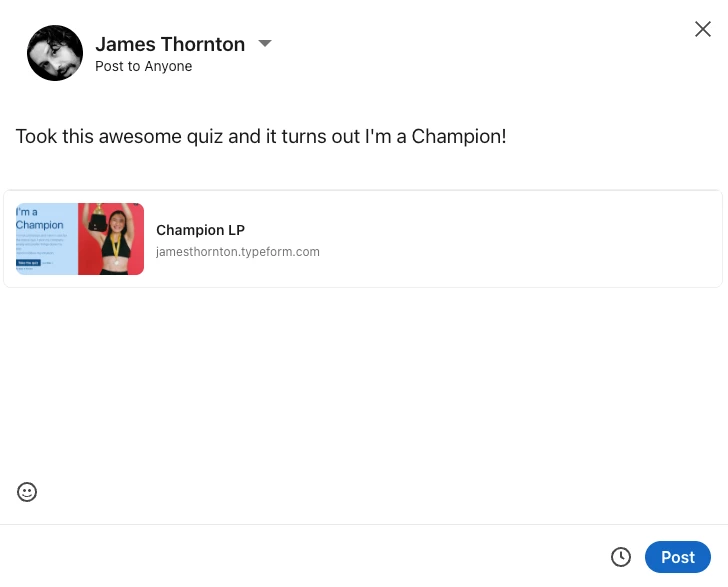
Using the sharing settings you can customize how the link preview will look when shared on social:


Here’s an example I just made to give you an idea of how it might work (follow the quiz til the end then hit “Share on Linked” - don’t worry it won’t post straight away :P): 


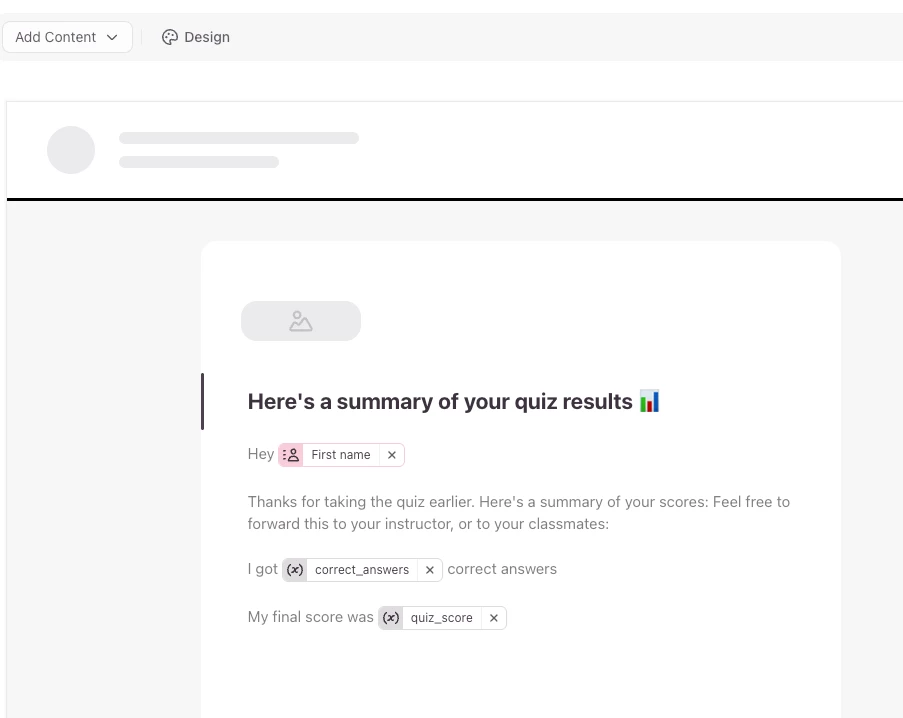
p.e. If it’s a scoring-type quiz you could use follow-ups in Typeform to send the quiz taker an email with their quiz result that they can then forward on to share how they did. Something like this:


Hope this is helpful, let me know if either of these solutions would fit the bill! 

Cheers


  • Author
  • Explorer
  • July 31, 2025

Thanks for this! I’ve already set up the personality quiz with the end pages. I think I might just have them share it to their instructor’s email, since we don’t have any social network connected to our learning. Thanks for taking the time!


James
Community Team
Forum|alt.badge.img+5
  • Community Team
  • July 31, 2025

No worries ​@hilleli90 – actually the links generated through the Share Link Generator don’t require you to connect to your company social network – it would generate the post via the account of the person who is sharing (i.e. the quiz taker), whether it’s LinkedIn, X, Facebook, or whatever – just clarifying in case that would work.