Question

Typeform Number Field Doesn't Validate on Spot

  • August 14, 2025
  • 2 replies
  • 15 views

We have a number field where with validation of numbers between 2025000 and 2025999. When a user tries to enter any other number, he can pass this step successfully and only gets an error at the end of the form (he won’t know why he got the error!!).
We need a fix for this please. The verification/check should be in the step/question itself, not at the end!

2 replies

Phoebe VA
Community Team
Forum|alt.badge.img+5
  • Community Team
  • August 15, 2025

Hi ​@mohamad-mneimneh!


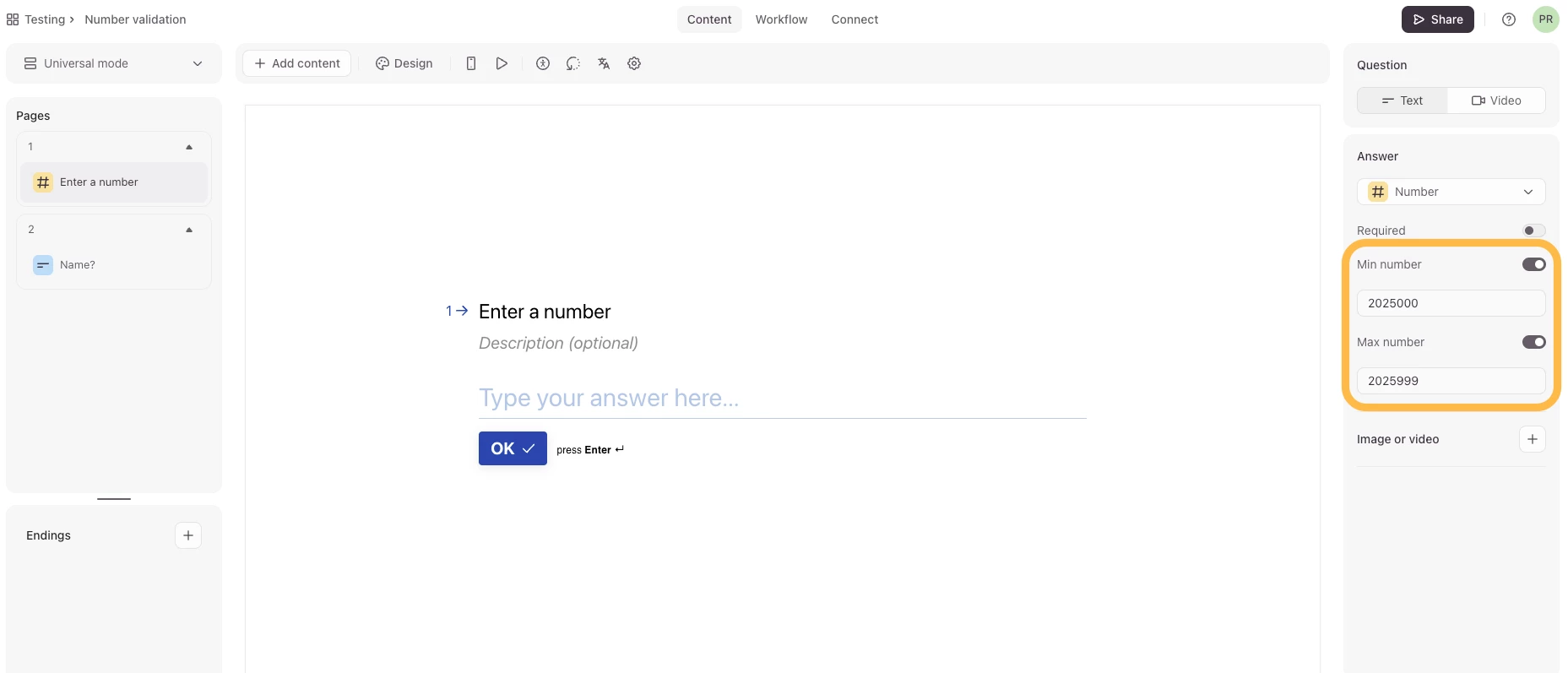
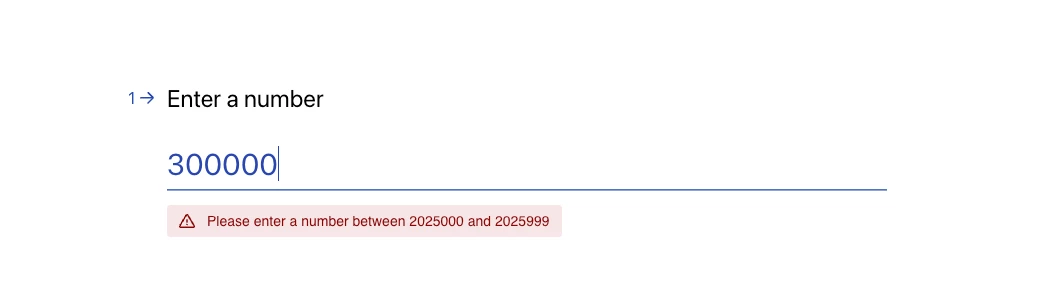
I just tested this in my account and inputted 2025000 as the min number and 2025999 as the max number. When I fill out the form and input 300000 as the answer, I get an error message on the question. Below are the screenshots. 


Would you mind sharing screenshots or a screen recording of what you see on your end and the set up you have for your form?


Grace
Community Team
Forum|alt.badge.img+5
  • Community Advocate
  • August 19, 2025

Hey ​@mohamad-mneimneh don’t forget to share a screenshot/recording of the error you’re seeing so we can get to the bottom of this! If you’re not able to do so here, could you reach out to the Typeform support team via this link, just in case it’s a bug? Thanks!