Answered

How to make student redo a question?

  • Sep 28, 2022 6:20 PM UTC
  • 7 replies
  • 165 views

I’m using typeform to create a test for a course I’m building. I’ve set up Logic so that if the student answer the correct answer, they move onto the next question. There is an option “In all other cases go to...”. I want to set it so that if they student does not answer the correct response, they have to redo the question until they get it right. How can I do that? 

Best answer by Liz

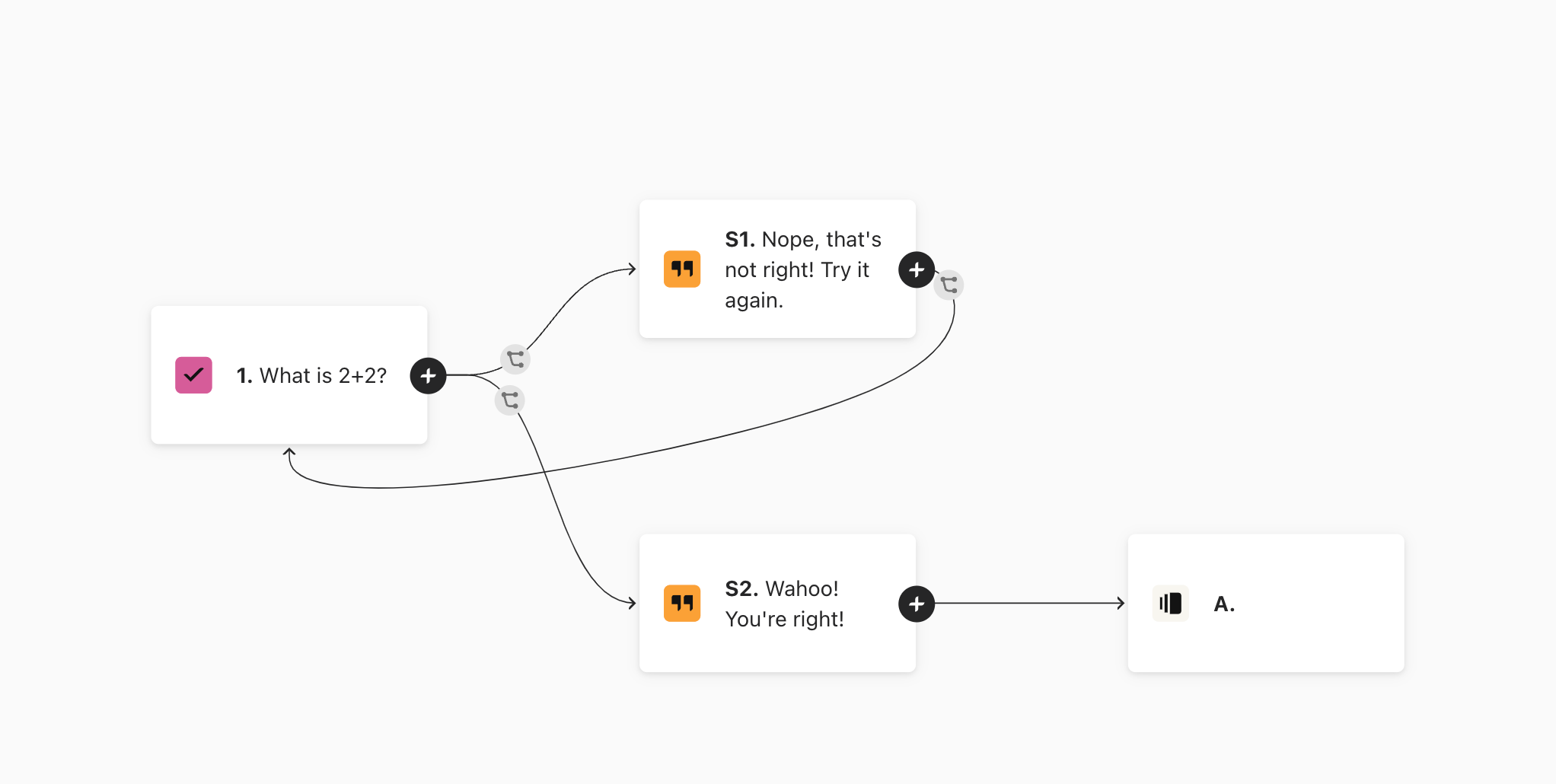
Hi @hilaryaskew In order to tell the respondent the data they entered into a question is incorrect, you would probably want to use a statement for this, which would follow after they submitted their response. 

I made a sample form here for you to try out what I’m thinking! 

The logic looks like this: 
 

View original

7 replies

Liz
Ex–Typefomer
Forum|alt.badge.img+5
  • Tech Community Advocate
  • Sep 29, 2022 2:28 PM UTC

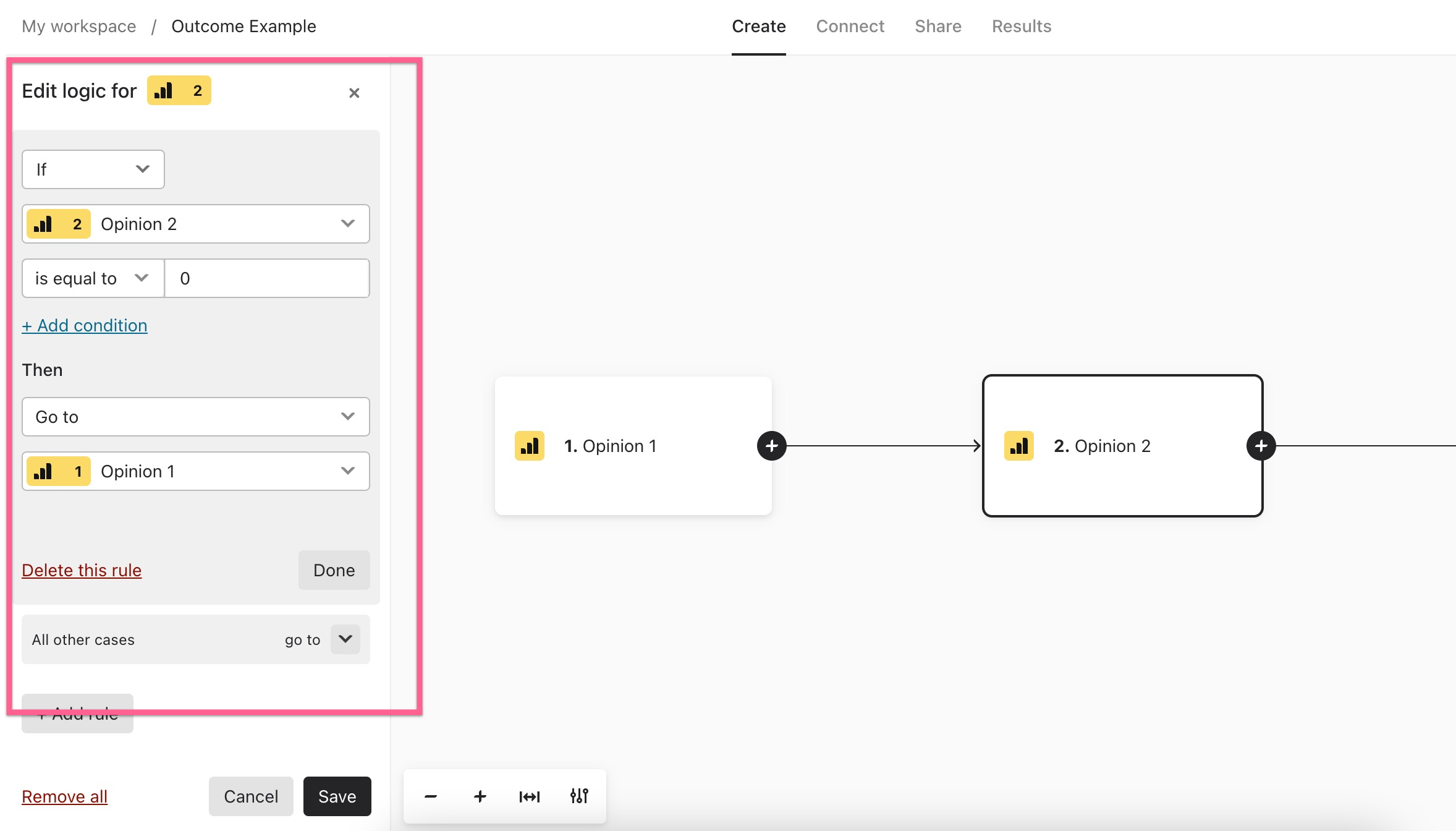
Hi @hilaryaskew You could set the logic jump to go backwards in the form. One thing to note is that, if you send them backwards to the same question, this will overwrite their previous response. 


  • Author
  • Explorer
  • Sep 29, 2022 2:40 PM UTC

Thanks - I don’t see how I can send them backwards in the form to the same question? 


Liz
Ex–Typefomer
Forum|alt.badge.img+5
  • Tech Community Advocate
  • Sep 29, 2022 7:27 PM UTC

Hi @hilaryaskew You would need to set up a logic jump that would do this, kind of like this: 


  • Author
  • Explorer
  • Sep 29, 2022 7:47 PM UTC

But what if I don’t want them to go back to question 1...I want them to redo question 2? I don’t want to send them back to the previous questions. Rather I want them to redo the current question. Any suggestions?


Liz
Ex–Typefomer
Forum|alt.badge.img+5
  • Tech Community Advocate
  • Answer
  • Sep 30, 2022 3:37 PM UTC

Hi @hilaryaskew In order to tell the respondent the data they entered into a question is incorrect, you would probably want to use a statement for this, which would follow after they submitted their response. 

I made a sample form here for you to try out what I’m thinking! 

The logic looks like this: 



  • Author
  • Explorer
  • Sep 30, 2022 4:44 PM UTC

That works!! Thanks so much :)


Liz
Ex–Typefomer
Forum|alt.badge.img+5
  • Tech Community Advocate
  • Oct 3, 2022 3:30 PM UTC

Wahoo! Glad to hear that worked, @hilaryaskew . Let me know if I can help with anything else. 😁