Question

Not able to see responses for less than 100%

  • January 12, 2026
  • 1 reply
  • 20 views

We were late discovering that we are not able to see answers from respondents who don't complete the last answer, and furthermore, that we can't tell who they are even though we use a unique identifier unless they complete the survey. That has cut our survey response by 50%. 


This is deeply disappointing for this product. I'm thankful I did not purchase an annual subscription. These two issues alone just cast doubt on the value of this product. Anyone had luck from Typeform assisting or finding a way to work through this issue? 

1 reply

john.desborough
Forum|alt.badge.img+6
  • Certified Partner & Champion
  • January 12, 2026

@CraigECarroll - within typeform there is a feature called Partial Submit that would allow for some of this to function (at least on a paid plan) … 

here’s an example scenario i just created to test the use case: 

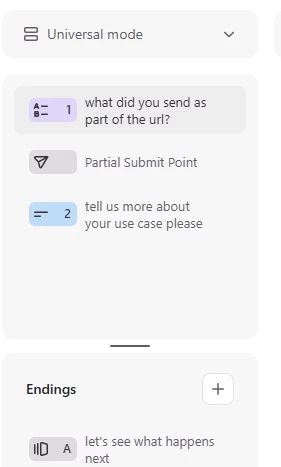
  1. the form has two questions as seen on the left, with a partial submit between them
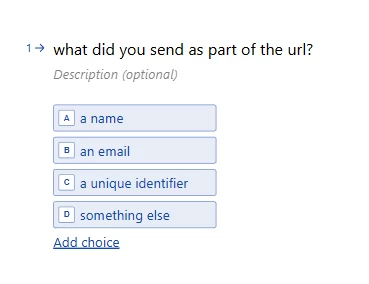
    1. the first question is a multiple choice 
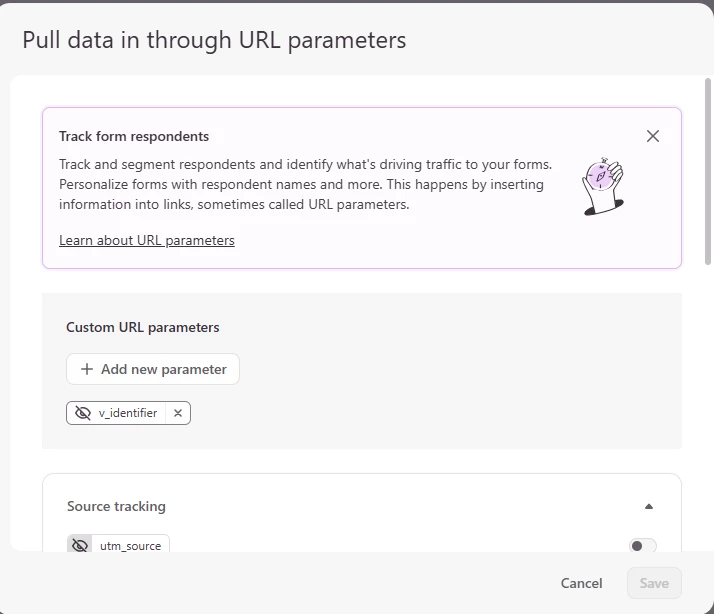
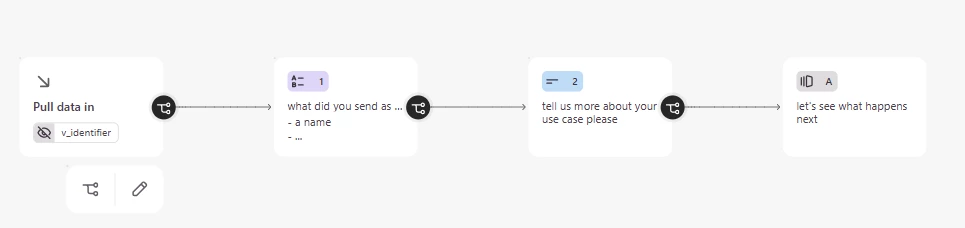
  1. on the workflow tab, i clicked on the block to pull data in, and created a Custom URL parameter, you can see it in the image below


  1. i created a simple short text question and ending page to complete the workflow


  1. then i published and shared the form so that i would create the appropriate link
    1. the default structure of the links is as follows: https://desborough.typeform.com/to/FuYtEx9R#v_identifier=xxxxx
    2. by changing the xxxxx string whenever i send out the link ie using a unique identifier for each recipient (could be name, email, membership number etc) i can send in the unique identifier. 


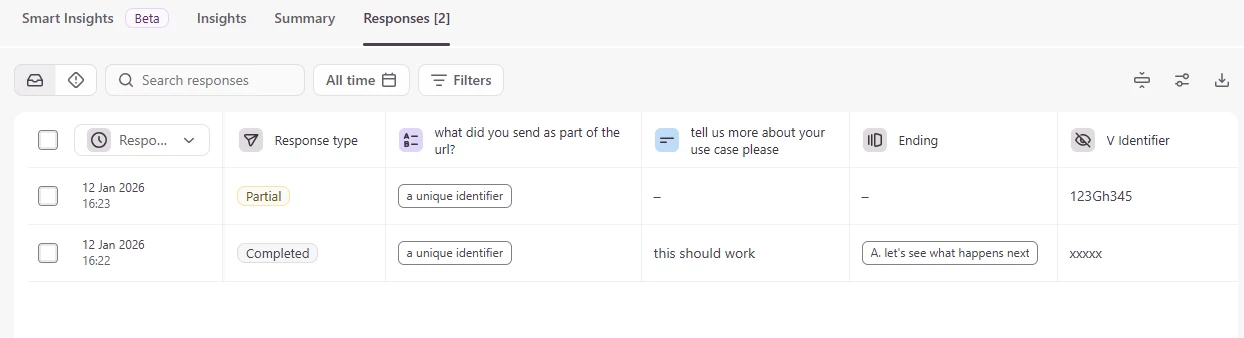
when the user starts or completes the form, as long as they fill in the first question (in my example) that is before the partial submit, the url parameter is captured in the results. 

of you look at the second column you will see that the form had one complete and one partial submit (i answered the first question but dropped at the second question) BUT the unique identifier that i passed into the form is captured. 

if i was using my CRM to send out the link to this form, i would have it drive the unique identifier into the URL string and send the typeform link. 

i can now look at the results at the end of the my survey period, grab the unique identifiers that did not complete the form and use that to run a workflow to send another email from the CRM to the users. 


hope that shows you that it CAN be done depending on the use case you have. 


des