Answered

Back button for Typeform

  • Apr 13, 2023 11:26 PM UTC
  • 3 replies
  • 593 views

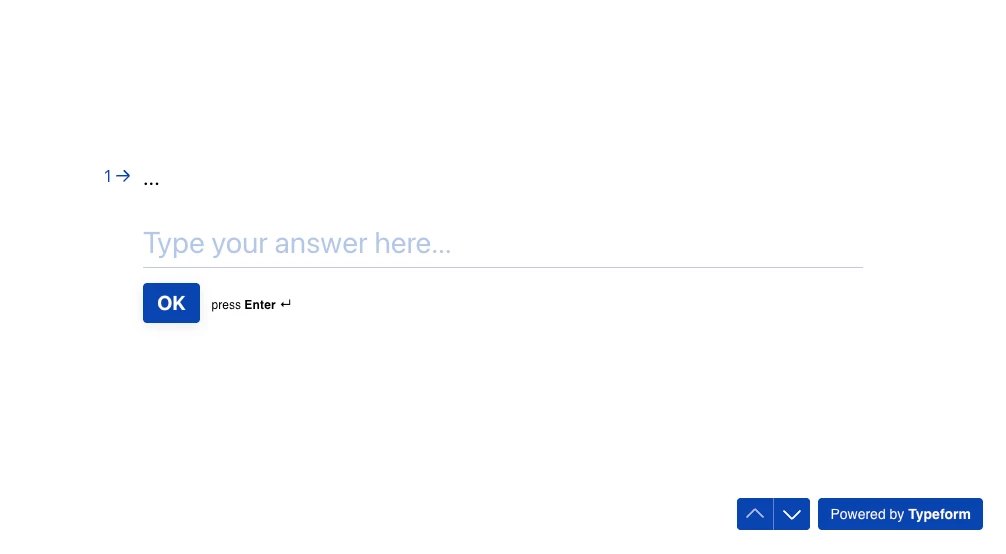
Does anyone find the back button on Typeform needs to change?

It’s very confusing for the back buttons to be a up or down icon instead of forward and backwards arrow.

Or is there an option to change the icons of the back button or the positions to the top left like apps?


Best answer by Liz

Hi @skim715 Happy Fri-yay! Thanks for stopping by the community. I’m afraid we don’t have any different variations of the back button, but the respondents can either scroll through the form or use the arrows on the bottom to navigate. 

View original

3 replies

Liz
Ex–Typefomer
Forum|alt.badge.img+5
  • Tech Community Advocate
  • Answer
  • Apr 14, 2023 12:53 PM UTC

Hi @skim715 Happy Fri-yay! Thanks for stopping by the community. I’m afraid we don’t have any different variations of the back button, but the respondents can either scroll through the form or use the arrows on the bottom to navigate. 


  • Navigating the Land
  • Dec 16, 2025 1:18 PM UTC

How do you even make the back button/arrow visible? I tried turning on the Typeform branding but that didn’t work.


Grace
Community Team
Forum|alt.badge.img+5
  • Community Advocate
  • Dec 16, 2025 1:55 PM UTC

Hi ​@Janet M. it should appear automatically in the bottom right corner of the form similar to this:


Can you maybe share your form or a screenshot of what you’re seeing?