Answered

Multi-Selection Range not allowing 0 selections

  • Jul 11, 2023 10:36 PM UTC
  • 5 replies
  • 94 views

Hello Community!

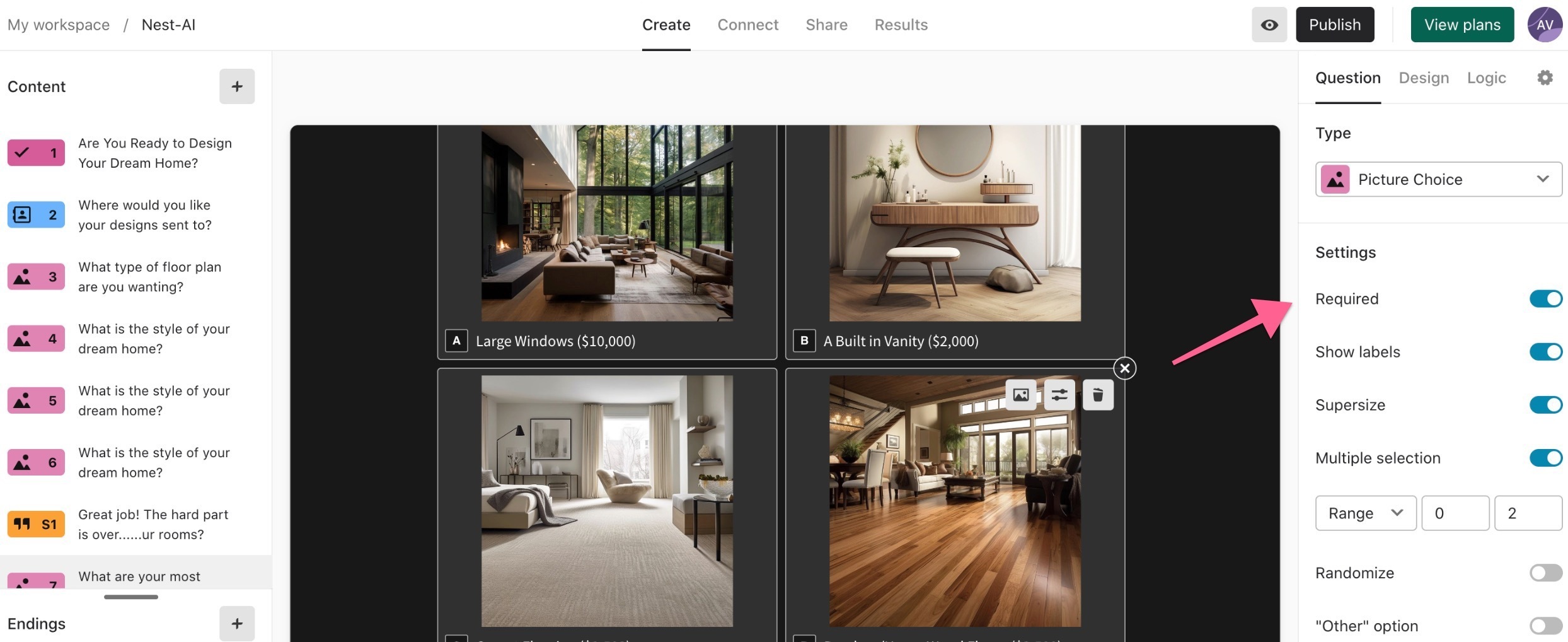
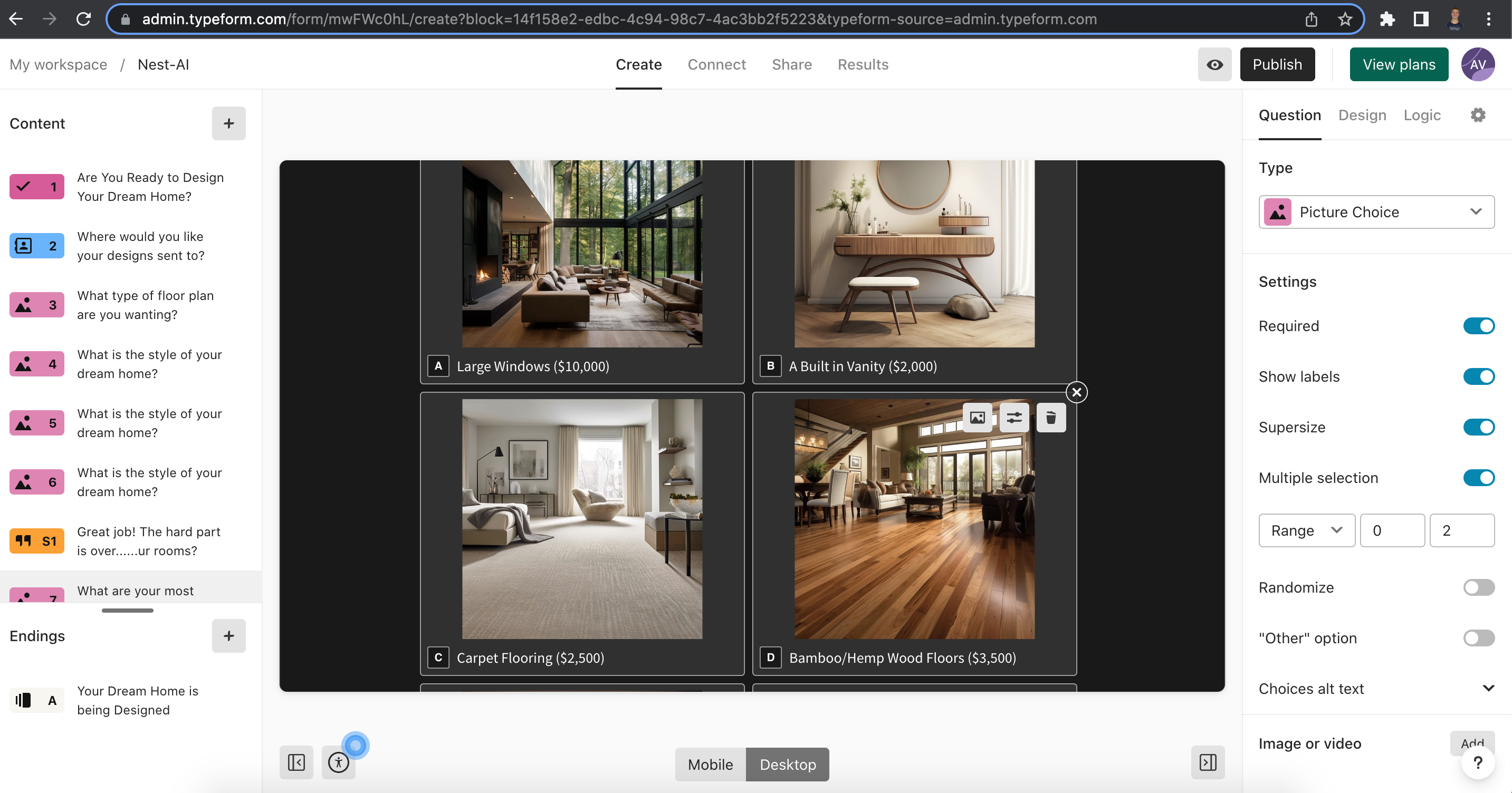
I am creating a picture choice form and I want people to be able to select 0, 1 or 2 options and for some reason, it makes the users have to choose 1 even though the range is set to allow them to choose no option if they want. Please help, this is supposed to go public in a couple days!

Thank you!

Best answer by Liz

Hi @Aidanv Oh, I see! It looks like you have the question set to required, which means the respondent will need to submit an answer to that question in order to submit the form. 

You’ll want to turn this setting off. 



View original

5 replies

Liz
Ex–Typefomer
Forum|alt.badge.img+5
  • Tech Community Advocate
  • Jul 12, 2023 1:46 PM UTC

Hi @Aidanv Do you mind sending a screenshot of the settings of that question and the URL of the form? Thanks in advance!


  • Author
  • Explorer
  • Jul 12, 2023 6:07 PM UTC

Hey Liz,

Here is a picture and the link to the form.

https://n3ko5qiiec1.typeform.com/to/mwFWc0hL


Liz
Ex–Typefomer
Forum|alt.badge.img+5
  • Tech Community Advocate
  • Answer
  • Jul 13, 2023 1:59 PM UTC

Hi @Aidanv Oh, I see! It looks like you have the question set to required, which means the respondent will need to submit an answer to that question in order to submit the form. 

You’ll want to turn this setting off. 



  • Author
  • Explorer
  • Jul 13, 2023 2:59 PM UTC

Thank you so much Liz!


Liz
Ex–Typefomer
Forum|alt.badge.img+5
  • Tech Community Advocate
  • Jul 14, 2023 2:44 PM UTC

@Aidanv Not a problem! Let me know if you think of any other questions.