Answered

Unable to edit questions at random

  • Feb 1, 2021 3:16 PM UTC
  • 7 replies
  • 252 views

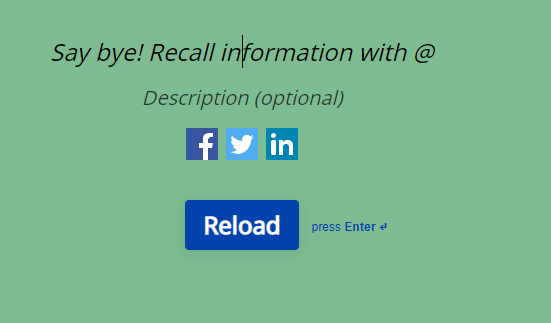
Anyone else having trouble editing some questions? I try to click on the preview on the right and it will not let me delete the placeholder text. I assume that is still the way to do it?



Best answer by Mariana

Hey Chris.


There is no need to delete the text. =) Once you start typing, your text will appear and the placeholder text will disappear automatically. Have you tried typing directly where the placeholder appears? What happens when you do?


I noticed the hyperlink I had sent wasn't working properly, so I'm sending it again: you can find the video here. 


Let me know how it goes! 

View original

7 replies

Mariana
Ex–Typefomer
Forum|alt.badge.img+5
  • Ex–Typefomer
  • Feb 1, 2021 4:44 PM UTC

Hello @Chris_101. Welcome to the Community! 😃 We're glad to see your first post here. 


If you simply type your message, the placeholder text should disappear automatically. I've recorded a quick video showing how it would work. You can see it here.


Can you do the same on your end? =)


  • Author
  • Explorer
  • Feb 2, 2021 10:49 AM UTC

It works sometimes and then others it will not let me delete the text?


Mariana
Ex–Typefomer
Forum|alt.badge.img+5
  • Ex–Typefomer
  • Answer
  • Feb 2, 2021 12:40 PM UTC

Hey Chris.


There is no need to delete the text. =) Once you start typing, your text will appear and the placeholder text will disappear automatically. Have you tried typing directly where the placeholder appears? What happens when you do?


I noticed the hyperlink I had sent wasn't working properly, so I'm sending it again: you can find the video here. 


Let me know how it goes! 


  • Author
  • Explorer
  • Feb 2, 2021 1:22 PM UTC

Yes it wasn’t letting me do that either, it won’t respond to normal typing or deleting. On this occasion I have logged in and out and it is working again.


Mariana
Ex–Typefomer
Forum|alt.badge.img+5
  • Ex–Typefomer
  • Feb 3, 2021 9:28 AM UTC

That's great, Chris! 🥳 Can you confirm you were able to edit all the placeholder texts from your form? 


I'll be happy to hear everything is working as expected! =)


  • Author
  • Explorer
  • Feb 3, 2021 12:44 PM UTC

For now yes I can, thanks


  • Navigating the Land
  • Oct 13, 2022 9:30 AM UTC

Hey Chris.


There is no need to delete the text. =) Once you start typing, your text will appear and the placeholder text will disappear automatically. Have you tried typing directly where the placeholder appears? What happens when you do?


I noticed the hyperlink I had sent wasn't working properly, so I'm sending it again: you can find the video here. 


Let me know how it goes! 

I shall try this method.