Answered

Email notification

  • Jun 10, 2023 6:01 PM UTC
  • 3 replies
  • 12062 views

Hello,

I just created a Typeform,

How can I connect with my email to receive email notifications when a user complete the form?

Regards

Best answer by LauraTF

Hi all! 👋 You can now find this feature in the Form Settings of your typeforms:
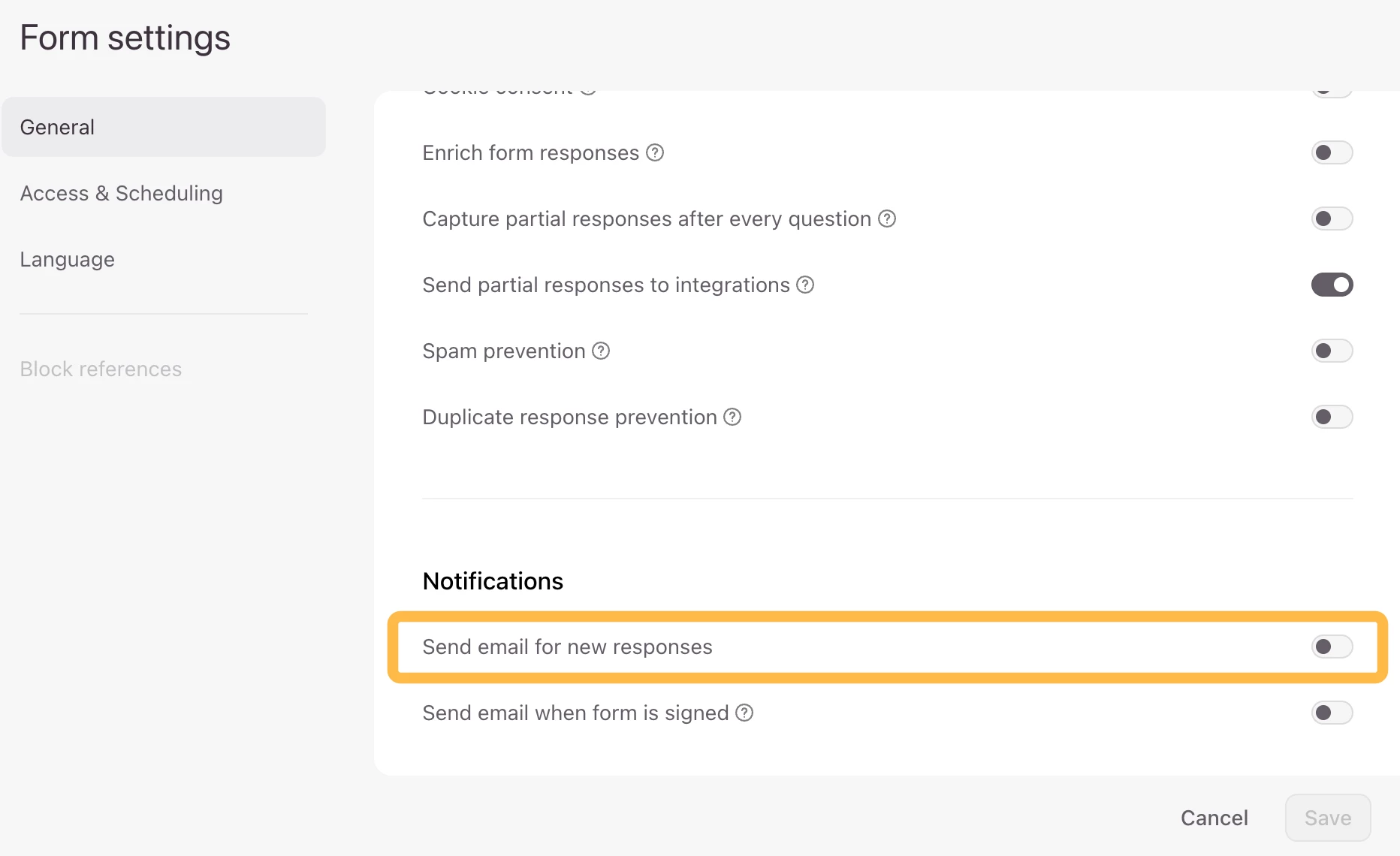
For more details please visit our Help Center article: Receive Email Notifications from form responses


If you need more flexibility, Automations can send emails to respondents or your team based on form submissions, with conditions and multi-step flows: Create an Automation for when a form is submitted.

Automations can do more than send emails. You can also create personalized email journeys, send SMS or data to integrations, and trigger workflows based on contact updates or a schedule: Explore what Automations can do 💫

View original

3 replies

john.desborough
Forum|alt.badge.img+6
  • Certified Partner & Champion
  • Jun 10, 2023 8:14 PM UTC

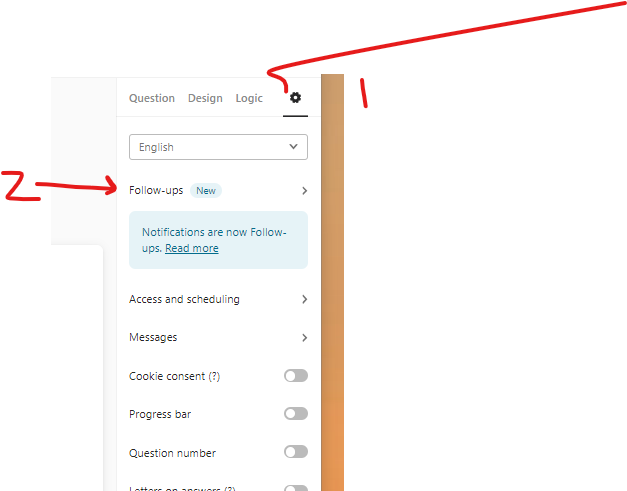
@monicaamb_  you will need to go to the settings area - click the gear icon then choose followups

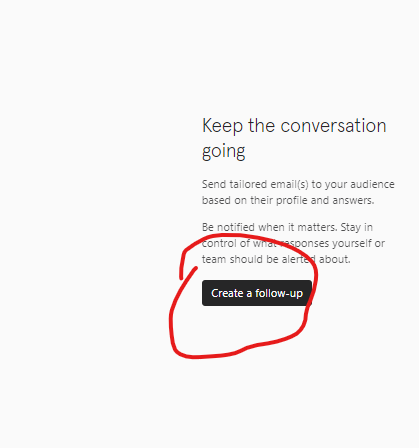
choose to create a new followup


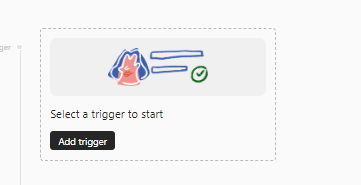
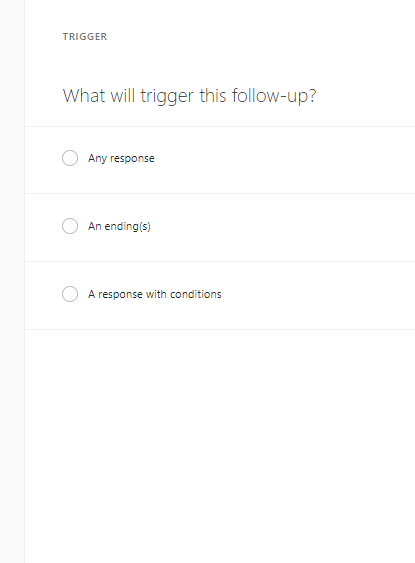
choose to select a trigger

select the trigger you want from the list presented and then click save

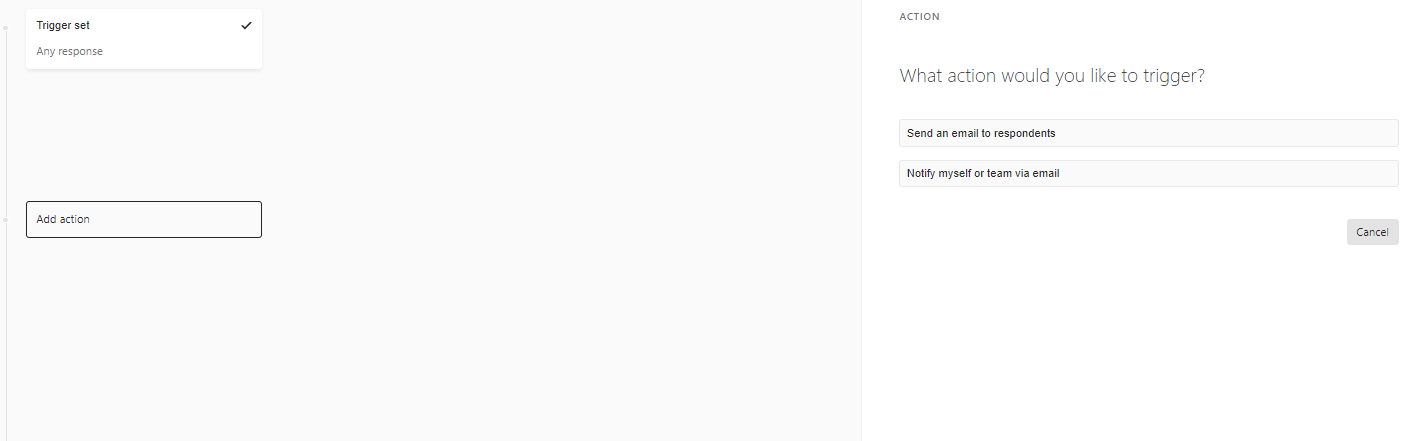
then click the ‘add action’ button

and you should see the following


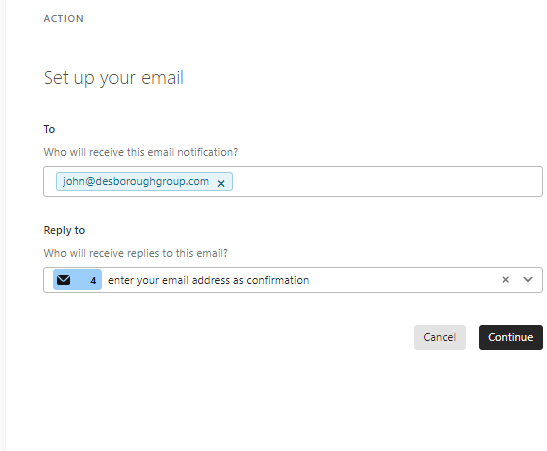
choose notify myself

automatically your email will show up in the To area and if you have an email question in the form it will show up with a reply to for that question ..simply click the x to remove that question from the reply to and leave it blank then click continue.


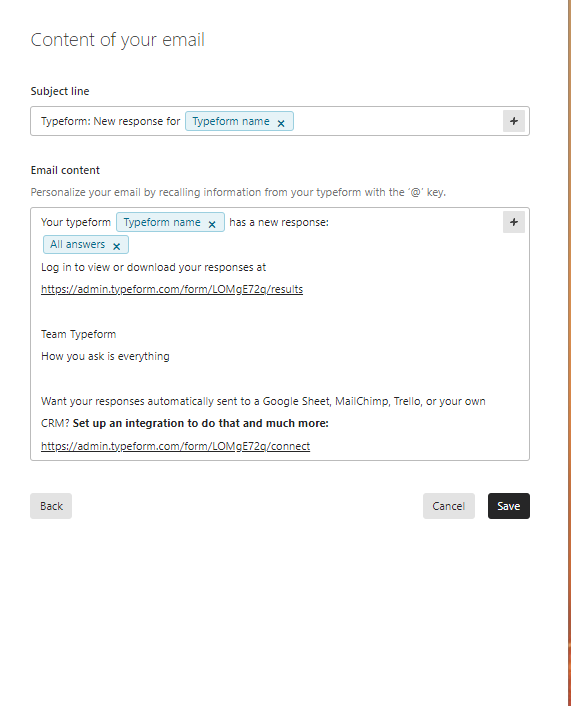
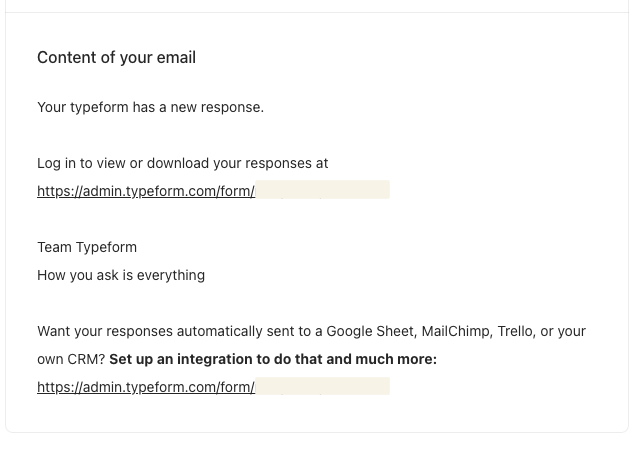
the email is prepopulated as in the below image. you can edit it but i like to leave it just as the default so that i get all the infomration.

. click save and there you go.. 


des


  • Navigating the Land
  • Sep 24, 2024 12:44 PM UTC

I set up the E-Mail Notification for me about a month ago the same way and it worrks out fine. I wanted to set it up for a different form as well - but the default content is different - does anyone know how to get the content above with “all answers” in it?


LauraTF
Community Team
Forum|alt.badge.img+2
  • Community Team
  • Answer
  • Oct 29, 2026 6:43 PM UTC

Hi all! 👋 You can now find this feature in the Form Settings of your typeforms:

For more details please visit our Help Center article: Receive Email Notifications from form responses


If you need more flexibility, Automations can send emails to respondents or your team based on form submissions, with conditions and multi-step flows: Create an Automation for when a form is submitted.

Automations can do more than send emails. You can also create personalized email journeys, send SMS or data to integrations, and trigger workflows based on contact updates or a schedule: Explore what Automations can do 💫