Answered

Not able to embed form in SamCart or Kajabi

  • Mar 1, 2022 11:03 PM UTC
  • 8 replies
  • 193 views

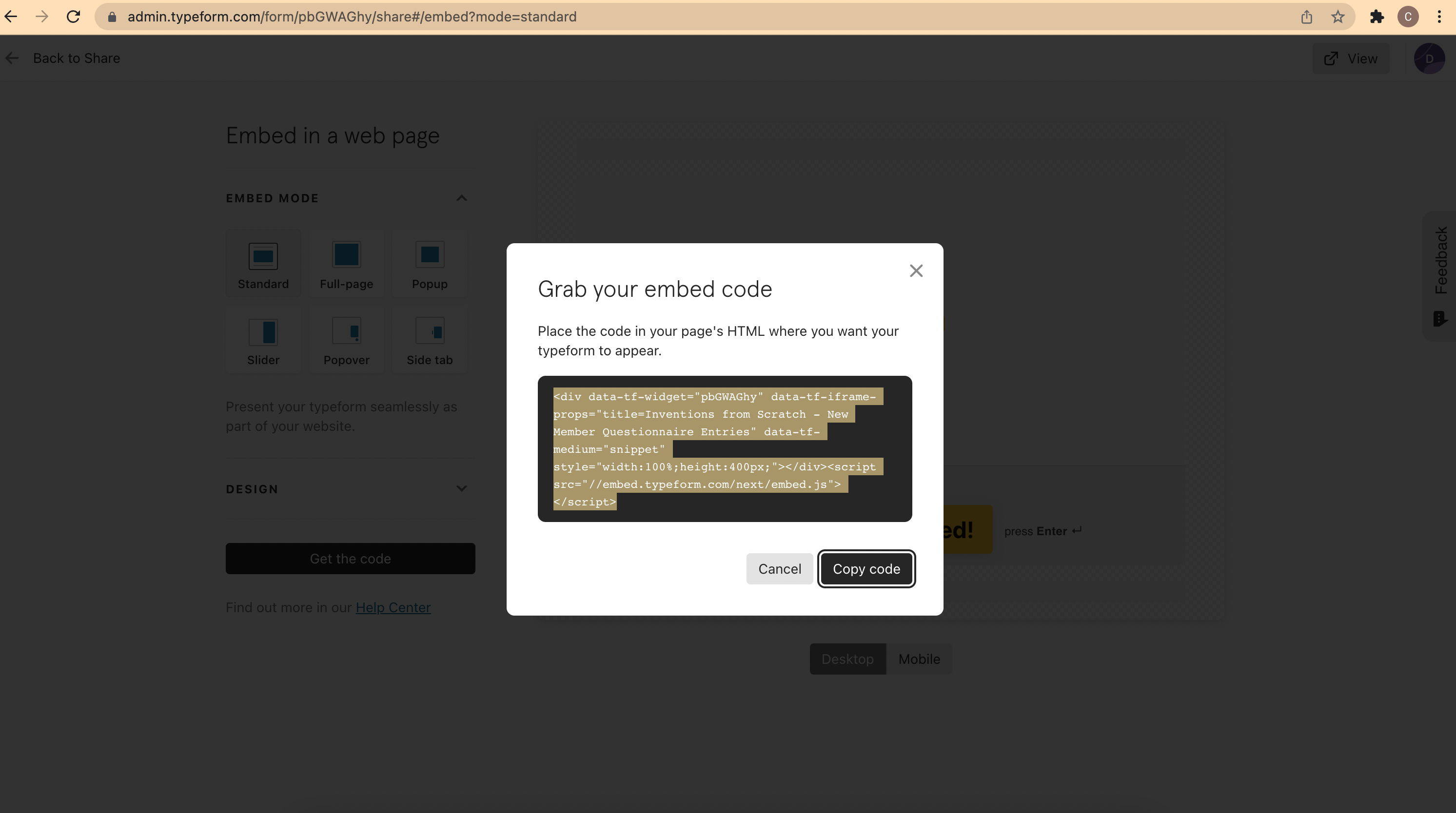
When I add the inline embed code to the content builder in Kajabi and SamCart, nothing appears. I’m replacing a wufoo form that works great and have done this several other times so I’m baffled why this wouldn’t be working. Form is published.

Best answer by Liz

Hi @create If you copy/pasted this exactly, it sounds like your site builder is removing the ‘script’ portion of the code, which is needed to embed the form. If you haven’t already, it would be worth reaching out to them to ask if the product automatically removes the script. 

View original

8 replies

Liz
Ex–Typefomer
Forum|alt.badge.img+5
  • Tech Community Advocate
  • Mar 2, 2022 3:09 PM UTC

Hi @create Welcome to the community! Could you send a screenshot of how you’re embedding the form and/or the URL where you have the embed? Thanks!


  • Author
  • Explorer
  • Mar 2, 2022 10:15 PM UTC

Definitely! 


Liz
Ex–Typefomer
Forum|alt.badge.img+5
  • Tech Community Advocate
  • Mar 3, 2022 4:44 PM UTC

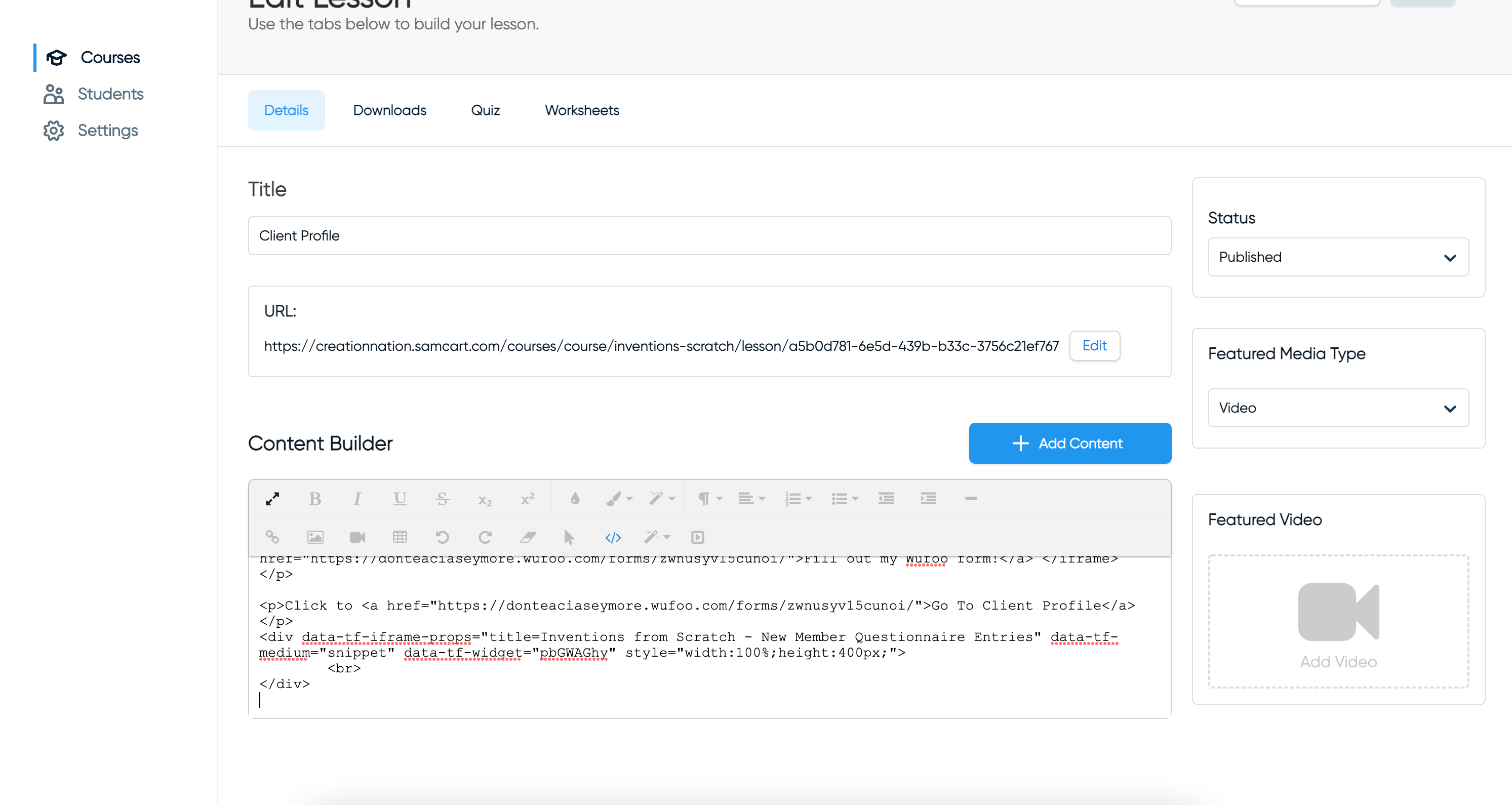
Thanks! Sorry for the vagueness - do you have a screenshot of how you’re adding it to your site, @create ?


  • Author
  • Explorer
  • Mar 3, 2022 5:11 PM UTC

I meant to include another image….


mathio-tf
Typeform
Forum|alt.badge.img+5
  • Typeform
  • Mar 7, 2022 1:47 PM UTC

Hello @create 

Did you also paste the <script> part of the embed code? I dont see it in your “Content builder”.


Liz
Ex–Typefomer
Forum|alt.badge.img+5
  • Tech Community Advocate
  • Mar 8, 2022 5:10 PM UTC

Hi @create were you able to update the code with @mathio ‘s suggestion? 


  • Author
  • Explorer
  • Mar 10, 2022 1:44 AM UTC

This is the code I embedded:

<div data-tf-widget="preEn4YI" data-tf-iframe-props="title=Client Profile Updates" data-tf-medium="snippet" style="width:100%;height:400px;"></div><script src="//embed.typeform.com/next/embed.js"></script>


The screenshot was actually of different code and was just showing where I was putting it. I think it includes what you were asking about and it still doesn’t seem to work.


Liz
Ex–Typefomer
Forum|alt.badge.img+5
  • Tech Community Advocate
  • Answer
  • Mar 10, 2022 6:13 PM UTC

Hi @create If you copy/pasted this exactly, it sounds like your site builder is removing the ‘script’ portion of the code, which is needed to embed the form. If you haven’t already, it would be worth reaching out to them to ask if the product automatically removes the script.