Question

Tracking google ads with embed typeform

  • October 30, 2024
  • 8 replies
  • 220 views

Hello everyone 😀

I'm having an issue with Google Ads conversion tracking.
Here’s a quick overview of the situation:

Visitors click on the link to my site from Google Search (thanks to Google Ads, there is no organic traffic on my site) > visitors click on a "request a quote" button on my landing page > visitors are redirected to a page on my site with an embedded Typeform > upon form submission, visitors are redirected to a thank-you page on my site that loads within the Typeform embed.

I've set up a conversion tag via GTM that activates when visitors view the thank-you page.

However, since the thank-you page loads and displays within the Typeform embed, I'm concerned that conversions might not be recorded correctly.

I'm concerned that 1. GTM may not record the conversion at all, or 2. GTM may record the conversion but attribute it to organic traffic, since the conversion does not occur directly on the website page but through the embedded Typeform.

Is there a solution to resolve this issue?

Thanks for your help! 

8 replies

  • Typeform
  • October 30, 2024

Hi Enzo! Are you concerned that there might be a tracking problem based on what you’re seeing in GTM? The integration is designed to work in this use case, as long as cookies are set up correctly (see the bottom of this article for some resources). Let me know if you still have issues! I’m the PM for our integrations team at Typeform, so I’m happy to help and get your feedback along the way. 


Liz
Ex–Typefomer
Forum|alt.badge.img+5
  • Tech Community Advocate
  • October 30, 2024

Hi @Enzo Thanks for stopping by the community! Do you first mind sharing where you have the form embedded? I’m happy to take a look there to first check that the form is embedded correctly!


  • Author
  • Explorer
  • October 30, 2024

Hi @Enzo Thanks for stopping by the community! Do you first mind sharing where you have the form embedded? I’m happy to take a look there to first check that the form is embedded correctly!


Hello,

Thanks for your response:) 

Typeform embedded here : https://www.oniriclean.fr/devis


Liz
Ex–Typefomer
Forum|alt.badge.img+5
  • Tech Community Advocate
  • October 31, 2024

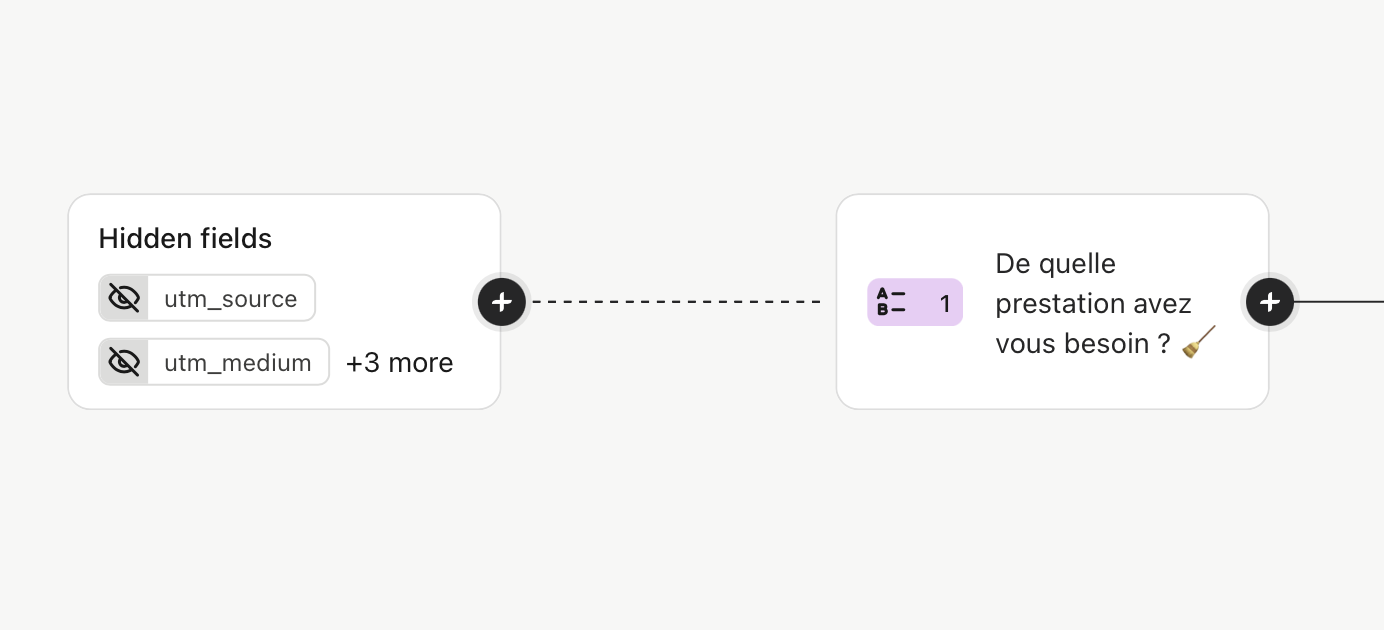
@mathio do you happen to know if the utm hidden fields are setup correctly here? I can’t quite tell. 


  • Author
  • Explorer
  • October 31, 2024

@mathio do you happen to know if the utm hidden fields are setup correctly here? I can’t quite tell. 


Is that what you are talking about ? 


mathio-tf
Typeform
Forum|alt.badge.img+5
  • Typeform
  • November 1, 2024

Hello @Enzo 

This seems to be setup correctly. Do you redirect your respondents to the thank you page when form is submitted? I’d suggest to include all UTM hidden fields in the redirect URL like this:


Liz
Ex–Typefomer
Forum|alt.badge.img+5
  • Tech Community Advocate
  • November 18, 2024

@Enzo Were you able to get this sorted out? Let us know if you still need any help!


Sweely
Forum|alt.badge.img+1
  • Navigating the Land
  • September 29, 2025

That's a common and tricky setup when dealing with embedded forms and conversion tracking.

Your concerns are valid, especially since the final event - the thank-you page view - happens within an iframe, which is what embedded Typeform is.

The main issue is that Google Tag Manager (GTM) is loaded on your main page, but the Typeform is in a separate iframe.

The thank-you page that loads inside the iframe has a different document object model (DOM) from your main page, so GTM on your main page can't "see" that final page view event easily.

While you might try to set up an event listener on the Typeform's parent window, it's often unreliable and prone to breaking.

Also, your second concern about attribution is a potential risk because the original Google Ads click GCLID might not be easily accessible or consistently passed to the Typeform environment and back for a browser-side conversion tag.

A far more reliable and future-proof solution is to implement server-side tracking, specifically using the Google Ads API for Enhanced Conversions or Standard Events like purchase or lead.

This approach addresses both the tracking reliability and the attribution challenge.

Here's how it generally works and why it's better: When the visitor lands on your site via the Google Ad, you capture the unique Google Click ID (GCLID) and any other necessary user-identifying data like the email or phone number in an encrypted format.

When the Typeform is successfully submitted, instead of relying on the unreliable thank-you page view, you use the Typeform API to trigger an action on your server.

This action sends the conversion data - including the GCLID and the encrypted user data - directly to Google Ads via the Google Ads API.

This process bypasses the GTM and the iframe entirely, ensuring the conversion is always recorded accurately, and because you pass the GCLID, it is correctly attributed back to the original Google Ad click.

You would typically use a service like Stape or even the Google Cloud Platform to host a server-side Google Tag Manager (SGTM) container to manage this flow, although sometimes a direct server-to-server call is used.

You can also send this conversion data to Google Analytics 4 via the Google Analytics Data API to keep your analytics and ads platforms in sync.

This setup using Typeform API + Google Ads API + Google Analytics Data API + a service like Stape or Google Cloud Platform is the gold standard because it is more reliable, less affected by ad blockers, and provides better attribution accuracy for Google Ads through Enhanced Conversions.