Answered

How to customise name field at contact info content

  • Aug 25, 2023 7:39 AM UTC
  • 15 replies
  • 2137 views

Even though I already connected with Slack before changing all status, after I changed last name field at 'contact info' to not required status, then got an error that the last name not shown in slack  

because in korea, we normally type name to last name+first name in order.

We call name= 이름  and first name = 이름, It’s same…..

The divided fields make ppl confused to type name rather than combined for Korea user. 


my question is that I have to connect with slack whenever I revise contents and there insn’t any method to combine Last name + first name field for Korean ?


Best answer by Liz

Hi @mAy-I Inc. Thanks for stopping by the community! It isn’t possible to edit the contact information block, but I can suggest removing that block and using short text fields instead. 

View original

15 replies

Liz
Ex–Typefomer
Forum|alt.badge.img+5
  • Tech Community Advocate
  • Answer
  • Aug 25, 2023 3:18 PM UTC

Hi @mAy-I Inc. Thanks for stopping by the community! It isn’t possible to edit the contact information block, but I can suggest removing that block and using short text fields instead. 


  • Navigating the Land
  • Apr 9, 2024 5:06 PM UTC

 Hi,

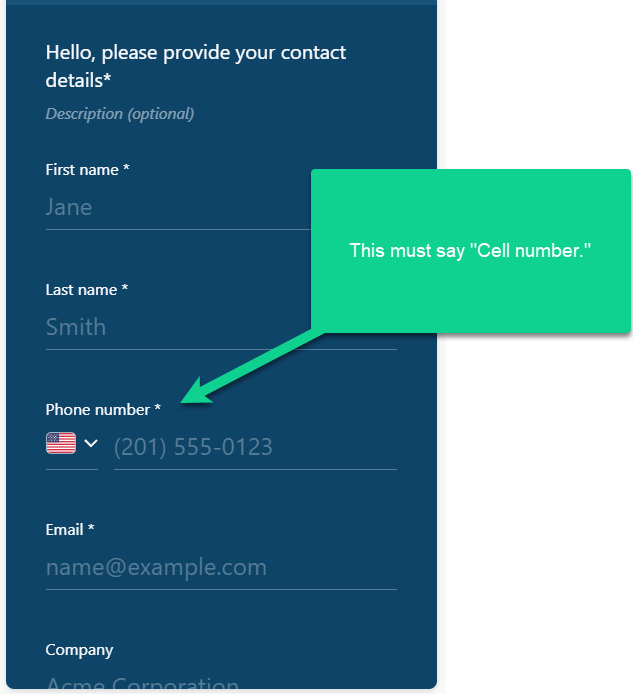
I’m using the Contact info question in my Typeform questionnaire.  I need the Phone number to read “Cell number.”  See the image below.  Is it possible to change this?  I cannot find this option.


Thanks


George Lintern


Liz
Ex–Typefomer
Forum|alt.badge.img+5
  • Tech Community Advocate
  • Apr 10, 2024 3:20 AM UTC

Hi @georgelintern Thanks for stopping by the community. I added your post here where we have an existing conversation about this. 


  • Navigating the Land
  • Apr 10, 2024 2:12 PM UTC

Hi Liz,

Thanks for the feedback.  Can you confirm your solution is five separate questions (each being a single short text question)?


Thanks


George Lintern


john.desborough
Forum|alt.badge.img+6
  • Certified Partner & Champion
  • Apr 11, 2024 2:40 AM UTC

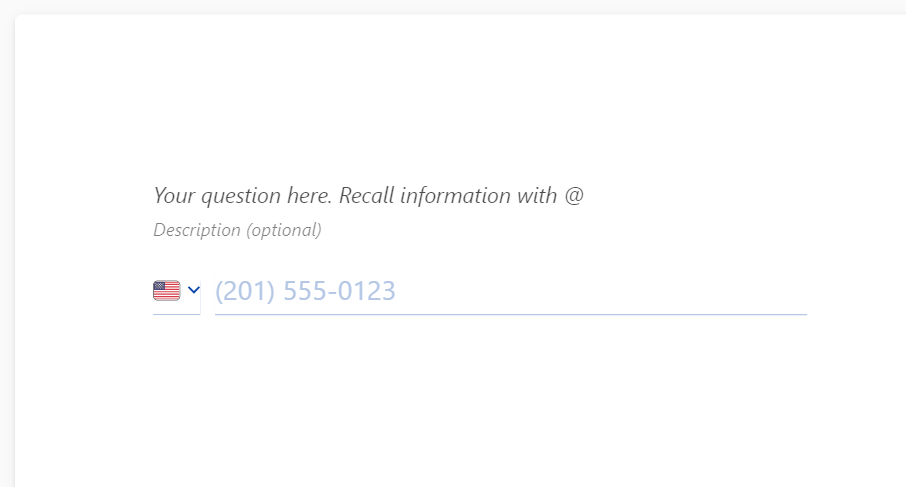
@georgelintern - you could use the contact question but NOT show the the phone number field (1 question) and then have a second question for cell number by using the Phone Number question type - just make the question text state that you want the cell phone number 


hbeckwith
Forum|alt.badge.img+1
  • Sharing wisdom
  • Apr 17, 2024 6:53 PM UTC

If I can submit some feedback here for Typeform regarding this topic:


This is a consistent issue for me, too, that would easily be resolved if Typeform would give the option to customize the Contact fields. It makes far more sense to have it all on one page.

Additionally, it makes more sense to me to have a “consent” or “opt in” option embedded into the Contact block. More and more regions are starting to require this, and it makes sense to have it AS part of the contact information collection.


And, yes, I do realize I can do separate short-answer text questions for these, allowing me to “customize”. Please do not suggest that as you did for the other contributors. That is the workaround I already use. But it would be very valuable to us Typeform subscribers to have the option to do all of this WITHIN the Contact block, as I said. 


I’d appreciate it if you pass that along to the powers that be. It’s really frustrating constantly having to use “workarounds” for things that seemingly could simply be default features. 


Liz
Ex–Typefomer
Forum|alt.badge.img+5
  • Tech Community Advocate
  • Apr 17, 2024 9:01 PM UTC

Hi @hbeckwith Oh, I totally agree with you! The upside is that the developers are working on adding this feature, so you’ll have the option to edit the placeholders soon. 😀


  • Navigating the Land
  • May 10, 2024 8:29 PM UTC

When is this feature expected to be available?


Liz
Ex–Typefomer
Forum|alt.badge.img+5
  • Tech Community Advocate
  • May 15, 2024 4:26 PM UTC

Hi @vianations I don’t have the exact date when it will become available, but keep an eye out in the community for updates!


hbeckwith
Forum|alt.badge.img+1
  • Sharing wisdom
  • Jun 25, 2024 6:02 PM UTC

When is this feature expected to be available?

Any word on when this will be available? 


Liz
Ex–Typefomer
Forum|alt.badge.img+5
  • Tech Community Advocate
  • Jun 27, 2024 7:21 AM UTC

Hi @hbeckwith I don’t have a specific date, but I do know this is something they’re working on!


  • Explorer
  • Jan 16, 2025 1:17 PM UTC

Hi @hbeckwith I don’t have a specific date, but I do know this is something they’re working on!

I tried to do the same and I don’t think it’s currently a possibility yet, am I wrong ?


Liz
Ex–Typefomer
Forum|alt.badge.img+5
  • Tech Community Advocate
  • Jan 22, 2025 2:47 PM UTC

I’m afraid not, ​@Reemyy , but I will post here when I do have an update!


  • Navigating the Land
  • Jun 18, 2025 2:52 PM UTC

I’m afraid not, ​@Reemyy , but I will post here when I do have an update!

Have used Typeform for 20 minutes, I enjoy it really much.
But then I realize you can’t edit basic contact info and it makes we want to look for other solutions.

Please bump the priority on this if possible, quite essential for making clean and nice forms.


James
Community Team
Forum|alt.badge.img+5
  • Community Team
  • Jun 18, 2025 3:45 PM UTC

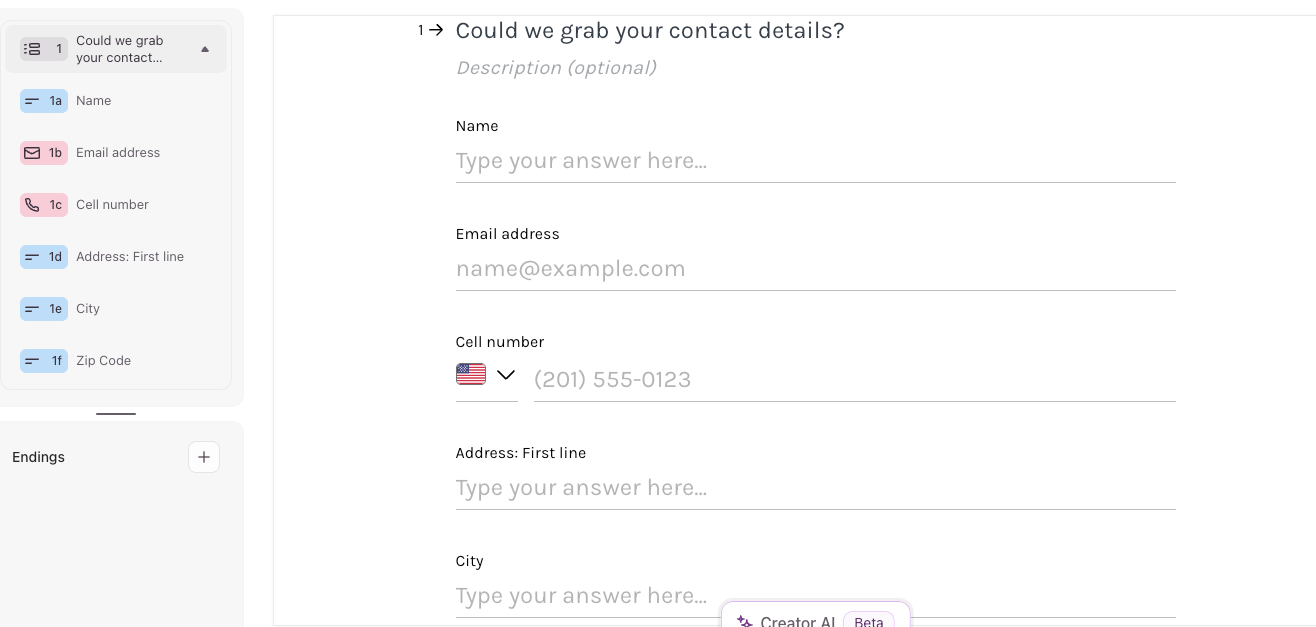
Thanks for your feedback ​@ltmr211 it’s much appreciated. I’ve passed this on to our Product team now. I’ve been told it’s on their radar to build some additional customization into the blocks in Typeform in the future. For now, one solution they proposed is to use the Multi-Question Page feature in Typeform and cutomize the field names that way. e.g. something like:


Some of the helper text can currently be customized to some extent using the Form Settings > Language section.

I hope this helps, let us know if you have any other questions as you start to explore the product.

Cheers


James