
Answered

Only One Quotation Mark

  • Oct 11, 2023 3:44 PM UTC
  • 5 replies
  • 195 views

Forum|alt.badge.img

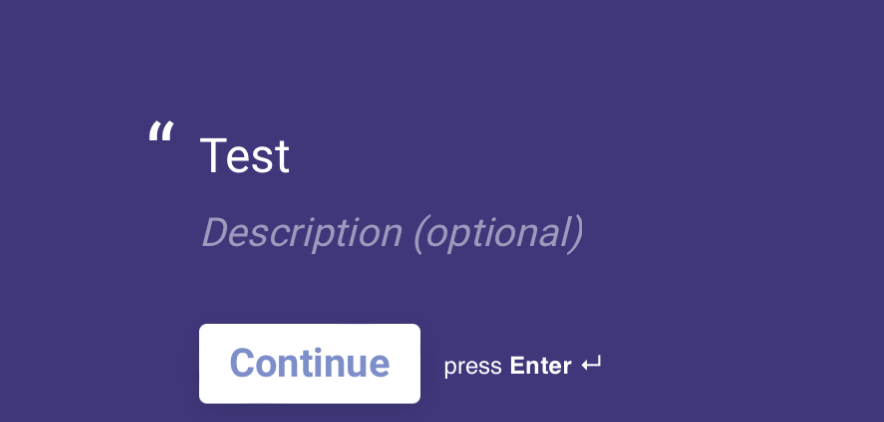
When I create a statement card It only gives me the opening quotation mark. How do I get both the opening and closing quotation marks? 


Best answer by Liz

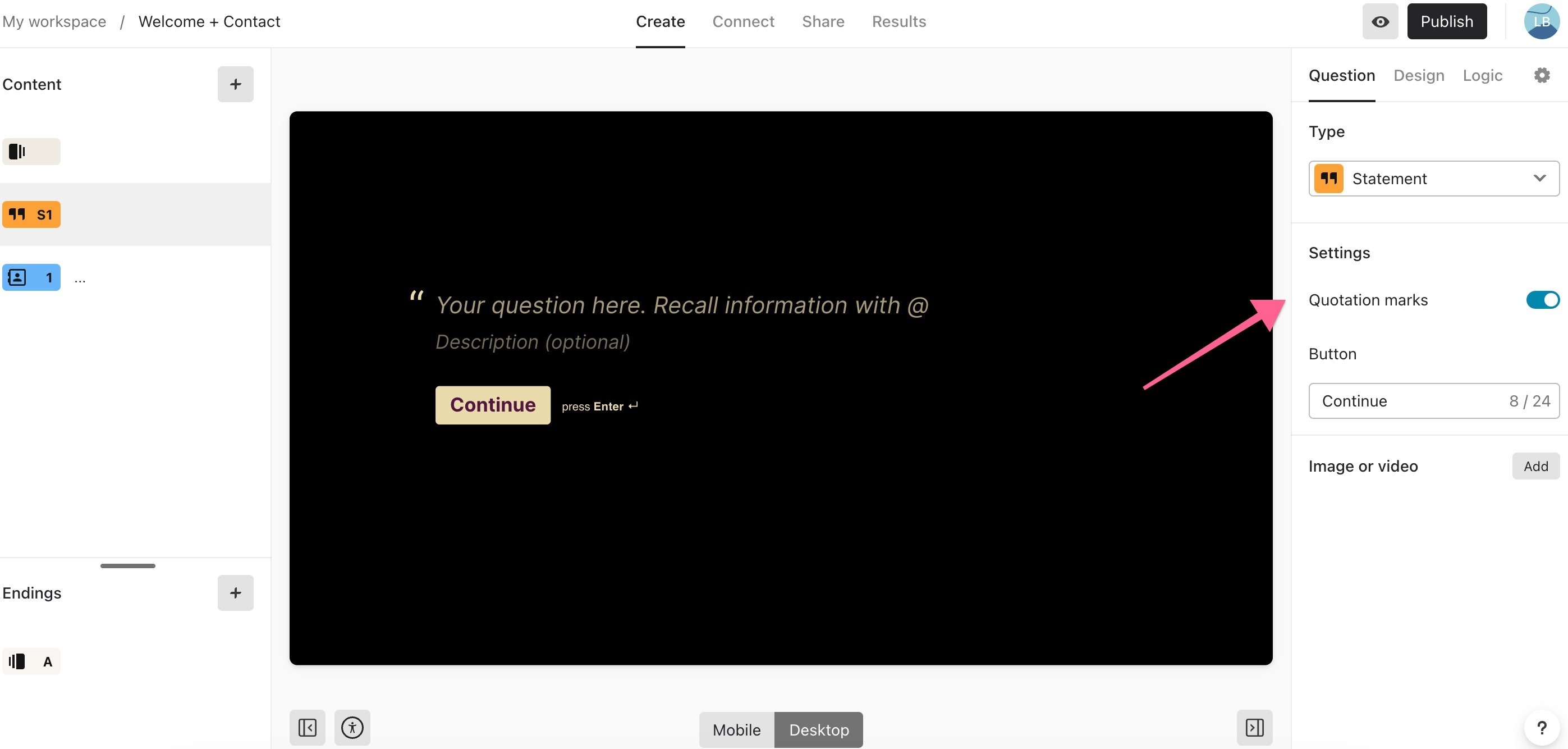
Hi @Momentors This is expected behavior of our statement blocks. We don’t currently have the option to add in additional quotation marks, but you can totally remove the quotations by clicking the button below: 
 

View original

5 replies

Liz
Ex–Typefomer
Forum|alt.badge.img+5
  • Tech Community Advocate
  • Answer
  • Oct 11, 2023 5:06 PM UTC

Hi @Momentors This is expected behavior of our statement blocks. We don’t currently have the option to add in additional quotation marks, but you can totally remove the quotations by clicking the button below: 


Forum|alt.badge.img
  • Author
  • Explorer
  • Oct 11, 2023 6:16 PM UTC

Thank you


Liz
Ex–Typefomer
Forum|alt.badge.img+5
  • Tech Community Advocate
  • Oct 12, 2023 3:03 PM UTC

Let us know if you think of any other questions, @Momentors !


Forum|alt.badge.img
  • Author
  • Explorer
  • Oct 12, 2023 3:26 PM UTC

Let us know if you think of any other questions, @Momentors !

No questions, just let me know when you add both the opening and closes quotations to the statement. Not sure why there is just one. It makes it look like you forgot to close the statement with the built in quotes. 


Liz
Ex–Typefomer
Forum|alt.badge.img+5
  • Tech Community Advocate
  • Oct 12, 2023 5:54 PM UTC

@Momentors 🤣 totally get it. I’ll post here if we make an update!



