Answered

Apostrophes removed and replaced in export

  • Oct 3, 2023 12:32 PM UTC
  • 3 replies
  • 169 views

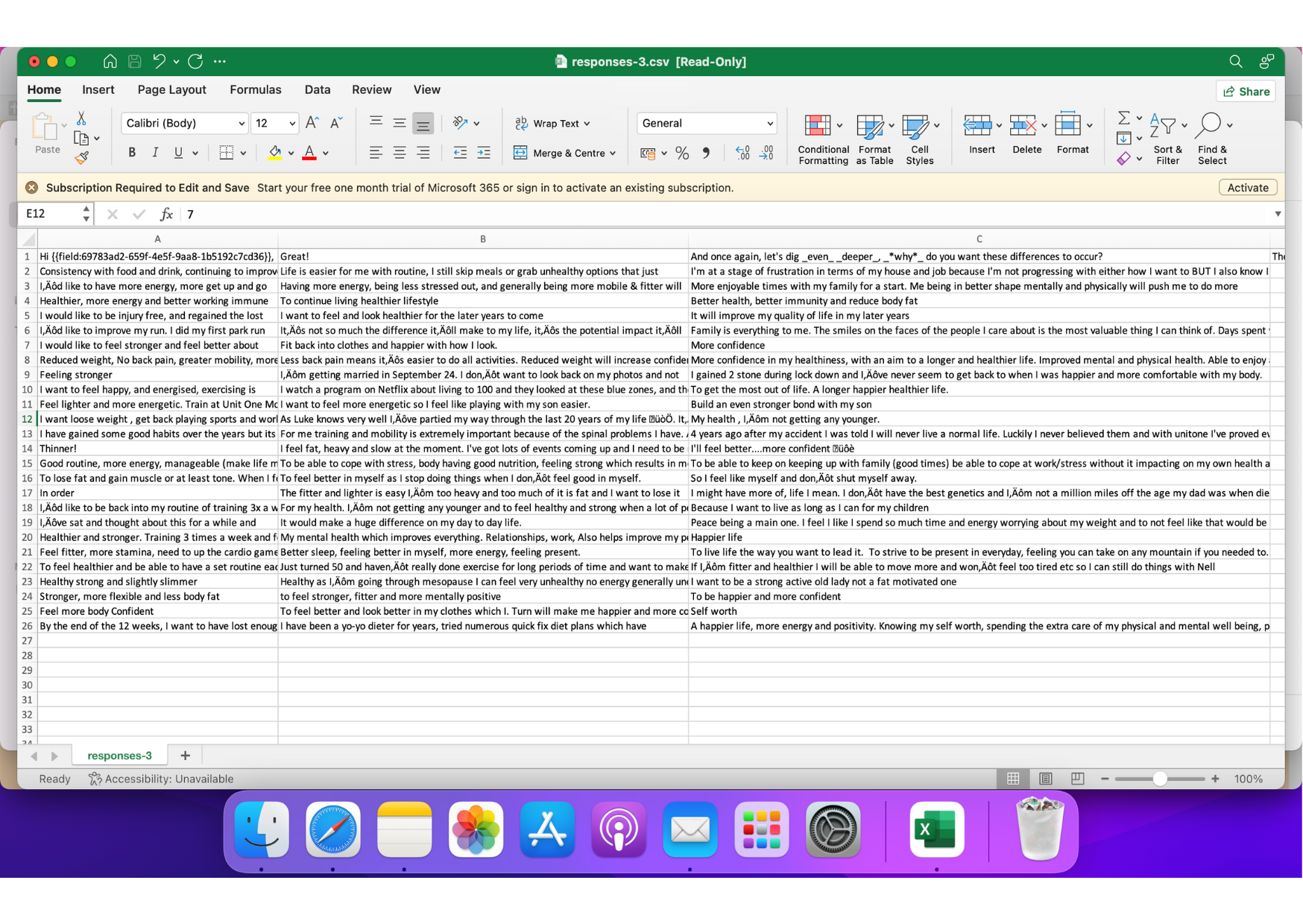
Upon exporting my results as a CVS file, all text that includes an apostrophe is replaced.


For example:

What’s is replaced with what‚Äôs

I’ve is replaced with I‚Äôve

It’s is replaced with it‚Äôs

Didn't is replaced with didn‚Äôt

Etc. 


How can I export the file without this happening? Find and replace doesn’t seem to work.

Best answer by Liz

Hi @UnitOneClub1 Do you happen to be exporting the CSV version and opening it up in Excel, rather than the XLSX version? If so, you’ll want to download the XLSX version to avoid the formatting issues. 

View original

3 replies

Liz
Ex–Typefomer
Forum|alt.badge.img+5
  • Tech Community Advocate
  • Oct 3, 2023 2:58 PM UTC

Hi @UnitOneClub1 Could you share a screenshot of what you’re seeing in the export and in the responses? Thanks!


  • Author
  • Explorer
  • Oct 5, 2023 12:46 PM UTC

Hi Liz, of course. I’ll attach it to this message.

Thank you


Liz
Ex–Typefomer
Forum|alt.badge.img+5
  • Tech Community Advocate
  • Answer
  • Oct 6, 2023 1:32 PM UTC

Hi @UnitOneClub1 Do you happen to be exporting the CSV version and opening it up in Excel, rather than the XLSX version? If so, you’ll want to download the XLSX version to avoid the formatting issues.