I don’t know if I’m being silly, but I’m not receiving email notifications when someone submits an answer to my survey. The last one I received was You've used 90% of your response limit, back in May, but I have received responses since then.
I’ve searched myself, then in the community, and help centre. Where is the setting to turn email notifications on for every survey response, please? I’m wondering if it’s not available to me on my plan…
The only resources I’ve found thus far is to do with Zapier, which I don’t think is relevant here?
Thanks very much!
Best answer by LauraTF
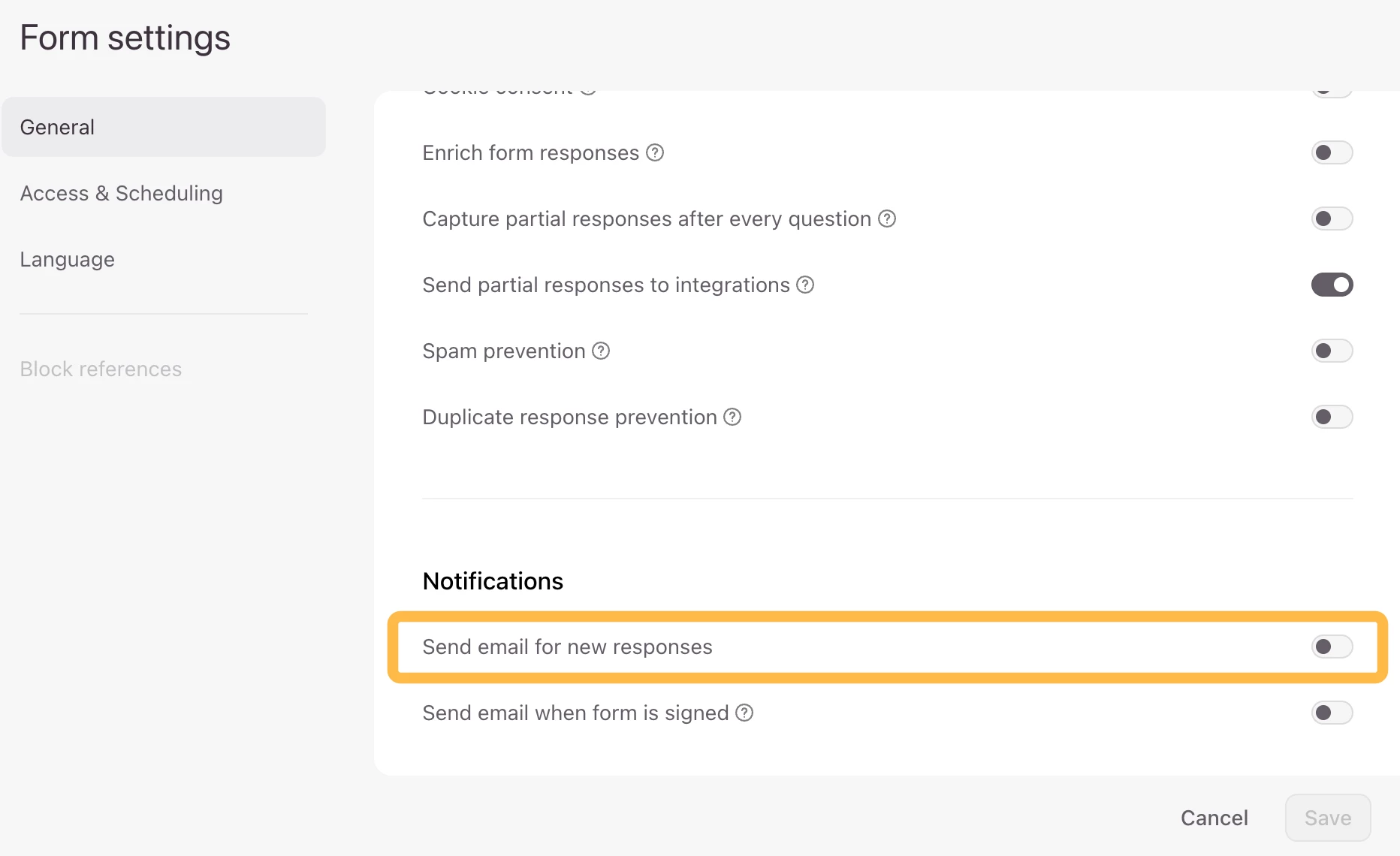
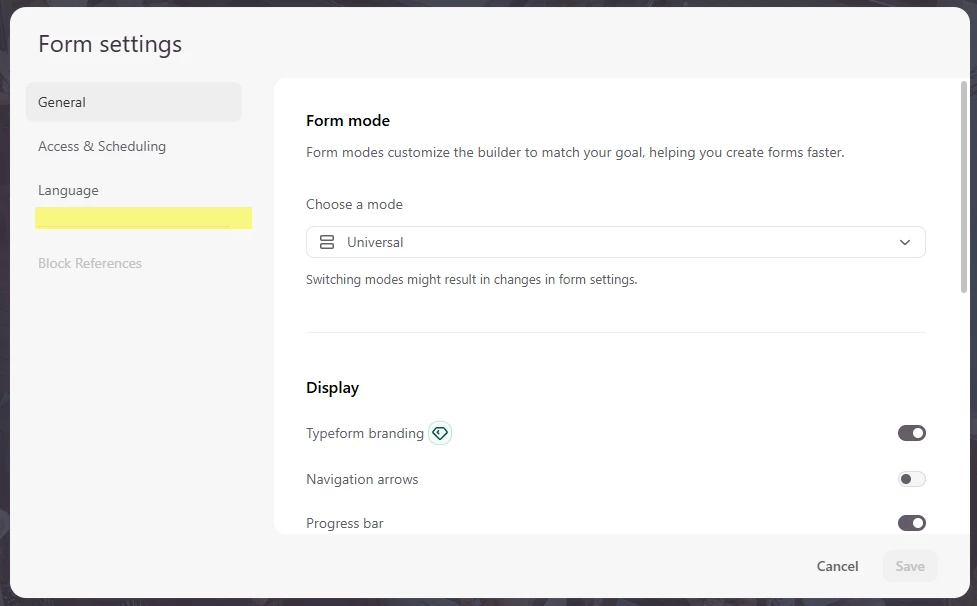
Hi all! 👋 You can now find this feature back in the Form Settings of your typeforms:
If you need more flexibility, Automations can send emails to respondents or your team based on form submissions, with conditions and multi-step flows: Create an Automation for when a form is submitted.
Automations can do more than send emails. You can also create personalized email journeys, send SMS or data to integrations, and trigger workflows based on contact updates or a schedule: Explore what Automations can do 💫
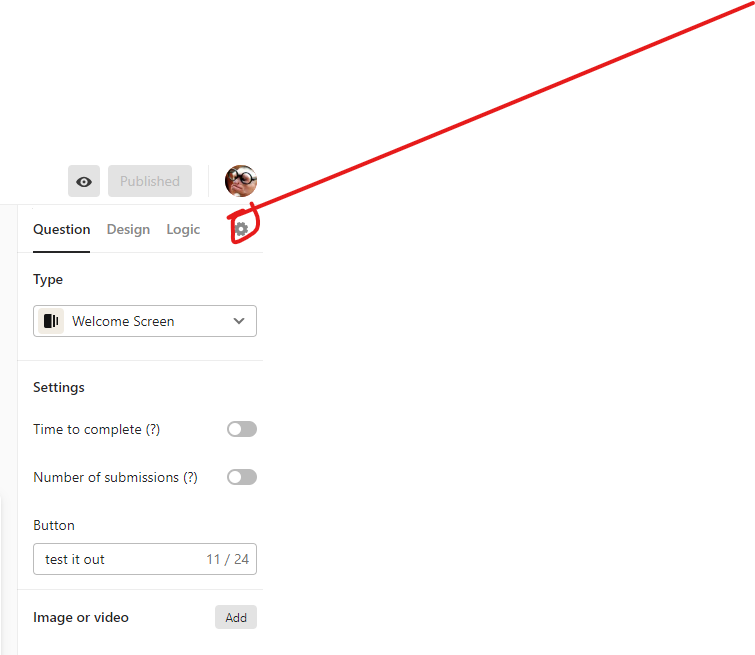
For some reason my surveys do not have the gear icon in that location. I am also needing to receive email notifications each time a response is submitted. Help!
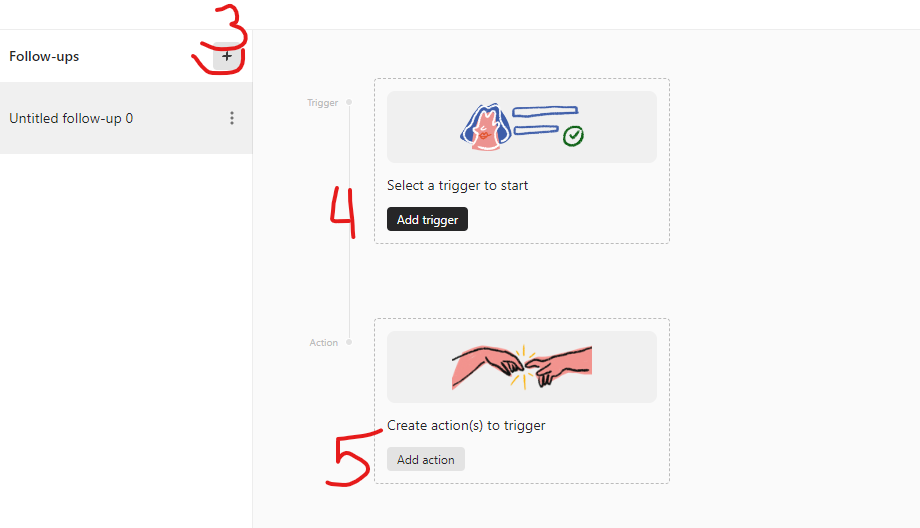
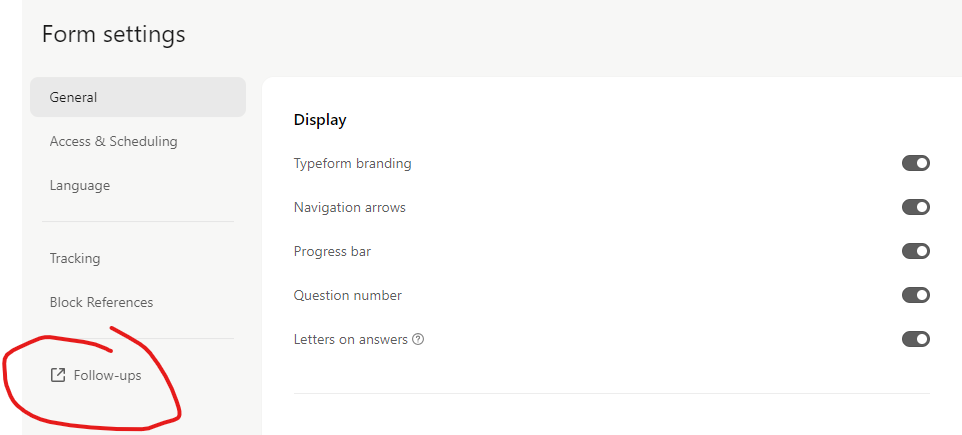
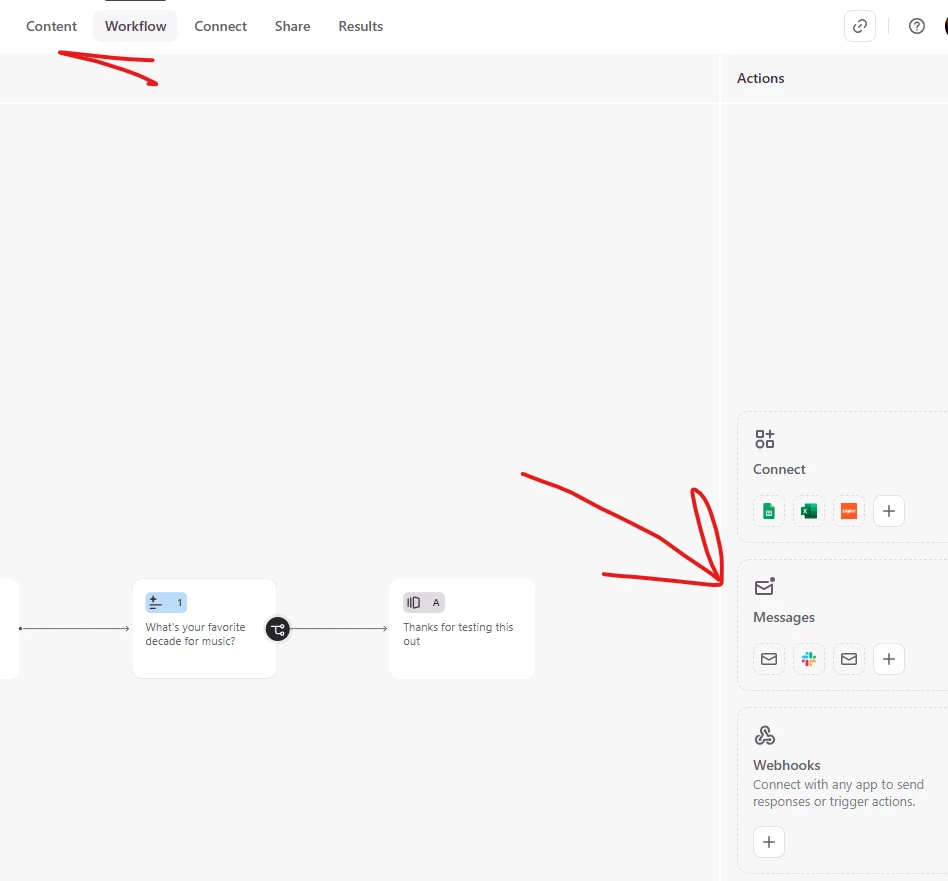
@Victory - the screen layout of Typeform has changed.. you will find it more in the middle left of the top of the builder. You will need to look in the settings for Followups and set up the notification there.
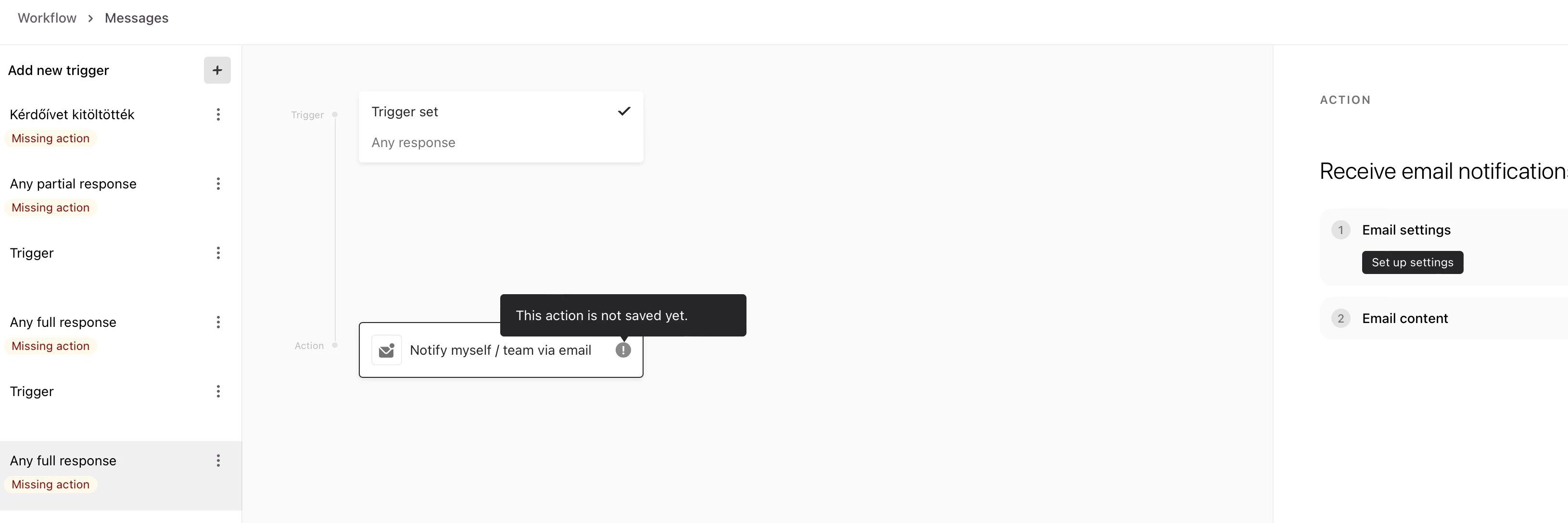
Hi, help me please to set up an email notification for myself, after someone fills out my form. There is no option to type my email address when I want to set up the notification email after someone fills out my form. I can select a trigger, but when I select the Action: Receive email notification, there is no option form me to fill in my email address. What should I do?
Hey @office sorry to hear you’re having issues setting up this trigger. Have you checked out our Help Center guide here? It walks you through setting up each follow up email option, there’s a section for sending yourself a notification.
If the option to add your email isn’t appearing I would recommend reaching out to our support team via this link so they can investigate what’s happening in your account.
If you need more flexibility, Automations can send emails to respondents or your team based on form submissions, with conditions and multi-step flows: Create an Automation for when a form is submitted.
Automations can do more than send emails. You can also create personalized email journeys, send SMS or data to integrations, and trigger workflows based on contact updates or a schedule: Explore what Automations can do 💫