Discover the latest features and find new ways of using Typeform
Recently active
Typeformers, it’s nice to see you on the community! I’m Dan, a Lead Product Manager at Typeform responsible for the form creation experience and capabilities. We’ve been building intelligence into Typeform for years, but with the release of Large Language Models like OpenAI’s GPT the pace of development is dizzying. As such, we’re focussing in on a couple of areas:How can we make it as easy as possible to build a beautiful, high performing form in a fraction of the time? How does this new technology change the way we think about collecting and understanding data? We know our users are busy, and so we’ve been working hard to build out those AI features to build better, quicker. Before we release them, we want to give you a sneak peek into what we’re working on. Here’s a preview at what’s coming: Optimize question copy Well written, and concise questions makes responding to forms easier and results in more form submissions. Our AI model analyzes your question copy and suggests possible
Hey everyone! 👋 We’re flying under the radar with May’s VideoAsk Product Update, blink and you’ll miss it, but it’s a goodun! If you’re familiar with the video controls on a videoask you’ll know that you can turn on/off closed captions, speed up playback or switch on/off full screen mode. Well now we’ve added one more to the list - MUTE/UNMUTE! 🔇 Creators and respondents can now mute or unmute a video during playback, adding that extra level of control to your video watching experience 😎 Keep your eyes peeled for more updates coming through over the next few months, and as always let us know your feedback in the comments below ⬇️ ⭐️ Check out May’s videoask of the month featuring a great example of how to use VideoAsk to capture leads.⭐️ And don’t forget to join us for our live workshop this Thursday! VideoAsk Academy - Breaking the ice with VideoAsk 🎓
We are officially done with the first quarter of the year and into the next! It’s been a busy quarter here at Typeform, so I’m sure it’s been busy for all of you Typeformers out there, too. We had plenty of new feature releases the last few months. To give you a central spot to check out all the new features, we’re starting a new Quarterly Typeform Roundup! Check out the video below to see a brief demo of each of them (and hear about some upcoming webinars and features!) or glance through the list of new features below. New Question Fields Address BlockAsk for the essentials all at once, pick which fields to require, and hide the fields you don’t need in the Results panel. New Form Settings Accessibility CheckerCreating accessible forms is just as important as having an accessible website, so we’ve made it easier for you to ensure your forms can be completed by all.Disable AutosaveYou can now stop pending responses from popping up the next time someone opens your typeform.Hide/Show
Hola hola Typeform community! Our product team released a new setting to your form that you may find in handy if your respondents need the ability to scroll through required questions before answering them. The previous behavior of our forms forced the respondent to answer a required question before navigating to the next. Now, with this new toggle, you can allow your respondents to move past a required question to view all questions on the form and return back to it when they’re ready to provide an answer. It’s a quick toggle on/off to adjust this setting. I’ve also made a handy video below so you can see how this feature works. As always, drop any feedback or comments in the thread below.
Hello everyone! April has arrived and with it a light shower of VideoAsk product updates! ☔️ Here’s what’s new over in the VideoAsk builder: Adjust video position A much anticipated and hopefully much appreciated update, you can now adjust the position of your video once it’s been uploaded to a step. Under the video tab in each step you’ll now find the options to change the video position: And while you play around with the position, don’t forget to use the controls under the preview step to see how it will look on desktop, mobile or embed view. Embed previewAs I just mentioned, you can now preview how the videoask will look in embed mode. Previously you could only flip between desktop and mobile but now we’ve added a third option to give you an idea of how each step will look when it’s embedded on a web page. Don't forget, embeds can look different depending on the design elements of your website or landing page. For more information on embedding a videoask, check out our Hel
The product team has dropped a fancy new design feature—rounded corners! It’s super easy to set up. When you utilize this feature in your forms, it automatically changes the corners for all the answer options. Follow the steps to add this feature to your forms or watch the video below. If you’d like to adjust the corners for one form: Click on Design → Name of the theme you want to edit Next, scroll down to rounded corners and choose which type you’d like your answer options to have. Finally, publish the changes to your form. If you’d like to adjust the corners for the theme in your brand kit: First, click Design → Brand Kit. Then, choose the theme you’d like to edit. Next, scroll down to the rounded corners option and choose your preference Finally, save the changes so they’re live on every form using that theme. As always, let us know how you use this design feature and drop any comments or feedback in the thread below!
February may have flown by, but our R&D team were still able to release a couple of very welcome improvements! These features were requested by you, our community members, so give yourselves a pat on the back for the great recommendations! Let’s dive into everything that we released this month: Disable Autosave In most situations, allowing your respondent to start their Typeform and return to it later is a great feature. However, if you have your form in a public setting on one device many people will use, disabling autosave prevents respondents from seeing the data others left behind. Check out the video below to learn how to use this feature or read our help center article here. Hide/Show Letters on Answers This month also welcomes the ability to remove the letter hints on questions. A quick toggle gives you this option, and it’s a great feature for those who don’t want to add a letter to every single answer option. Take a peek at the video below or read our community post ab
New year, new Typeform features! That’s the saying….right? Our product team hit the ground running at the start of January with a lot of improvements to existing integrations and features. If you’re just returning to working on your typeforms, many of these features will come in handy for you! And if you’ve worked through the holidays and new year like me, hopefully you’ve already had some time to give each of these a test run in your existing forms. Now, onto the new features! Address Block Our newest block, the Address Block, allows you to ask all the essential information needed to obtain information about your respondent’s mailing location within the same question. Read more about the address block here or check out the video below for a brief walkthrough. Accessibility Checker Creating accessible forms is just as important as having an accessible website, so we’ve made it easier for you to ensure your forms can be completed by all. You’ll find the new accessibility checker i
Hey Community! 🌸 March has arrived and the VideoAsk product team has sprung into action with some new updates to help you navigate around your account with ease. Share panelWe’ve made some changes to how things look when it comes to sharing your videoask. You’ll still be able to go to the same places to share your videoask - from the builder and from the inbox view, but now when you click to share this is what you’ll see: There are still all the same options available for sharing: Email Iframe or widget embed Social media Link But hopefully this new layout will make things a little easier to navigate when it comes to sharing the right way for you. Let us know what you think! Collapsible sidebar We’ve been listening to your feedback, and have made some changes to the folder menu to help save some space while you’re navigating around your account. You can now collapse the menu and hover over the folder icons to remember which videoask you need to work on next! Check out the vi
Happy mid-February, Typeform community! If you’re using Typeform in a kiosk-like mode or having multiple people fill out the form on a single device, you might find our feature that saves answers in the browser until the form is submitted a bit challenging. Our product team heard your feedback and released the ability to turn this feature off. It’s as easy as clicking a toggle!Take a peek at how this feature works in the video below:
Our product team heard your feedback on logic jumps and have released a small but mighty update. If you have a logic jump set up on a question, but there is no default jump (aka, “in all other cases” rule), the question will automatically be set to required. If you would like to remove the requirement, you just need to add an option for all other cases. This update stops the previous issue in which the submit button would show earlier than expected. Take a peek at how the newly updated feature works below by our very own @Yuri from the Typeform Product Team. As always, let us know your thoughts on this feature and any feedback you have!
It’s a great day, Typeform Community, because a feature that many of you have requested is here: the ability to remove letters on answer options! On questions such as Multiple Choice, Legal, Yes/No or Picture Choice, those pesky letters marked every single one of your answer options. Now, you can remove those with the switch of a toggle. Watch the video below to see how, or follow the steps underneath. Our help center article here is also a great reference. First, go to your form settings. Next, toggle the button for “Letters on Answers” either on or off, depending on your preference. And voila! That’s it. That’s all there is to it. As always, let us know what you think of this feature and share any feedback in the comments below.
Kicking off the start of the year with some brand new (and much awaited!) features to our Share page. Our product team gathered all your feedback and redesigned the Share page to help you share your forms more easily on your website and emails. A few highlights of the new Share Panel features are: Easier navigation. Choose your embed on the left and view the design options on the right. Quickly navigate all the web page embed options with the code automatically updated. No more editing the code yourself. We’ll do it for you! Hidden fields are now automatically passed through to your embed so you don’t need to dig through the embed code. If you’re using the Hubspot integration or Google Analytics integration, we’ll also automatically add these options to any embed codes you generate so tracking will be a cinch. Just make sure to add the integration before configuring your embed! We’ve also added some new features and adjustments to designing inline embeds: Set th
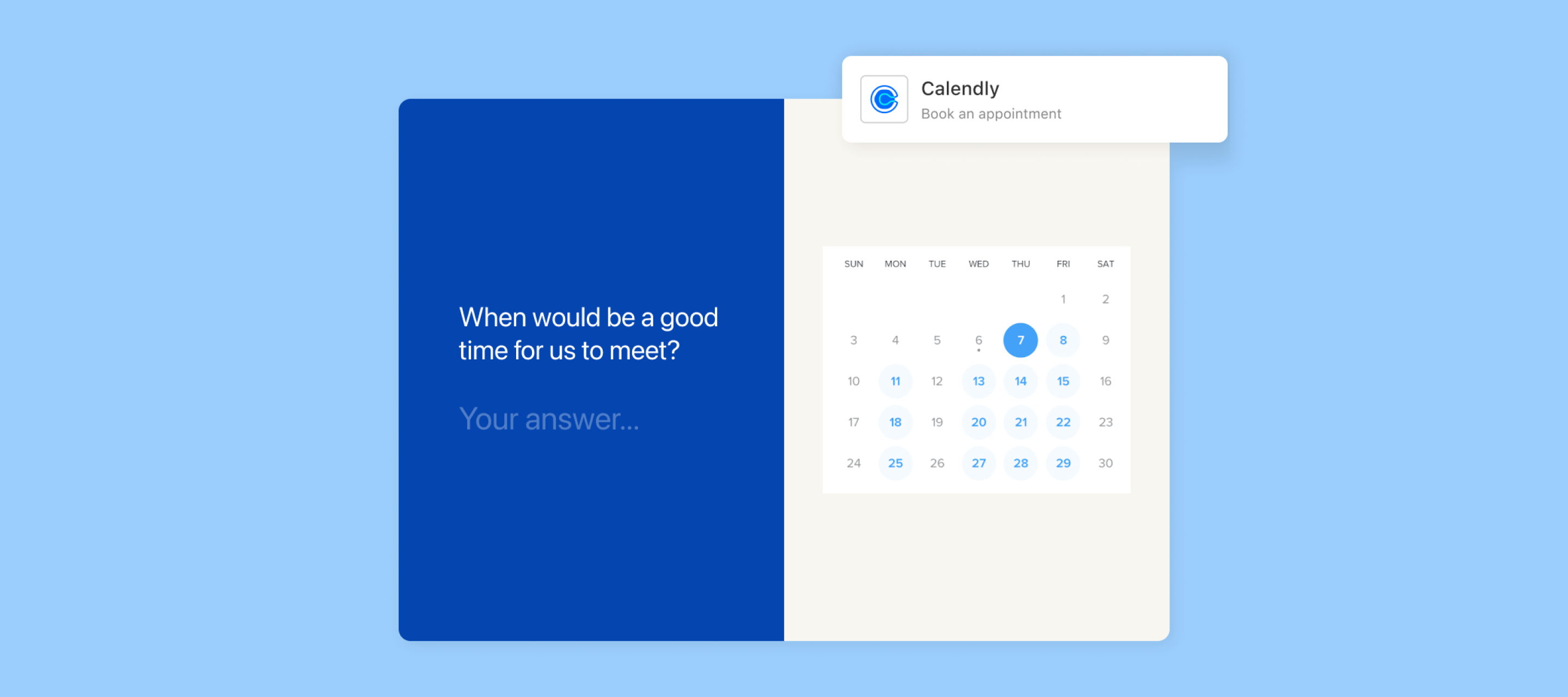
Hi, it’s Liz and we’re excited to introduce…. Drumroll please…. Our new Calendly app! You’ve all been asking, and it’s finally here! Calendly is our first in-app integration, which you can add directly into your form as you build it. Now you can ask all the questions you like and have your respondents set up an appointment with you directly within your Typeform, via Calendly's appointment scheduling platform. So now there's no need to send people to another web page or redirect them outside of your form to schedule a call or virtual meeting! Wondering what an in-app integration is? Instead of heading to the “Connect” panel, you can add your Calendly event into the form just as you would any other question. How to add the Calendly app to a typeform To add a Calendly event to your form: Click the + button in the form builder and scroll down to “Appointments.” Next, authenticate the integration by connecting to your Calendly account. Then, select the event type you’d like to ad
Hello, wonderful Typeform community! We have a fancy new feature available for our Enterprise customers - fully custom domains! If you aren’t on our Enterprise plan, you still have some options to update the subdomain of your Typeforms. Check out the video below for a quick walkthrough or read more about it here.
Well Community, that’s a wrap for 2022! 🎉 There have been so many great VideoAsk updates this year we wanted to share a few highlights before we get cracking on more new features and improvements in 2023. 🤩 Reply with Audio Back in July we announced the arrival of Reply with Audio, allowing creators the choice to reply back to respondents via either video or audio message. 📹 Here’s the demo: Manually Add Contacts Another new release launched in July was the ability to Add Contacts to your Contacts list! Previously, the only way to have a contact appear in the list would be if someone had responded to your videoask, but now you can add in a contact and kick off a conversation via direct video message. Reply to Many In November we launched Reply to Many, saving everyone some time by allowing creators to reply to multiple contacts at once.📹 Catch up on how it works here: Filter by Score and Date Earlier in the year we made some updates to our filtering options and in April we laun
Wow! Was this the year for new features and integrations or what? When I compiled the list of everything released the past twelve months, I didn’t realize just how lengthy that list would be. Time flies when you’re launching new features! In case you missed it, I’ve done the deed of recapping everything you might not have seen into this handy dandy roundup for you. New Features Our product team heard your feedback and delivered on some of your most requested items this Spring and Fall. First, they did some major upgrades to the workspace experience. From adding the option to order workspaces, switch easily between different organizations, adding the new “can view” workspace role, and making it easy to discover workspaces in larger organizations, you can spend less time searching in your workspaces and more time creating forms. Next, the product team added additional features for analyzing your response data with performance trends, response filters, and response tags. As if that w
We’re officially into Fall now and the end of the year is nearly here. Where did 2022 go?! With one month left of the year, our product team hasn’t slowed down on releasing new features. Take a breeze through the newly released items below to see what the product team has been up to. Brand Kit In case you missed the memo, our Brand Kit is an easy way to organize all of your brand assets into one location so you can design your forms faster with your brand in mind. To utilize this feature, you’ll need to be on a Plus plan or higher. The Brand Kit includes a few different components such as logos, colors, media, and themes. Our Plus and Business plans allow for one Brand Kit, and if you’d like more, you’ll want to peek into our Enterprise plan. Workspace Discovery If you have multiple workspaces that your employees need to join, you’ll enjoy this new feature. Now, your organization members can search and request to join workspaces they aren’t a member of. Learn more about this handy fe
Hello everyone! This month we’ve got a few final treats for you to enjoy before the holiday season really gets underway! Let’s take a look at what’s new in VideoAsk 🎁 Respondent email confirmationHave you ever completed a videoask and wondered whether your response has been sent? Or perhaps you’ve been using VideoAsk for recruitment and have had a few nervous applicants worried their application didn’t arrive in your inbox. It's something we’ve heard in the past, so we’ve added an option to send respondents a confirmation email. Simply head to Settings while you’re in the builder of your videoask: Then scroll down until you see the toggle for Send respondents a confirmation email: Now, any time someone responds to your videoask they will receive a confirmation email that will look a bit like this: If you want to personalize the confirmation experience even further, and integrate VideoAsk with your email marketing tool, we have a handy community guide to show you how it’s done: Ch
Hi everyone! Can you believe we’re already in November? 😱 Let’s get cracking with this month's updates as the VideoAsk product team have been rather busy again! Reply to many The big news this month is the launch of the Reply to many feature! 🎉 This means, you can now send the same message to multiple contacts at once, making your reply time more efficient! 📹 Here’s how it’s done: This feature could be useful for replying to event submissions and course applications, or sending replies to candidates answering your recruitment videoasks. Check out the guide here to learn more: Adjustable reply length Previously you could only control the time limit for an initial response to your videoask (so the first time someone answers you). If you then continued with an asynchronous conversation respondents could leave lengthier replies due to the default settings (up to 300 seconds). Now you can also set a time limit for any follow up responses, so if you only ever want 30 second replies, y
Cooler temps in the northern part of the world are officially here, and so is another product digest! October really flew by, didn’t it? The product team has dropped our newest feature this month - Brand Kit! Personally, it’s my favorite new feature this year. Let’s dive right in! Watch the video below for a full overview of the feature or browse through the different features underneath the video. Brand Kit Our Brand Kit is an easy way to organize all of your brand assets into one location so you can design your forms faster with your brand in mind. To utilize this feature, you’ll need to be on a Plus plan or higher. Our Plus and Business plans allow for one Brand Kit, and if you’d like more, you’ll want to peek into our Enterprise plan. The Brand Kit includes a few different components: Logos The coolest part of the Brand Kit feature is the ability to upload multiple logos. You may have various styles and types of logos for your brand, and now you can add them all! You can even c
Hello and happy official Fall, community members! Our product team certainly fell into a grand Fall season by releasing some epic features we’ve been waiting patiently for! If you haven’t had a chance to use them yet, give them a go because they could make your life a heck of a lot easier! Without further ado: Workspace “Can View” Role If you have someone you want to review your forms but don’t want to give edit or response download access to, this is the feature for you! When adding a member or editing an existing member to your workspace, you can now choose the option to only allow them to view the workspace and forms within that workspace. They won’t have the option to edit the form or download responses, but they will have the ability to copy and adjust the embed code (a great feature for your developer!). Learn more about this new feature here or watch the video below. If you’re curious how this compares to the other Role options, read more in our Help Center article here. Co
Friends, Romans, fellow community members! I’m Claudia from Typeform’s Education team, here to share some new content we’ve recently added to our Help Center. Nothing says “summer” like an FAQ guide to mapping your typeform questions to Salesforce fields, right? We hope that these technical tips & tricks will help you become even more of a Typeform expert. Read on to learn about some of our newest resources: Troubleshooting embedded typeformsEmbeds are a great way to meet your respondents halfway: by embedding a typeform on the pages your site visitors view most, you’ll be in the right place at the right time to get loads of responses. But if you're having embedding headaches, whether it's the start button not displaying, trying to hide the scrollbar, or the embed itself not appearing, this new Help Center article is a great resource: Salesforce setup FAQs New to Typeform’s Salesforce integration? Head over to our Salesforce FAQ page to find answers to some of the most common ques
Hey Community! 🎃 I can’t believe it’s already time for the October Product Digest! 😱 It’s been another busy month for the product team, with more updates to the VideoAsk builder and improving existing features. Let's take a look at what’s new in VideoAsk 🤩 Increased recording length Remember last month we increased the video upload size to 500MB? Well to help you get even more out of your conversations we’ve also increased the recording length for video and audio, both in steps and in replies, so now you can choose to record for up to 5 minutes. This will come in handy when you’ve got just a little bit more information to share with respondents – no need to reply back twice, just keep it all in one message! Ignore human notifications This one has been on our radar for a while, many of you have asked if there’s a way to switch off those pesky human notifications and only get pinged for responses with contact details. To switch off (or on) human notifications, head to your Accoun
If you’re working in an organization with a lot of workspaces or you’re the one managing those workspaces, you know it can be tedious to manually send workspace invites to your team members. We’ve made life a little easier for you with our new feature allowing your organization members to find workspaces and request access to them on their own! Take a look at the video below for more information on this feature: STEPS Click in the search bar on the upper left-hand corner. Next, type in the name of the workspace you’re looking for. Typing in the partial name should bring up a list of workspaces with the corresponding text or browse available workspaces in your organization. Then, click the option to join the workspace and wait for the workspace owner to grant your request. Once you’ve been accepted, you’ll receive an email like this: If you’re the one approving the invite, the invitee will automatically be added to the lowest permission, “can view,” which you can modify if you’
Don't be shy and ask the community.
Already have an account? Login
Enter your E-mail address. We'll send you an e-mail with instructions to reset your password.